Questions & Answers
- Model:
- MX3X2LL/A
- |
- SKU:
- 5920901
Q: Questionwill this work with an android phone
Asked by matthew.
- A:Answer Yes, as long as you have Bluetooth on your phone or an audio 3.5mm jack the headphones are compatible.
Answered by Brenda83
Q: QuestionWill these type of headphones work on an airplane to listen to their movies
Asked by susied.
- A:Answer You can use the optional RemoteTalk Control cable with 3.5mm connector for a wired connection that will connect to airplane consoles with a 3.5mm audio port.
Answered by Beats by Dr. Dre ?

Q: QuestionDo these earphones connect to a Yamaha keyboard psr s775?
Asked by Rachel.
- A:Answer You can use the optional RemoteTalk Control cable with 3.5mm connector for a wired connection that will connect to consoles with a 3.5mm audio port.
Answered by Beats by Dr. Dre ?

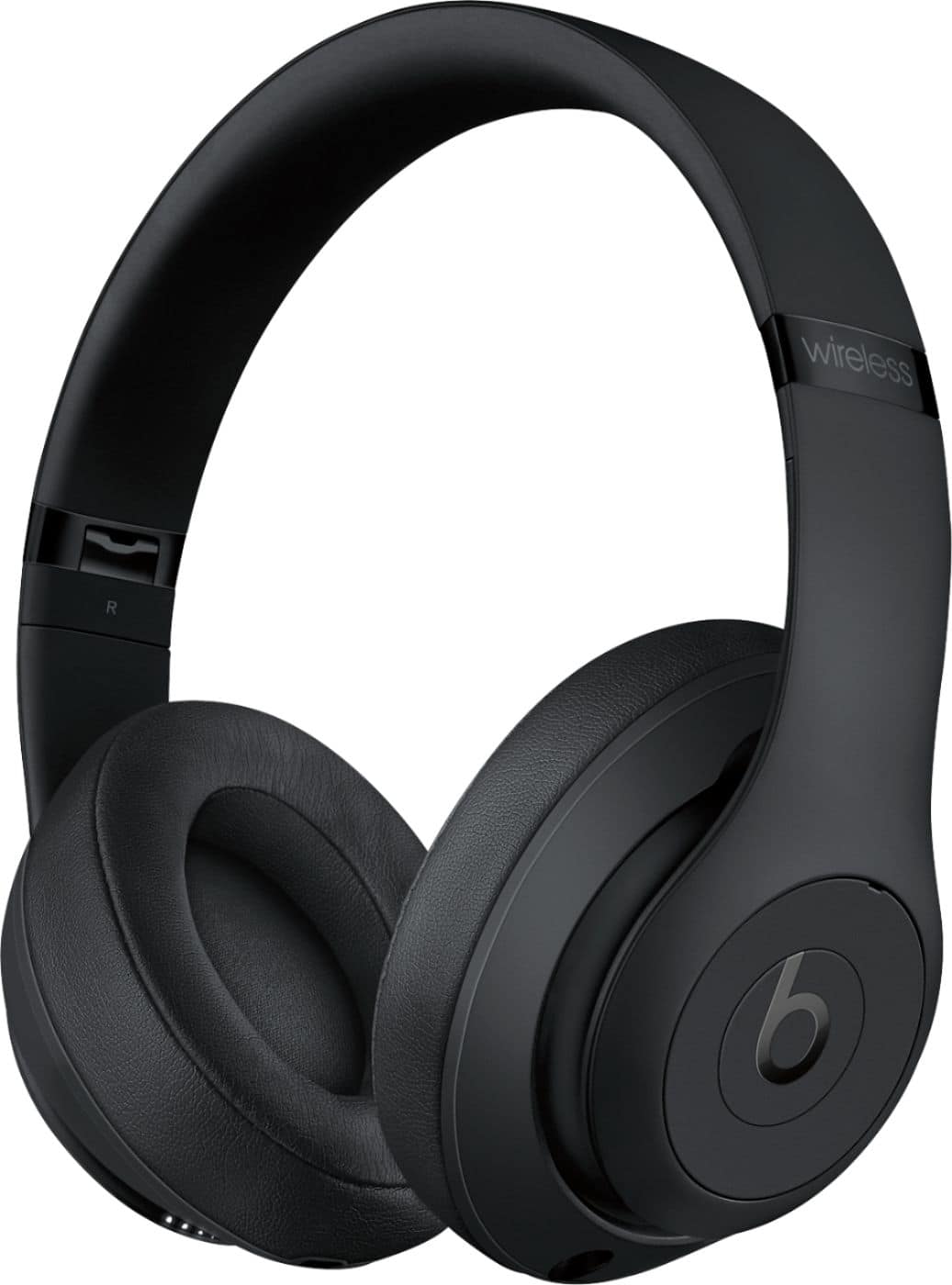
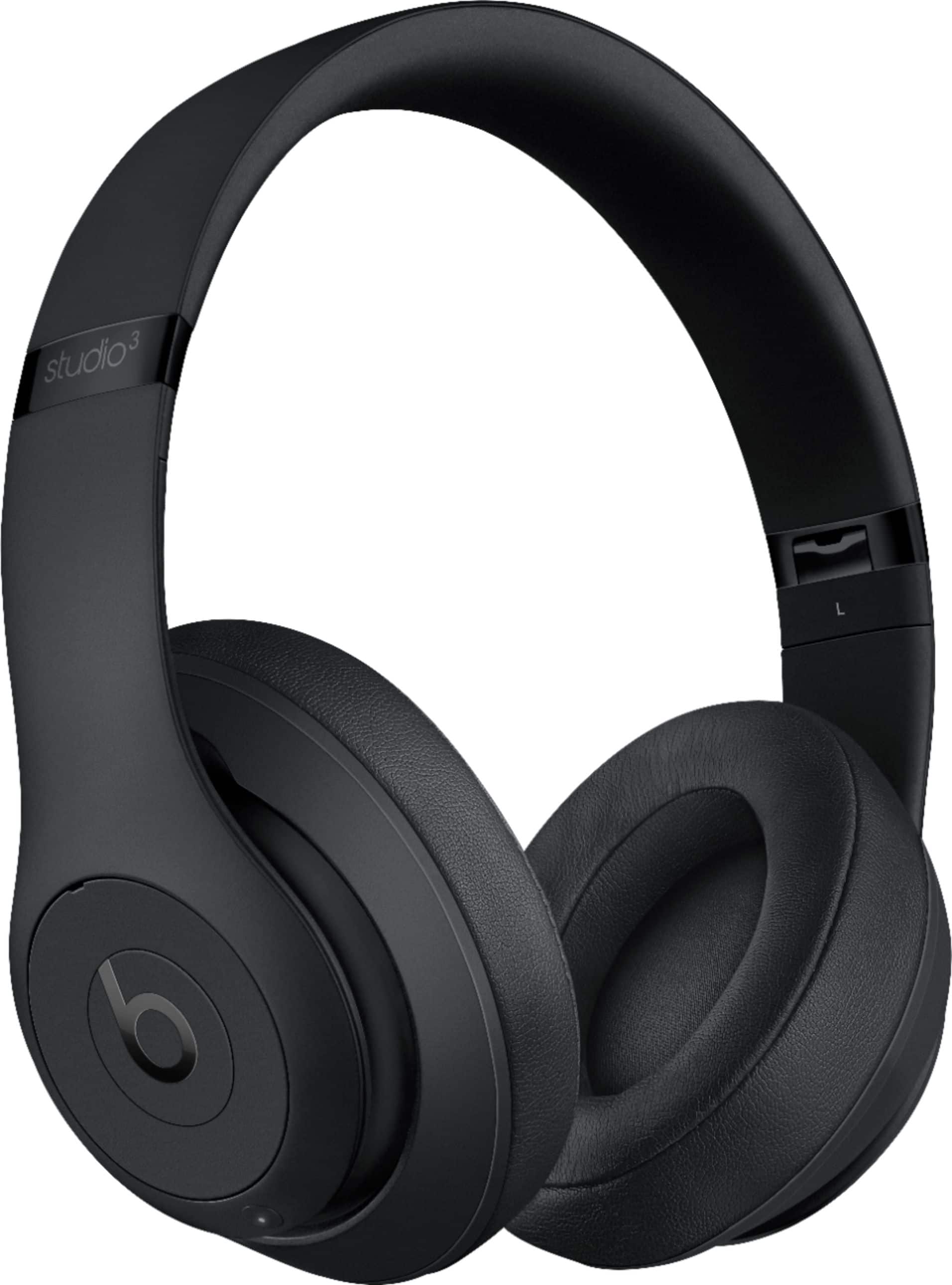
Q: QuestionAre the headphones over the ear or on the ear?
Asked by Jezebel.
This question was asked about the related product: Studio³ Wireless Noise Cancelling Headphones - Beats Skyline Collection - Desert Sand
- A:Answer They are over the ear
Answered by Drew
Q: QuestionAre these over the ear
Asked by Sal.
- A:Answer Yes I got big ears and it still covers my whole ear!
Answered by datguy
Q: QuestionAre these on ear or over ear?
Asked by Dawn.
- A:Answer Over the ear.
Answered by 6rIcHrAnDoM9
Q: QuestionWill this work on a Yamaha surround system that is hooked up to my tv, we have a set of Bose now , but lightning hit and knocked out electricity and I can’t get them to connect to our surround system any more.
Asked by Maddie.
- A:Answer You can connect via bluetooth or wired connection. If you have a Smart TV, you might be able to connect your bluetooth headphones, earphones, or Beats Pill+ Speaker directly to the TV via bluetooth (check your TV users manual for more information). Another option is to connect a bluetooth transmitter receiver to your TV, then connect your bluetooth headphones to the receiver via bluetooth. If you are using a streaming device connected to your TV and that service has an app, you might be able to connect your earphones or headphones to your phone and enable the headset option within the app for listening on your TV (check the streaming device and associated app for more information). There are several ways that you can connect to your TV. If your TV has bluetooth, you can connect through the bluetooth settings. If your TV isn't a smart tv, you can purchase a bluetooth receiver - you connect the receiver to the TV, and then pair your headphones to the receiver (you can listen to audio through your headphones, and others can still listen through the TV if you prefer). If you're using a device like Roku, you can download the Roku remote app, and there is a headphone icon that you can click on your phone (just be sure your headphones are already paired to your phone first). If you still need help, you can usually search for your TV model on YouTube and see how others are connecting their bluetooth headphones to their TV.
Answered by Beats by Dr. Dre ?

Q: QuestionAre these on ear or over ear headphones?
Asked by Anonymous.
- A:Answer Over the ear and very comfortable to wear
Answered by 1987uc
Q: QuestionCan you hook up to your television
Asked by Anonymous.
- A:Answer Yes as long as you tv as Bluetooth or and audio jack 3.5mm
Answered by Brenda83
Q: Questiondo they work with behind the ear hearing aids
Asked by Winter.
- A:Answer No. Beats Solo Pro Headphones are compatible with Live Listen. You can learn more by visiting https://support.apple.com/en-us/HT201466.
Answered by Beats by Dr. Dre ?

Q: Questioncan my son use those to play with his xbox one when he plays live with his friends.
Asked by Anonymous.
- A:Answer Beats by Dr. Dre wireless headphones and earphones connect via bluetooth, 3.5 mm aux cable (RemoteTalk Control cable), or lightning connector. Beats are made to work with most devices. However, functionality may vary by product. Many gaming consoles feature handheld controllers that have a 3.5 mm headphone port. When Beats by Dr. Dre wireless headphones or earphones are connected for gaming, you will be able to hear audio. For talking back to your friends online, some gaming customers have purchased external boom microphones, or boom mic headphone gaming adapters. Compatibility may vary (refer to the manufacturer user manual for support).
Answered by Beats by Dr. Dre ?

Q: QuestionHow does the headphones perform while your actively doing something like basketball? And also how does the bass sound?
Asked by Bakerboy.
- A:Answer There’s no bass, sound is very flat and hollow. If you’re looking for decent sound then I wouldn’t waste your money buying this. This is honestly just the brand name and cosmetics.
Answered by Jules
Q: QuestionAre these over ear or on ear ?
Asked by Mh68mh70.
- A:Answer Beats Studio 3 Wireless Headphones are over-ear headphones.
Answered by Beats by Dr. Dre ?

Q: QuestionCan you connect the Beats Studio3 Wireless Headphones to android devices.
Asked by Sarah.
- A:Answer Yes
Answered by 6rIcHrAnDoM9
Q: Questionthese work with iphone7?
Asked by n.
This question was asked about the related product: Studio³ Wireless Noise Cancelling Headphones - Beats Skyline Collection - Desert Sand
- A:Answer yes go into settings and disconnect Bluetooth and then reconnect they should pair.
Answered by beatssolo3
Q: QuestionWill these pair with a Samsung galaxy 6 phone?
Asked by dumbertgsnarock.
- A:Answer Yes, these pairs with Samsung Galaxy 6 phone.
Answered by CommunityAnswer
Q: Questiondo you have to use noise canceling
Asked by gia.
- A:Answer No. This feature can be toggled on/off
Answered by 6rIcHrAnDoM9
Q: QuestionSo these will plug into any laptop?
Asked by Millertime.
- A:Answer Yes. As long as it as a USB port.
Answered by De123
Q: QuestionAre these waterproof/sweat proof?
Asked by Nikki.
This question was asked about the related product: Studio³ Wireless Noise Cancelling Headphones - Beats Skyline Collection - Desert Sand
- A:Answer No. Beats Studio 3 Wireless Headphones are not sweat or water resistant.
Answered by Beats by Dr. Dre ?

Q: QuestionCan this headphones hurt our ears?
Asked by Diego.
- A:Answer Beats Studio 3 Wireless Headphones are over-ear headphones. Fit will vary.
Answered by Beats by Dr. Dre ?

Most-viewed items
- $249.99Your price for this item is $249.99
- $99.99Your price for this item is $99.99$129.99The comparable value for this item is $129.99
- $139.99Your price for this item is $139.99$179.99The comparable value for this item is $179.99
- $299.00Your price for this item is $299.00$429.00The comparable value for this item is $429.00
- $155.99Your price for this item is $155.99$249.99The comparable value for this item is $249.99
- $99.99Your price for this item is $99.99$178.00The comparable value for this item is $178.00
- $249.99Your price for this item is $249.99
- $229.00Your price for this item is $229.00$249.99The comparable value for this item is $249.99
- $398.00Your price for this item is $398.00$458.00The comparable value for this item is $458.00
- $199.99Your price for this item is $199.99$249.99The comparable value for this item is $249.99
- $509.99Your price for this item is $509.99$549.99The comparable value for this item is $549.99
- $169.99Your price for this item is $169.99$349.99The comparable value for this item is $349.99
- $59.95Your price for this item is $59.95$109.95The comparable value for this item is $109.95
- $19.99Your price for this item is $19.99
- $249.00Your price for this item is $249.00$299.00The comparable value for this item is $299.00
- $399.00Your price for this item is $399.00$449.00The comparable value for this item is $449.00
- $169.99Your price for this item is $169.99$349.99The comparable value for this item is $349.99
- $44.95Your price for this item is $44.95$64.95The comparable value for this item is $64.95
- $99.99Your price for this item is $99.99$169.99The comparable value for this item is $169.99
- $149.00Your price for this item is $149.00$179.00The comparable value for this item is $179.00