“At first I could hear myself when inserting my headset into Yeti. Now I can’t hear myself at all. Yeti and headphones still work. Do I need to re-enable anything on my windows laptop?”
Answer This Question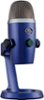
1-1 of 1 Answer
Hello Dre! For the Yeti Nano Premium Wired Multi-Pattern USB Condenser Microphone and all other Yeti mics, make sure to download the free G Hub software https://www.logitechg.com/en-us/innovation/g-hub.html, where you'll be able to to control most of your sound options, like the EQ, the Gain and all other options. As for the sidetone option (how much of yourself your hear when talking to the mic), there is not a specific function in G Hub for this, but if you right click your speaker icon at the bottom right of your desktop, then select Sounds, then the Recording tab, then your right click Yeti Nano and select Properties, select the Levels tab at the top, and you'll be able to adjust your mic level from there. - Mathieu from Logitech
Sorry, there was a problem. Please try again later.