“How do I turn the TV and Direct TV Box on/off using the remote?”
Answer This Question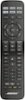
1-3 of 3 Answers
This information comes from pages 22-23 in the user manual, which can be found online if you don't have the one that came with the product. First, you have to program the remote for any of the devices you want to control with the Bose Cinemate 15 remote. (Page 22 in User Manual) Once you have the remote programmed for your devices, press and hold the [TV] and [CBL-SAT] buttons at the same time for about 10 seconds. They will blink three times. (This process can be repeated to undo.) Now, when you press the Power button, the TV, DirecTV STB, and Bose Cinemate 15 will all power on and power off at the same time. Note: If one of the devices doesn't turn on or off, press the corresponding device button and the Source Power button to turn just that device on/off.
Sorry, there was a problem. Please try again later.first you need to take a look at this manual the link is here http://worldwide.bose.com/productsupport/en_us/web/cinemate_15/page.html#tab=manuals_tab https://www.youtube.com/watch?v=kHQA5iUcXVE the youtube video will help you to how to set this up
Sorry, there was a problem. Please try again later.Thanks for your question. Articles on the CineMate 15 remote control, including programming and general use can be found on our Owner's website here: http://bit.ly/1GN2dEZ If you have any further questions, please call our technical support team at 1-800-380-4831 who can help. Thank you.
Sorry, there was a problem. Please try again later.