“I understand that the audible alarm can be turned off once activated. Can the audible alarm be manually set to OFF so that it will NOT sound at all? I don't want to be disturbed while sleeping.”
Answer This Question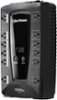
1-1 of 1 Answer
Hi Lee; great question. On our 1000VA desktop UPS models, The audible alarm can be turned Off or On by quickly pressing the POWER button twice. The default setting is for the Alarm On. To turn the Alarm Off, quickly press the power button twice. You will hear two short beeps when the Alarm is turned Off. To turn the Alarm back On, quickly press the power button twice. You will hear a single short beep when the Alarm is turned On. *When the Alarm is turned Off, there will be no audible notification when the UPS reaches a low battery state.
Sorry, there was a problem. Please try again later.