“I just purchased a new vivosmart 3 but I can't get my notifications to come through. Everything is turned on but I am unable to see anything. How do I reset this and make it work?”
Answer This Question
1-2 of 2 Answers
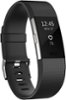
My cell phone was not compatible and would not even synch to the vivosmart 3 smart watch so I went back, exchanged and purchased a Fitbit Charge 2 now which shows notifications, like emails, telephone calls, and texts, but my phone is not compatible with those types of notifications. But I am happy with it, nonetheless. However, I do get notifications when I need to be active and when it is time to wind down to sleep, sleep cycles, distance walked, log in water drank,.or when I get badges for accomplishing certain goals. It resets after 24 hours for your activities. Check to see if your cell phone is compatible to receive the email, phone calls, and texts, if that is what you are talking about. I don't miss those notifications because you have to have your phone with you, I think. I like the vibrating notifications I get to remind me to exercise with my Fitbit and other notifications I get. I see that you purchased your vivosmart 3 only a day ago (this may be 72 hours later since this answer has to be reviewed by Best Buy). I returned my vivosmart 3 to Best Buy when I realized it didn't synch and they graciously exchanged it for me for the Fitbit that worked. However, I didn't check which phone was compatible with the phone notifications but I am very happy with my Fitbit Charge 2 smart watch. You probably can go on line and check out the different Fitbits that are compatible with your phone. I hope this hasn't confused you and I hope it helps. Check with your Best Buy tech in the store where you bought it; they may be able to help. Also, check out the product below. I purchased this one only in a small. I posted the large assuming you are a man. If not it can be purchased in smaller sizes. P.S. I like the the look of this one; it is similar to the vivosmart 3.
I would recommend:
Sorry, there was a problem. Please try again later.You can use the Notification Center on iOS or the Notifications menu in Garmin Connect Mobile on Android to manage what notifications are displayed on the vivosmart 3. If you have adjusted the notifications on your phone and still not able to get them to display on the device, we would encourage you to reach out to us through our Product Support channels (Phone, Email, or Chat). https://support.garmin.com/en-US/?faq=UwHTK3Xuko5eNMK2b6nCn5&searchQuery=contact&searchType=noProduct
Sorry, there was a problem. Please try again later.