A:AnswerThe device can be cleaned with a mild soap and water or an alcohol swab. Please be sure the soap is rinsed off and the band and wrist are dry before wearing.
Debbie with Garmin
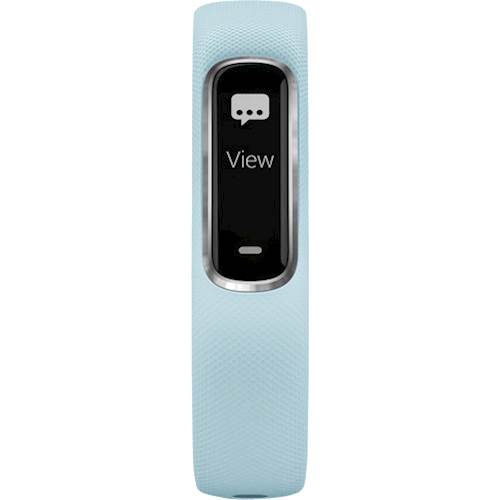
A:AnswerYes! The vivosmart 4 will receive smart notifications on this device and there is an option to respond to message if you have an Android Phone, currently IOS is not supported for the respond options. The manual covers the option to edit what activity option are available. Please see the below FAQs and Manual linked below. They will cover this information and you can also use them to reach out to our support team if you have any followup questions.
vivosmart 4 Smart Notifications:
https://support.garmin.com/en-US/?productID=605739&tab=topics&topicTag=region_bluetoothconnectivit
https://support.garmin.com/en-US/?productID=605739&searchQuery=respond%20notifications&tab=topics
vivosmart 4 Customer Activity Options:
https://www8.garmin.com/manuals/webhelp/vivosmart4/EN-US/GUID-C9D31BE8-0CF0-4CBA-8B82-F72C44F592D0.html
A:AnswerThe device charges using the charging cable that came in the box. The battery is not consumer usable replaceable. If the battery won't charge, please go to support.garmin.com and reach out to a product support specialist.
Debbie with Garmin
A:AnswerAs long as the iPad meets our Bluetooth requirements it will pair. Please go to support.garmin.com where you'll find helpful FAQ's on Bluetooth compatibility.
Debbie with Garmin
A:AnswerThis device does not read blood pressure, it will read heart rate 24 hours if you are wearing it all the time and it will record sleep activity as long as you wear it at night an you can record activities on the device as it offers several activity profiles.
Debbie with Garmin
A:AnswerYes, This Garmin Watch Is Waterproof. I Take Mine Swimming All The Time. Only Downside Is That The Plastic Will Wear Out At The Charging Port And Break. Garmin Replaces The Watch For Free Up To A Year After Purchase. It Does Take Eight(8) Weeks For The Swap And You Pay The Return Shipping, So I Recommend Having A Spare Device If You Feel That This Device Is Needed Every Day For Activities.
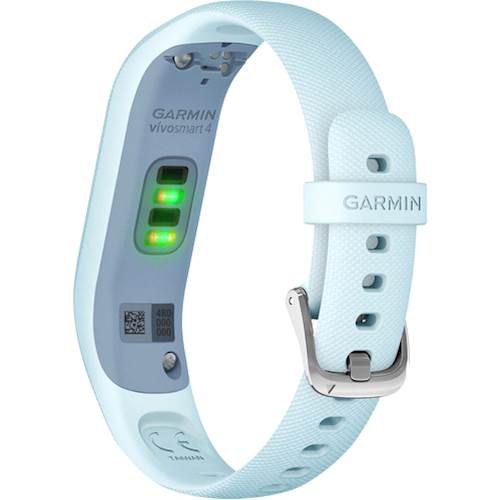
A:AnswerThis has a built in battery that is rechargeable. I charge mine about once per week. It charges super fast. If you use the pulse ox, it will drain the battery faster. I was charging mine every third day when I was using it every night.
A:AnswerDistance uploads to your Connect account after the activity has been completed and the device syncs with your Connect account.
Debbie with Garmin
A:AnswerDistance will only be seen when the activity is uploaded to Garmin Connect. You will need the phone with your for GPS purposes, as he device uses GPS through the phone.
Debbie with Garmin
A:AnswerA lot of the design and engineering work are done in our headquarters which is in Olathe, Kansas. The device is then manufactured in our Taiwan facility.
Debbie with Garmin
A:AnswerThe device will need to be paired with your compatible Bluetooth phone for GPS data to record. Please go to support.garmin.com where you'll find many helpful FAQ's and video's on the functions of the device. You may also reach out directly to a product support specialist if you need further assistance.
Debbie with Garmin
A:AnswerI haven't used it in a pool but I have left it on during baths and showers with no issues. It states it is completely waterproof and there is a tracker for swimming.
A:AnswerAs long as your phone meets our Bluetooth compatibility requirements it should pair. Please go to support.garmin.com where you'll find helpful FAQ's on Bluetooth requirements and pairing.
Debbie with Garmin
A:AnswerThe vivosmart 4 uploads data to Garmin Connect. You will need to check with the Nordic track iFit app and see if it will pull data from Garmin Connect. Some third party applications offer this but not all do.
Debbie with Garmin