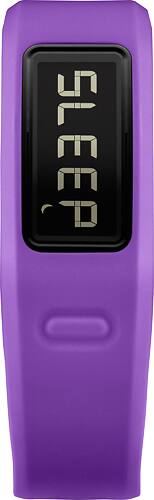
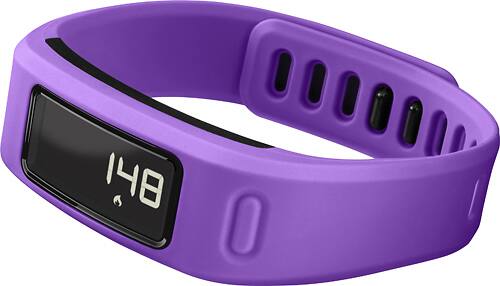
A:AnswerYou will be able to track dedicated activities when you pair an external heart rate monitor to your vivofit. This will include calorie tracking. More information on this can be found at: https://support.garmin.com/faqSearch/en-US/faq/content/xax3sjS2GiAFxYHqq7EMa7
|BB|
A:AnswerLarry,
First it can be used as a watch but technically it isn't a watch, it is a fitness tracker. I am a college student and do a lot of walking around campus and for my job with the athletics department of my school, and would say I'm an average walker and I absolutely love my vivofit. It learns how much you typically walk and adjusts your daily goal counts as such, it also helps with tracking how sleep you get and what kind of sleep, you can use it for tracking your swim times/laps, and several other items, including putting in when you purchase new shoes into the program that you use with the vivofit to see how quickly you go through your shoes, etc. it is a good deal for the cost, plus when you get the insurance ( I did because a bit accident prone) they will replace no questions asked.
A:AnswerNo you don't have to always be hooked to wifi or anything else. When you sync it, it has a blue tooth accessory, but doesn't link with wifi. I don't know about the smartphone part. I think the calorie part is another app you can hook into but don't know for sure.
A:AnswerThe vívofit does not support smart notifications. I would recommend looking at the vívosmart HR instead, as it is a similar device and does support smart notifications. -OA
A:AnswerThe vívofit can be used without a smartphone or computer; however, doing so will give limited functionality. Prior to setup (either with a computer or phone), step count, autogoal, the move bar, and heart rate monitor (if used with the vívofit) features are available to use. The vívofit attempts to reset your step count while you are sleeping, based on your inactivity level from your first day of use. Your device does not store any history data until setup is complete.
A:AnswerThe following FAQ should assist you with this, as it explains why an Activity Tracker (such as the vívofit) may not accumulate steps when you're working out: http://bit.ly/1vHEFYc. As far as the measured mile inaccuracies that you're experiencing, please ensure that your device software is up to date via Garmin Express (j.mp/GRMNXP). If issues persist, Garmin Customer Care would be happy to assist you further and can be reached using the contact information listed on our Support page (bit.ly/worldGRMNsup). Thank you! (KS)