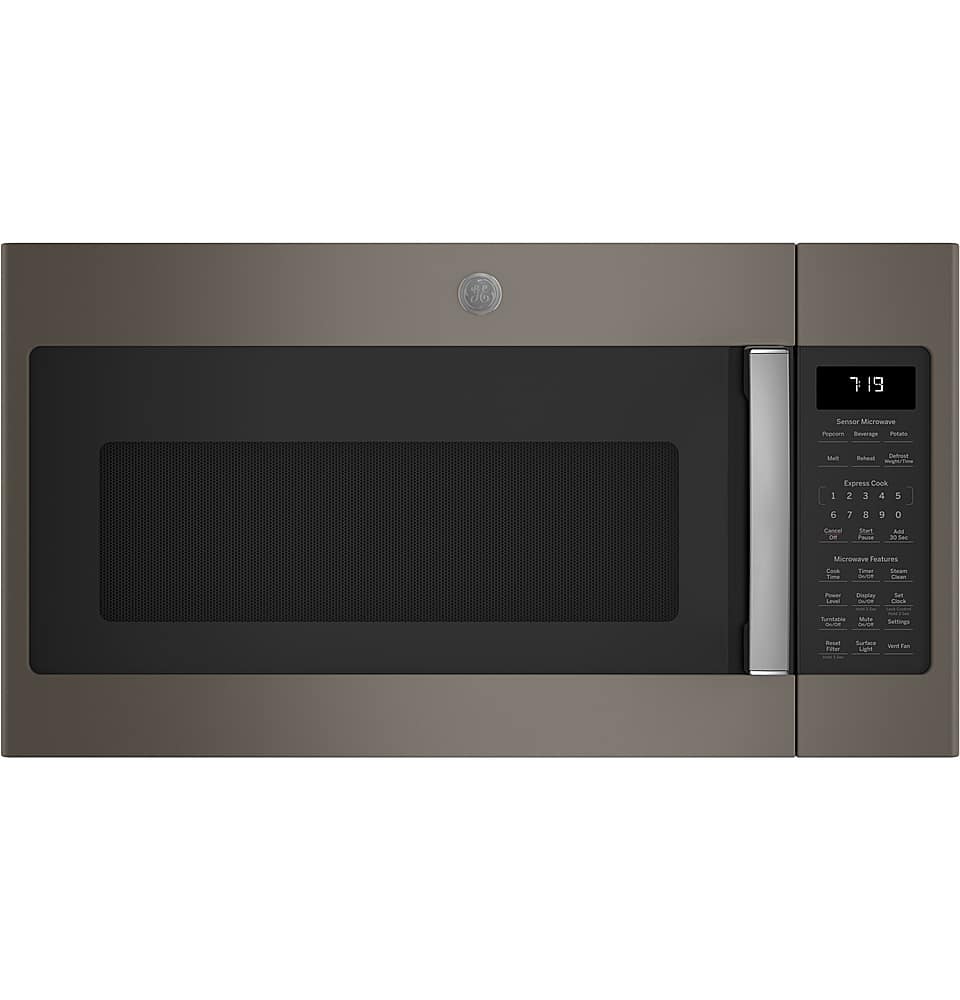
A:AnswerHi Mickey - Thanks for considering GE Model JVM7195SKSS! Approximate product dimensions are as follows: (WxHxD) (in.) 29 7/8 in x 16 5/16 in x 15 9/16 in. All GE 30" over-the-range microwaves are approximately the same width, and are designed to fit into a 30" wide cabinet opening. Therefore, any of our 30" over-the-range models will work as a replacement for an existing 30" over-the-range model. We suggest viewing the Quick Specs document at the following link for cabinet dimensions: https://products.geappliances.com/MarketingObjectRetrieval/Dispatcher?RequestType=PDF&Name=JVM7195SK_EK_C3.pdf - We hope this is helpful. Keep in touch at GEAppliances.com. Sue
A:AnswerHi - Thanks for considering our GE model # jvm7195skss! We have great news. All GE over-the-range microwaves have an automatic fan feature to help protect the electronic components, and also helps the cooking area get rid of excess heat. The built-in thermostat automatically turns the vent fan on if the unit is too hot (temperature around the control panel is above 150 degrees F) and will not turn off until the microwave is cool again. You will not be able to turn the vent fan off manually during this time. The fan will shut off when the control surface is less than 150 degrees F. View a short video on the automatic fan feature: https://products.geappliances.com/appliance/gea-support-search-content?contentId=18848 - Keep in touch at GEAppliances.com. Sue
A:AnswerHi Mike - Thanks for reaching out to us regarding your GE microwave. We are sorry to hear of the F3 Fault Code (F3= Shorted touch pad panel). These codes help our technicians quickly diagnose issues with the microwave oven. In the event that the electronic control displays a fault code, a trained Service Technician should be called to diagnose and correct the issue. Before scheduling service, please try a reset by unplugging or turning off power at the circuit breaker for 30 seconds or so. See MICROWAVE ERROR, FAULT OR FUNCTION CODES: https://products.geappliances.com/appliance/gea-support-search-content?contentId=16575 - To schedule service online, visit us at GEAppliances.com or call GE Appliances at 800.GE.CARES (800.432.2737). Please have your serial number and your model number available when calling for service. We hope the reset works! Keep in touch. Sue
A:AnswerHi - Thanks for your interest in GE® 1.9 Cu. Ft. Over-the-Range Sensor Microwave Oven JVM7195SKSS! This model has a four-speed, 400-CFM venting fan system to quickly remove smoke, steam and odors from the cooktop to keep kitchen air fresh and clean. Press Vent Fan once for boost fan speed, twice for high fan speed, a third time for low fan speed or a forth time to turn the fan off. The selected fan speed will not change or reduce in speed when the microwave is in use. Keep in touch at GEAppliances.com. Sue
A:AnswerHi Inquiringmind - Thanks for checking back with us and for your interest in GE! Yes, select GE Appliance countertop microwaves are Built-In Ready. A matching trim kit is required to install the unit as a Built-In Microwave. Check the Related Parts & Accessories tab of the model details for the trim kit that works with each microwave. Keep in touch at GEAppliances.com. We are always eager to help with appliance selection. Sue
A:AnswerHello Tom - Thank you for your inquiry; we are glad to assist. The microwave model JVM7195SKSS weight is 55 lb. We appreciate your interest! Thanks for checking. Olga
A:AnswerNo. I do not believe so. This model is designed to mount over a range/stove and attach to an upper cabinet on top. It is not designed to mount inside a cabinet.
A:AnswerHi Jojo - Model JVM7195DKBB is a great choice. You'll love the easy-clean, dark gray enamel interior with steam clean option. All 30" over-the-range microwaves are approximately the same width, and are designed to fit into a 30" wide cabinet opening. Therefore, any of our 30" over-the-range models will work as a replacement for an existing 30" over-the-range model. Check out the Quick Specs at the following link for dimensions: https://products.geappliances.com/MarketingObjectRetrieval/Dispatcher?RequestType=PDF&Name=JVM7195DK_C3.pdf - (JVM1440BD002: Approx. Product Dimensions (WxHxD) (in.) 29 7/8 in x 16 1/2 in x 14 5/16 in). WE certainly appreciate your loyalty! Sue
A:AnswerHi Arena - For safety reasons, we use a plastic handle with electroplated metal finish on the over-the-range microwaves. Therefore, the handle does not get hot when using the range. Thanks for choosing GE! Sue
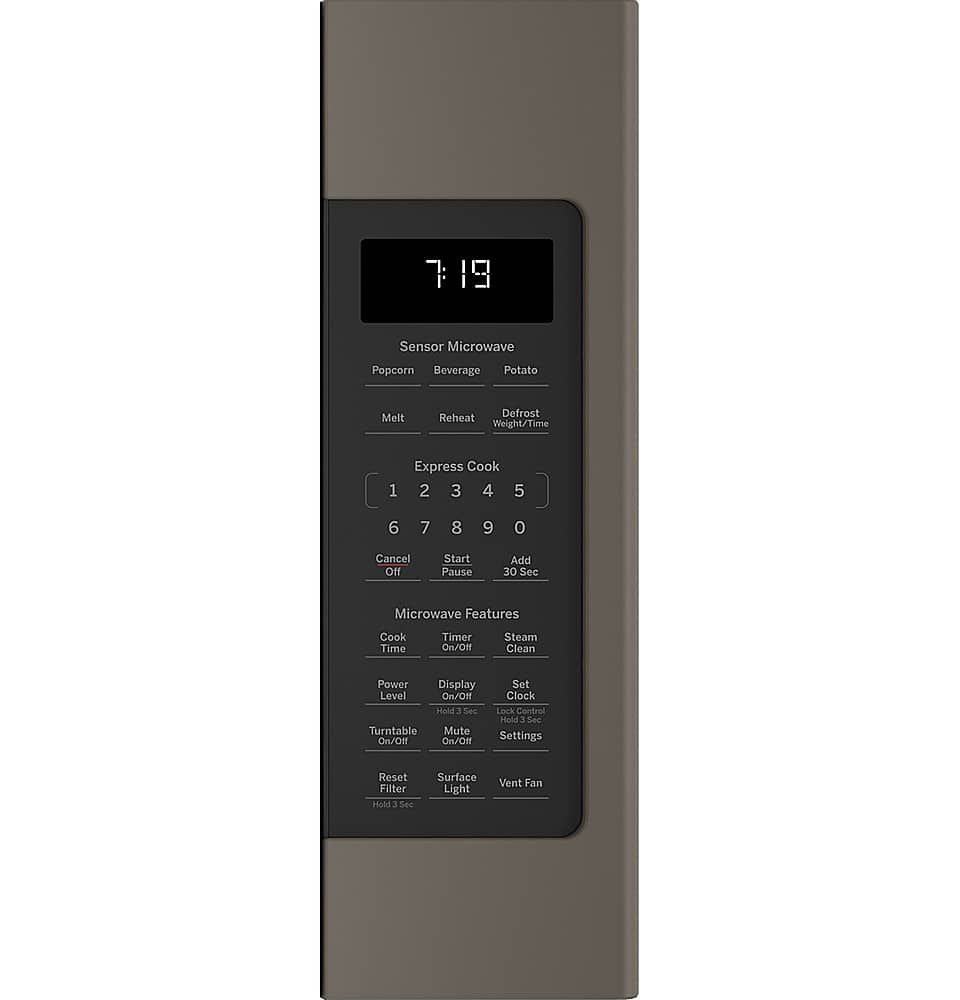
A:AnswerHi - This model has a Display On/Off feature. To turn the clock display on or off, press and hold Display On/Off button for about 3 seconds. See page 19 of the Use and Care Manual at the following link: https://products.geappliances.com/MarketingObjectRetrieval/Dispatcher?RequestType=PDF&Name=49-40766-2.pdf - Keep in touch at GEAppliances.com - Sue
A:AnswerHi Megan - Model JNM7196SKSS is compatible with Optional 36" Side Filler Panel Kit JX36DSS. You can view the Installation Guide at the following link: https://products.geappliances.com/MarketingObjectRetrieval/Dispatcher?RequestType=PDF&Name=49-40720-4.PDF - We certainly appreciate your loyalty! Enjoy - Sue
A:AnswerHi Dawn - GE® 1.7 Cu. Ft. Over-the-Range Sensor Microwave Oven
JVM6175BLTS and GE® 1.9 Cu. Ft. Over-the-Range Sensor Microwave Oven
JVM7195BLTS (Black Stainless) are 16 1/2"H x 15"- 15 1/2"D. You can view the Quick Specs with dimensions at the following links: (JVM6175): https://products.geappliances.com/MarketingObjectRetrieval/Dispatcher?RequestType=PDF&Name=JVM6175SK_EK_C3.pdf - (JVM7195): https://products.geappliances.com/MarketingObjectRetrieval/Dispatcher?RequestType=PDF&Name=JVM7195SK_EK_C3.pdf - Explore our Black Stainless Appliances at https://www.geappliances.com/ge/black-stainless-steel-appliances.htm - Thanks for choosing GE! Sue
A:AnswerHello, all 30" over-the-range microwaves are approximately the same width, and are designed to fit into a 30" wide cabinet opening. Therefore, any of our 30" over-the-range models will work as a replacement for an existing 30" over-the-range model. As a note, when replacing an over-the-range microwave, the mounting bracket included with the new microwave should be used since the mounting bracket is specific to each model. The new screws, bolts, and exhaust adapter should also be used. You can find more about product and cabinet dimensions in the quick specs, linked here: https://products.geappliances.com/MarketingObjectRetrieval/Dispatcher?RequestType=PDF&Name=JVM7195SK_EK_C3.pdf The model you are looking at would be a great replacement! To see more information about that microwave, please see the use and care manual here: https://products.geappliances.com/MarketingObjectRetrieval/Dispatcher?RequestType=PDF&Name=49-40766-2.pdf The model has similar sensor controls as your previous microwave, such as: Popcorn, Beverage, Potato, Melt, Reheat, and Defrost: Weight/Time. Additionally, this microwave comes with great features such as: Steam Clean, Power Level Adjustment, and a Vent Fan. I hope this helps! -Chris
A:AnswerThe microwaves appear to be different cu ft. I would check the dimensions of each unit. I replaced an old GE microwave that had the same dims and cubic feet and was able to reuse the wall bracket. It was an easy installation.