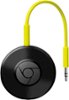
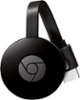
“information on sku4397400. What is needed for installation.?”
Answer This Question
1-5 of 5 Answers
Just a USB port
Sorry, there was a problem. Please try again later.Google Home app, hdmi input, google chromecast. Easy setup on Android
Sorry, there was a problem. Please try again later.For the installation you download the Chromecast app on your device and the initial setup is a cinch... it walks you through the steps in connecting to your device
Sorry, there was a problem. Please try again later.Download "HOME" from your android playstore and you are set!
Sorry, there was a problem. Please try again later.1. A supported phone/tablet/laptop/desktop PC. 2. WiFi internet 3. HDMI-enabled TV or PC Monitor, connection 4. A/C power adapter/USB cord or USB power, or HDMI (HML or similar) jack power directly from the TV. A remote isn't necessary: The phone, tablet, or other device is necessary for Chromecast configuration and function--it serves as the "remote." Unlike Roku or Amazon Fire, a remote isn't included with the Chromecast. (Hint: One may use a lesser/older/disabled smartphone as the "remote," (or another "remote") as well. Disconnection from the phone signal doesn't also disconnect Android/Apple OS and Wifi from the old phone then.) Casting: Casting the screen directly: Given Google Android OS devices, Android "KitKat" 4.4.2 OS or newer is required. The "Home" app from Google must be installed and correctly configured for any casting, as well. Specific app casting capability (Netflix, Hulu, Play Music, Pandora, etc.): Android IceCream 4.0, or later is required--Wifi, and the Google Play and Home apps must be installed and active. Current supported Apple devices should be able to cast fully, too. Asides: Amazon Fire: The Android Amazon Fire TV app merely mimicks the Fire's basic remote function--that's it. Unfortunately, Amazon Fire OS isn't supported by the Android Home app--Fire OS devices thus can't cast over Chromecast.. Amazon's Android "Music" app supports only "purchased" tunes--even given that one subscribes to "Prime" Music. Google Play Music and Movies aren't supported by Amazon Fire. Amazon Prime Movies isn't supported by Chromecast or Android. Amazon Fire's version of Youtube (a Google entity) is limited. Youtube Music Videos (YTMusic) isn't supported. Roku: Roku supports Google Play Movies--not Play Music. Youtube is supported: Nonetheless, as with Fire OS, Youtube Music Videos (YTMusic) isn't supported, unfortunately..Supported and Wifi-connected Android, Apple, and Amazon devices support the Android Roku "remote" Android function, thus mimicking the functions of the Roku Remote. Unlike Roku, a major payment system account card number (Visa, Mastercard, etc.) isn't necessary in order to obtain function with Chromecast..... . Chromecast Audio device: It requires power through the micro USB port: It's merely an audio device, though--thus it doesn't require HDMI. It uses a simple 3.5mm jack stereo stereo cable, instead--as a connection to a receiver, etc.. It also doesn't supply a remote: Again, a phone, tablet or other supported device is required to serve as the remote. It does also work via WiFi: Most other such devices work solely via Bluetooth.........
I would recommend:
Sorry, there was a problem. Please try again later.