Questions & Answers
- Model:
- 14-dq0031dx
- |
- SKU:
- 6478314
Q: Questionwill this laptop be enough to support the silhouette studio?
Asked by pj60.
- A:Answer Because this computer is running Windows in "S Mode" it can only download and run apps that are in the Windows Store. Unfortunately, Silhouette Studio is not one of the apps carried in the store.
Answered by HP Team

Q: QuestionCan I do my IRS government taxes on this laptop?
Asked by Me.
- A:Answer Yes
Answered by Melissa
Q: Questioni have a chromebook now, and I get nothing but ads all the time. Is this one of 'those' laptops?
Asked by dickiedolittle.
This question was asked about the related product: HP - 14" Laptop - Intel Celeron - 4GB Memory - 64GB eMMC - Indigo Blue
- A:Answer I haven’t seen that issue so far
Answered by Grandma4
Q: QuestionDoes this come with word?
Asked by Anonymous.
This question was asked about the related product: HP - 14" Laptop - Intel Celeron - 4GB Memory - 64GB eMMC - Indigo Blue
- A:Answer Yes free for one year
Answered by Lillybell
Q: Questionwhat is auto update policy on hp 14dq0035dx?
Asked by john.
This question was asked about the related product: HP - 14" Laptop - Intel Celeron - 4GB Memory - 64GB eMMC - Indigo Blue
- A:Answer This is a Windows laptop with the Windows 11 Home in S Mode operating system which is a new OS. I believe you are thinking about the Chromebook that has the Chrome operating system and has an expiration to the auto updates.
Answered by HP Team

Q: QuestionHi, when is pale rose gold coming back in stock?
Asked by NespressoHeaux.
This question was asked about the related product: HP - 14" Laptop - Intel Celeron - 4GB Memory - 64GB eMMC - Pale Rose Gold
Q: QuestionHello, Will this HP work with HP printer HPLaserJet P1102W? It needs to have Windows 10 or earlier. Looking forward to your response.
Asked by fatpony.
This question was asked about the related product: HP - 14" Laptop - Intel Celeron - 4GB Memory - 64GB eMMC - Indigo Blue
- A:Answer The computer ships with Window 11. Unfortunately, it looks like there are no Windows 11 drivers, so you'd need to purchase a Windows 10 license, format the hard drive on the computer, and then install Windows 10 on it. Given the age of the printer, it would be cheaper and easier to replace the printer with one that is Windows 11 compatible.
Answered by HP Team

Q: QuestionDoes it work with chrome?
Asked by Petey.
- A:Answer Mine works with chrome just fine. No issues whatsoever.
Answered by RickyRotten
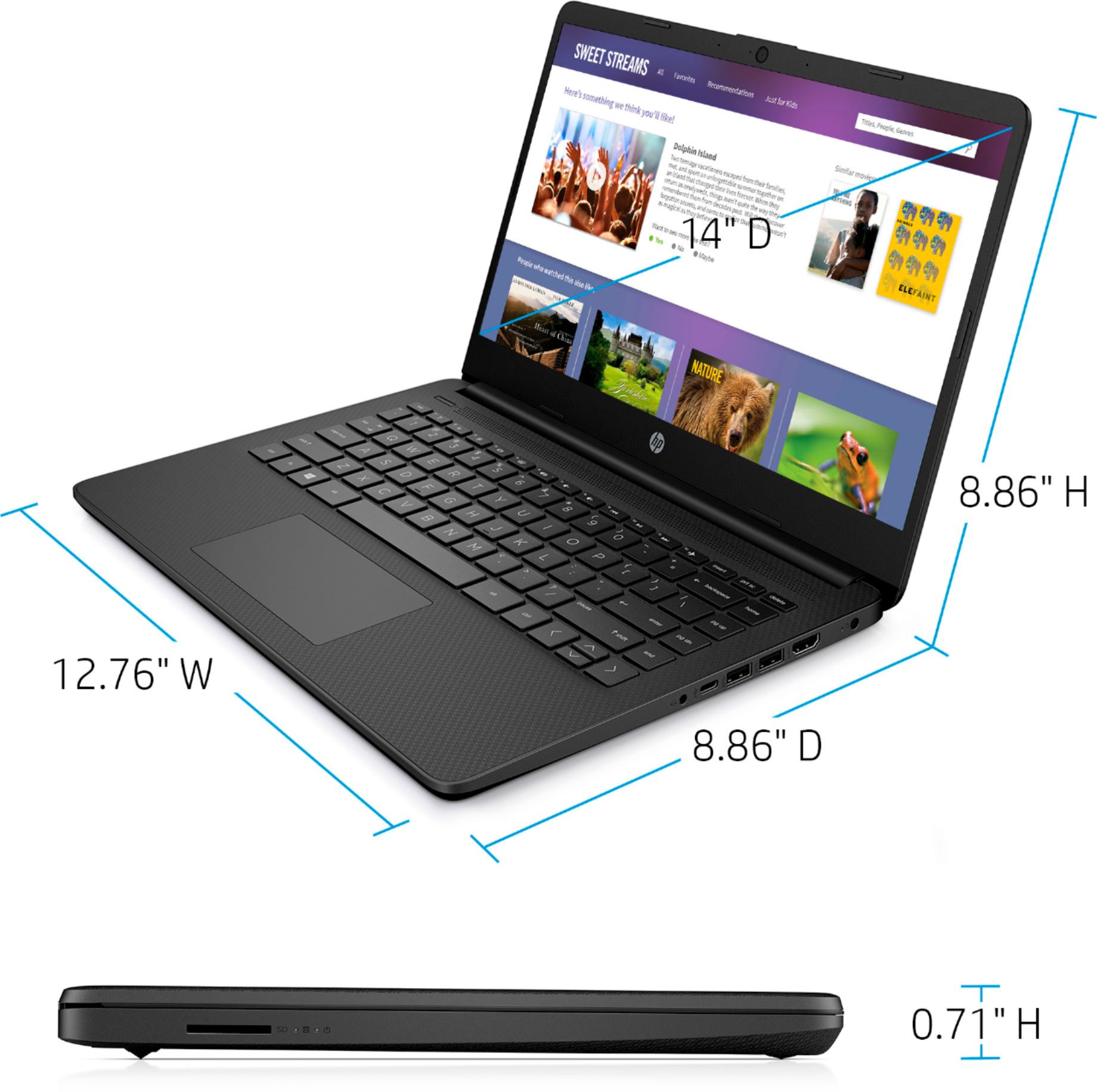
Q: QuestionIs this a touch screen HP?
Asked by Anonymous.
This question was asked about the related product: HP - 14" Laptop - Intel Celeron - 4GB Memory - 64GB eMMC - Indigo Blue
- A:Answer I don’t believe it is. Mine isn’t. I hope this helps
Answered by RickyRotten
Q: Questionis it new or used
Asked by dennis.
This question was asked about the related product: HP - 14" Laptop - Intel Celeron - 4GB Memory - 64GB eMMC - Indigo Blue
- A:Answer New
Answered by Tatiana421YU
Q: QuestionI was wondering if it came with a charger?
Asked by Laptops.
This question was asked about the related product: HP - 14" Laptop - Intel Celeron - 4GB Memory - 64GB eMMC - Indigo Blue
- A:Answer Yes, it does. One wall charger with a cord.
Answered by Veronica
Q: QuestionHow to purchase and install Microsoft Office Home and student software
Asked by Eddie.
This question was asked about the related product: HP - 14" Laptop - Intel Celeron - 4GB Memory - 64GB eMMC - Indigo Blue
- A:Answer Go to Microsoft.com and purchase your product. To redeem a new purchase. Step 1: Go to www.office.com/setup or Microsoft365.com/setup. Step 2: Sign in with your Microsoft account, or create one if you don't have one. ... Step 3: Enter your product key, without hyphens, if prompted.
Answered by HP Team

Q: QuestionNeed a power cord and adaptor. What do can I get
Asked by Anonymous.
- A:Answer you can get it at Best Buy
Answered by myfreezer
Q: Questionwith this unit can you use as phone
Asked by Benny.
- A:Answer Unfortunately, no, unless you mean by using things like Skype to make phone calls.
Answered by HP Team

Q: QuestionCan I use this with Cricut Design Space?
Asked by Crafty.
This question was asked about the related product: HP - 14" Laptop - Intel Celeron - 4GB Memory - 64GB eMMC - Indigo Blue
- A:Answer Because this computer is running Windows in "S Mode" it can only download and run apps that are in the Windows Store. Fortunately, Cricut Design Space is one of the available apps.
Answered by HP Team

Q: QuestionDoes this laptop have enough RAM to run zoom?
Asked by Nico.
This question was asked about the related product: HP - 14" Laptop - Intel Celeron - 4GB Memory - 64GB eMMC - Indigo Blue
- A:Answer The recommended amount of RAM to run zoom is 4GB which is what this laptop has.
Answered by HP Team

Q: QuestionI need a new laptop for my daughter to do her online school. Is this laptop good for that?
Asked by Jackie.
This question was asked about the related product: HP - 14" Laptop - Intel Celeron - 4GB Memory - 64GB eMMC - Indigo Blue
- A:Answer It is but after 6months the battery went bad it wasn’t charging at all
Answered by Anuraag
Q: QuestionCan it run a coding software.
Asked by Anonymous.
This question was asked about the related product: HP - 14" Laptop - Intel Celeron - 4GB Memory - 64GB eMMC - Indigo Blue
- A:Answer Because this computer is running Windows in "S Mode" it can only download and run apps that are in the Windows Store. If you can find the coding software you want to use in the store, you should have no problem downloading and running it.
Answered by HP Team

Q: QuestionCan this computer run quickbooks and gmail?
Asked by Anonymous.
- A:Answer Because this computer is running Windows in "S Mode" it can only download and run apps that are in the Windows Store. Unfortunately, the store does not have a Quickbooks app available, so you wouldn't be able to download and run it.
Answered by HP Team

Q: QuestionCan I turn off s mode or is it not optional?
Asked by Carter1430.
- A:Answer Yes, it's not difficult at all to turn off S Mode. The instructions are at https://support.microsoft.com/en-us/windows/switching-out-of-s-mode-in-windows-4f56d9be-99ec-6983-119f-031bfb28a307#WindowsVersion=Windows_11
Answered by HP Team