A:AnswerYes, you could play Minecraft on this laptop, however, the requirements to run Minecraft smoothly are: CPU: Intel Core i5-4690 3.5GHz / AMD A10-7800 APU 3.5 GHz or equivalent. RAM: 8GB. GPU: GeForce 700 Series or AMD Radeon Rx 200 Series. This laptop does not meet these specs.
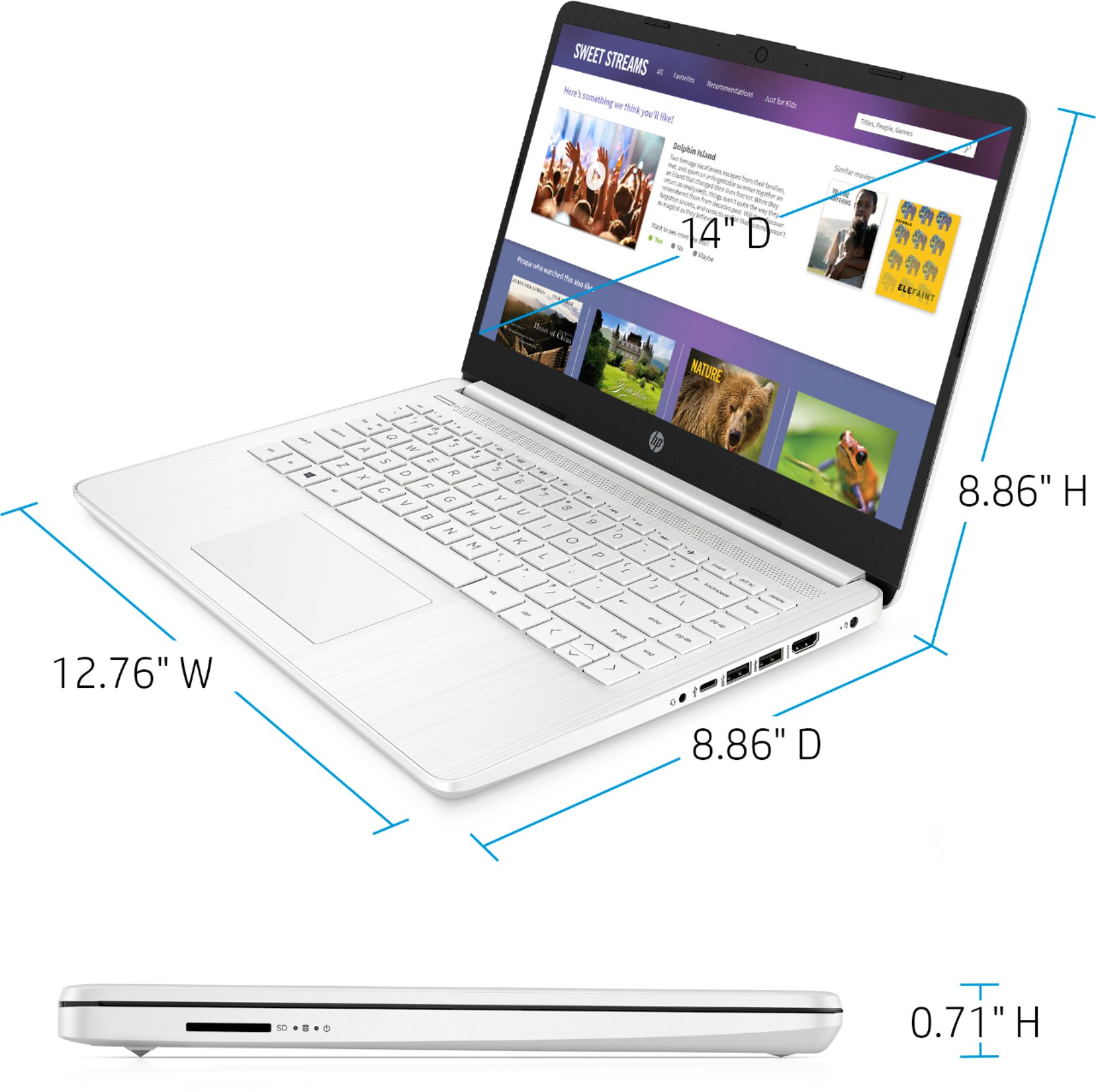
A:AnswerAs far as the size goes, 14" refers to the diagonal measurement of the screen, not the width. So it will be more like 12" wide but should be 14" diagonally from corner to corner.
A:AnswerBecause this is a "stream" laptop, it can only download and run apps that are in the Windows store. If that golf simulator is there, then you'll be able to run it.
A:AnswerIn order to download the Google Chrome or Internet Explorer browser, you would need to switch out of the S Mode. You can switch out of S Mode for free. Here are some instructions: https://support.microsoft.com/en-us/help/4456067/windows-10-switch-out-of-s-mode This laptop has the Microsoft Edge browser.
A:AnswerNo, but here is a similar model is pale gold:
https://www.bestbuy.com/site/hp-14-laptop-intel-celeron-4gb-memory-64gb-emmc-pale-gold/6427569.p?skuId=6427569
A:AnswerWe recommend trying to troubleshoot the sound on the laptop by trying the troubleshooting tool for "Fix problems related to audio" on this webpage: https://support.hp.com/us-en/computer If you need further assistance, visit https://support.hp.com
A:AnswerThis laptop the HP 14-dq0001dx, is a Windows laptop. You cannot download the Chromebook version of Roblox for this laptop. A Chromebook can download Roblox from the Google Play store.
A:AnswerBecause this is a "stream" laptop, it can only install and run apps that are available in the Windows Store. Unfortunately, at this time none of the Cricut software is available in the store.
A:AnswerBecause this is a "stream" laptop, it can only install and run apps that are available in the Windows Store. Unfortunately, at this time none of the Cricut software is available in the store.