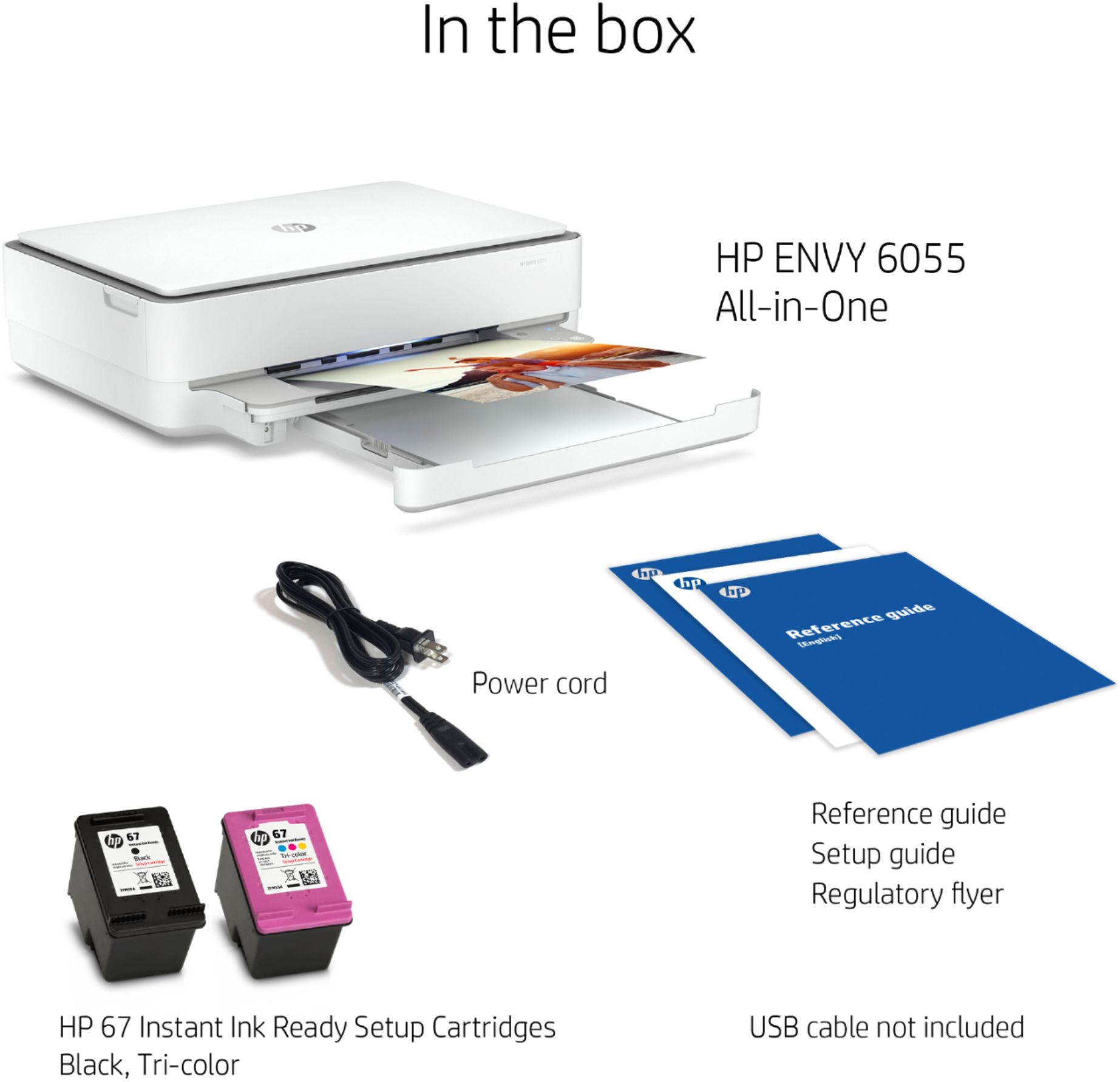
A:AnswerThis printer comes with setup cartridges in the box. The yield of setup cartridges varies by model but tends to be enough to get the average user through setup and initial printing jobs. You can learn more about Ink and Toner by the model at https://bit.ly/3cQrnaN
A:AnswerThe HP 67 black will yield approximately 120 pages. The HP 67 tricolor ink cartridge will yield approximately 100 pages. Both of these yields are based on 5% coverage. A full page photo would be 100% coverage. Here is more info on how they determine the page yields: https://learn-about-supplies.ext.hp.com/measuring-ink-yield
A:AnswerThis printer comes with setup cartridges in the box. The yield of setup cartridges varies by model but tends to be enough to get the average user through setup and initial printing jobs. You can learn more about Ink and Toner by the model at https://bit.ly/3cQrnaN
A:AnswerThe recommended method to scan documents using your HP printer is to use the HP Smart App. Open the app and select the Scan button. Note that you will need to log into your HP Smart account before scanning. Another somewhat faster method to scan (assuming you are using the Windows 10 operating system) is to use the native Windows Scan application, which you can find from the Windows Start menu and scrolling down to the Scan app or use the Windows search option and search for 'scan' then select the Scan app. Fewer features than using the HP Smart App but it still works just fine if you just need to quickly scan a document or photo.
A:AnswerYes, the HP Envy 6055 printer is compatible with the Chromebook. Once you are set up the printer to the wireless network, follow these instructions to set up the printer on the Chromebook: https://support.hp.com/us-en/document/c04122530
A:AnswerYou can use the HP Smart app to scan to email. You can use the scan option on the HP Smart app to share via email. To make it easier the next time, we recommend using the HP Smart Tasks. It allows you to make a shortcut, i.e. a scanned item to be emailed to this email address. Here is more information on the HP Smart app: https://support.hp.com/us-en/document/c03561640 and on the HP Smart Tasks: https://support.hp.com/us-en/document/c06211157
A:AnswerThis printer comes with setup cartridges in the box. The yield of setup cartridges varies by model but tends to be enough to get the average user through setup and initial printing jobs. You can learn more about Ink and Toner by the model at https://bit.ly/3cQrnaN The HP Envy 6055 printer uses the HP 67 or 67XL black and tricolor ink cartridges.
A:AnswerHello. Thanks for your question. If you still need help finding a WiFi router, we recommend partnering with a Blue Shirt team member in the computer department at Best Buy for further assistance.