“How do youTurn the PowerPack charger on and off . How do you know if the powerpack it’s fully charged ?”
Answer This Question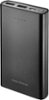
1-3 of 3 Answers
There is a button on it and if you press it it shows how much charge you have via the number of lights lit up. More lights more battery life. If all the lights are lit you have a full charge. And you don’t really turn it on, you just plug your device in.
Sorry, there was a problem. Please try again later.There are 4 very tiny holes. Inside each one there is a very tiny light bulb. Each one is blue. As the powerpack is charged, the lights are lit one by one - each represents about 25% of full charge. However, the lights are very hard to see - you need to look straight into the hole. Do not expect to see these tiny lights if you are looking at an angle.
Sorry, there was a problem. Please try again later.The charger has small blue lights on one side...it shows all 4 lights blue when fully charged
Sorry, there was a problem. Please try again later.
