A:AnswerYES, I HAVE DONE THIS ...NOT AS THE MAIN TV BUT...
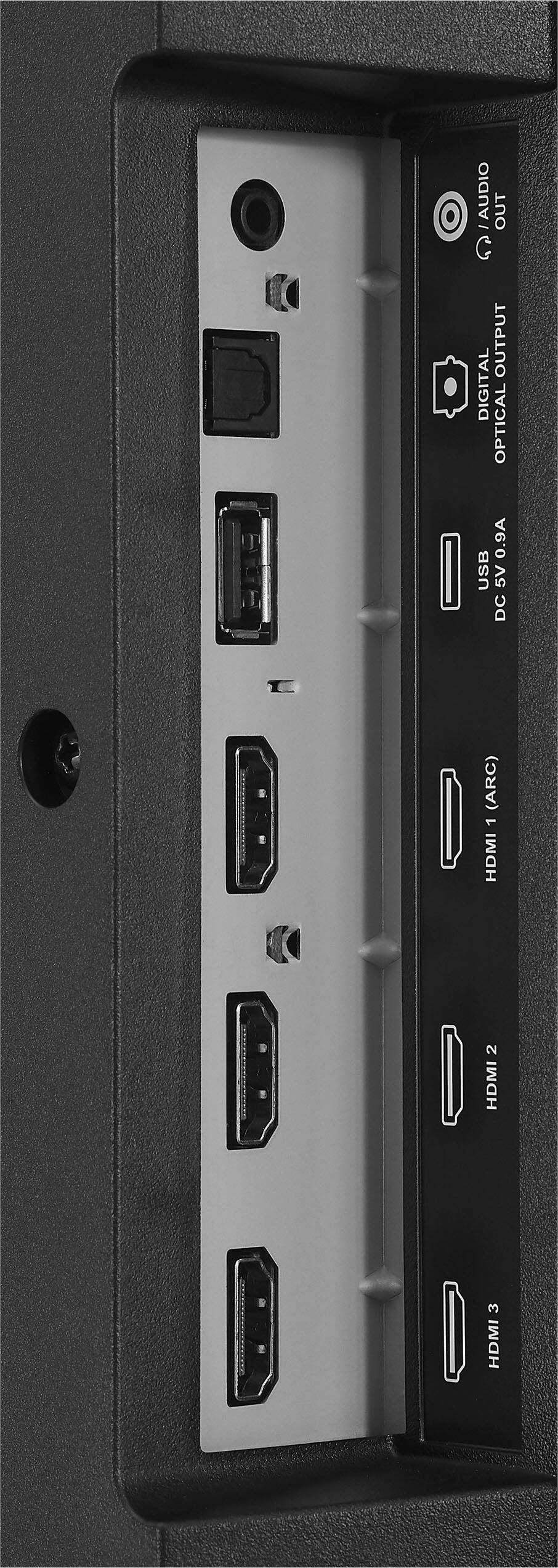
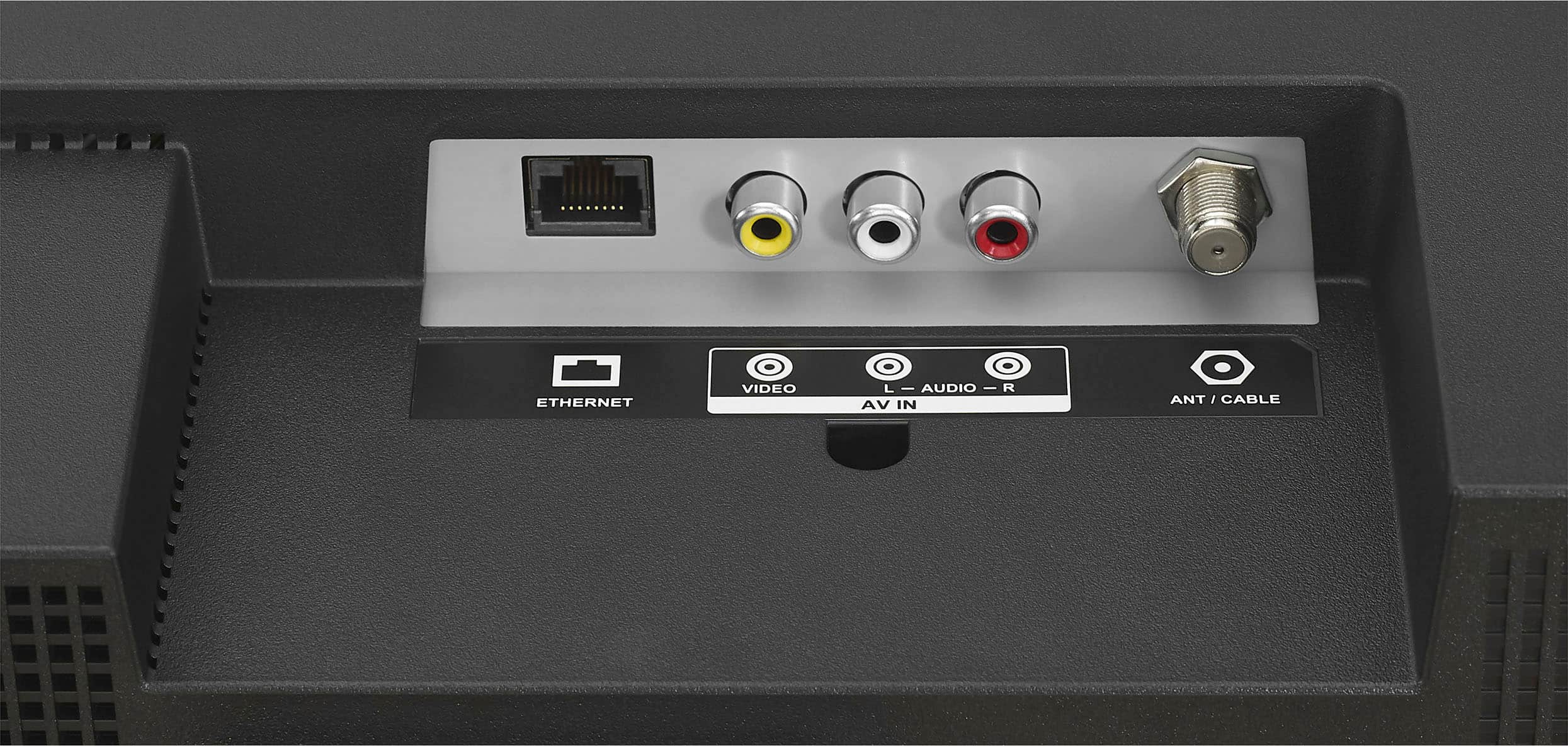
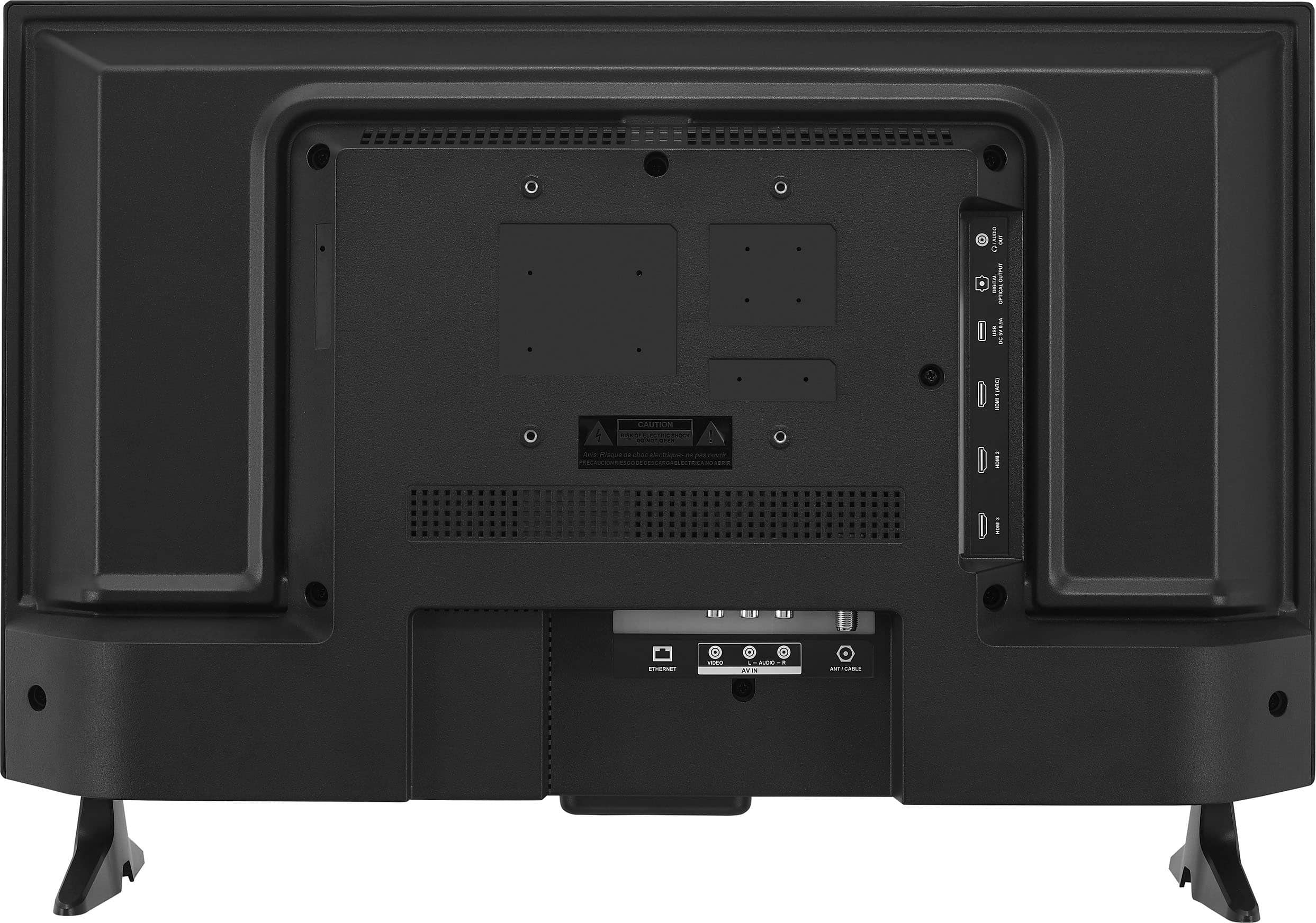
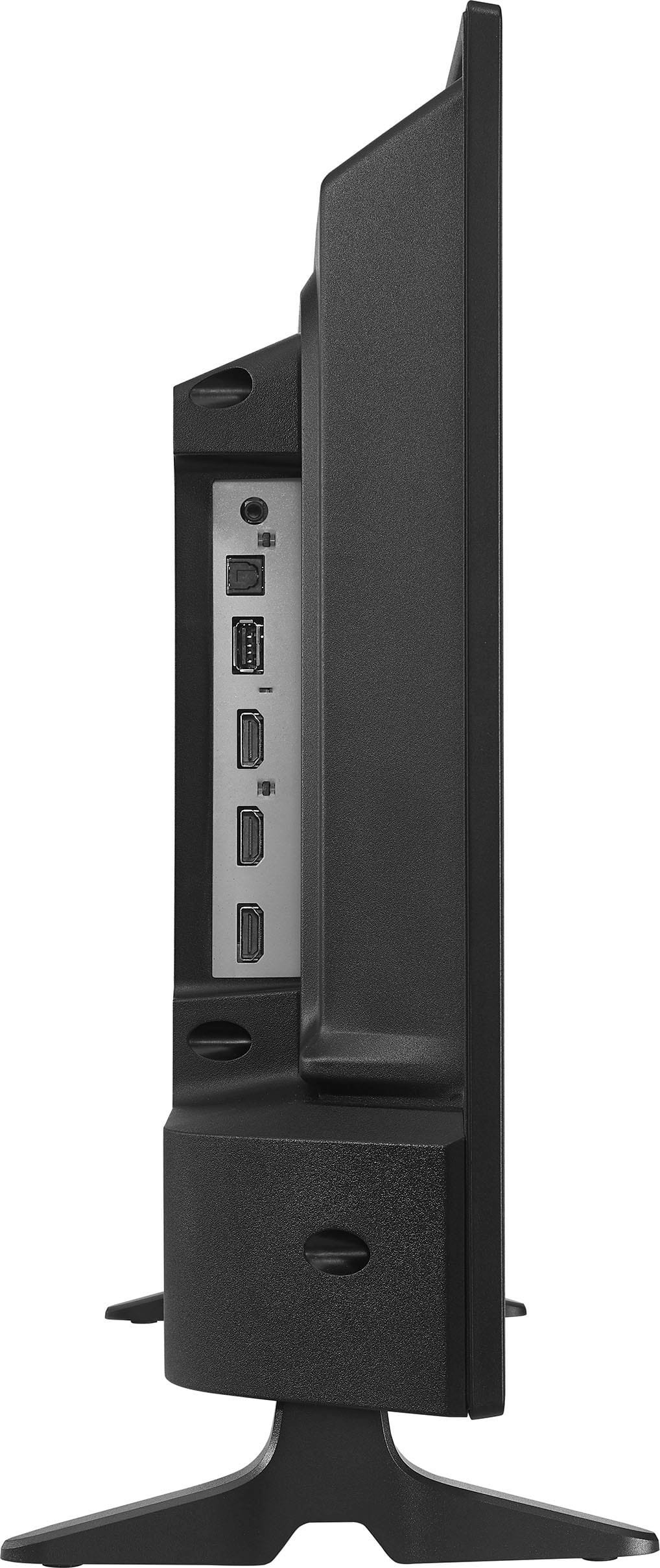
IF THE DIRECT TV HAS A SECOND VIDEO OUT HDMI JACK THEN YOU CAN RUN A HDMI (MALE TO MALE) CABLE FROM YOUR TV THAT ALREADY HAS DIRECT TV ON IT, TO THE 24" INSIGNIA TV TO THE HDMI IN PORT ON THE BACK HDMI 1.
THEN JUST SELECT HDMI 1 ON THE SCREEN TO PLAY THE SAME THING THAT IS PLAYING ON THE MAIN TV RUNNING DIRECT TV.
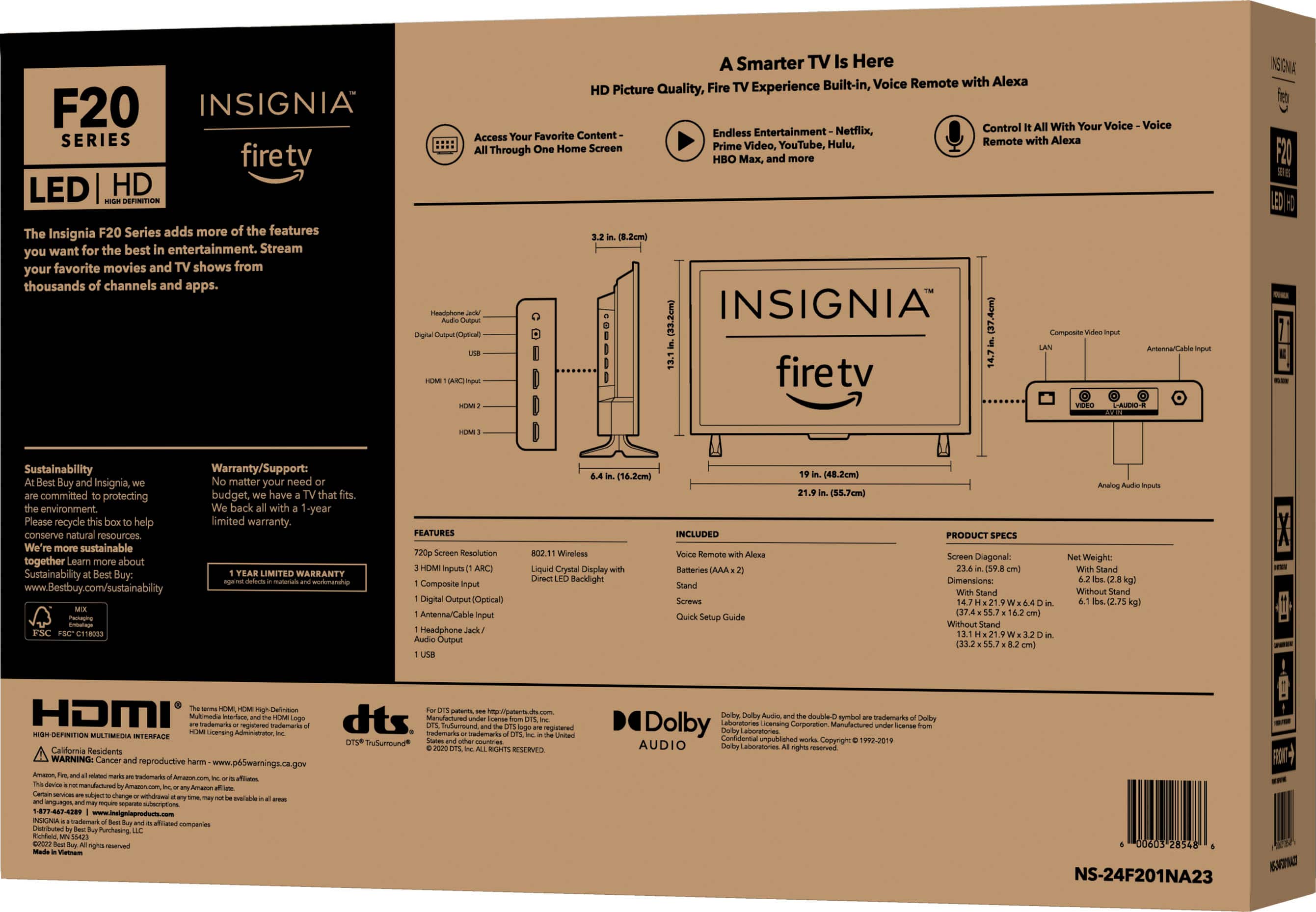
A:AnswerThe dimensions of this television are as follows: the height is 13.1 inches, and with the stand, it increases to 14.7 inches. The width remains consistent at 21.9 inches, both with and without the stand. Patricia | Insignia Support https://www.bestbuy.com/site/insignia-24-class-f20-series-led-hd-smart-fire-tv/6491295.p?skuId=6491295
A:AnswerTo disable webpage messages on your Insignia™ 24" Class F20 Series LED HD Smart Fire TV, follow these steps:
1. Go to Settings: From the home screen, navigate to the Settings menu.
2. Select Preferences: Scroll down and select Preferences.
3. Choose Notification Settings: In the Preferences menu, select Notification Settings.
4. Disable Notifications: Here, you can turn off notifications for specific apps or disable all notifications.
If you continue to see webpage messages, you might need to check the settings of the specific app that’s causing the notifications or consider resetting the TV to its factory settings.
If you have any questions or need further assistance, please don't hesitate to reach out. Thank you for choosing Insignia! - Emman | Insignia Support | https://www.bestbuy.com/site/brands/best-buy-brands/pcmcat1596746025285.c?id=pcmcat1596746025285
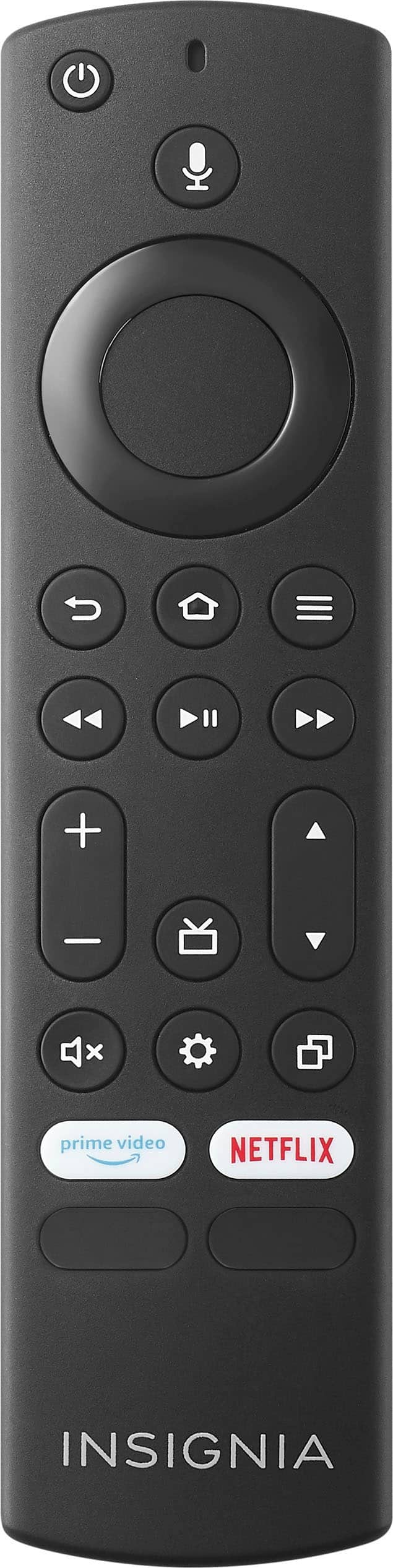
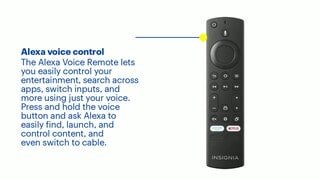
A:AnswerYes, the remote for the Insignia™ - 24" Class F20 Series LED HD Smart Fire TV does have a mute button. However, it does not have a dedicated sleep timer button. You can still set a sleep timer through the TV’s settings menu. Patricia | Insignia Support https://www.bestbuy.com/site/insignia-24-class-f20-series-led-hd-smart-fire-tv/6491295.p?skuId=6491295
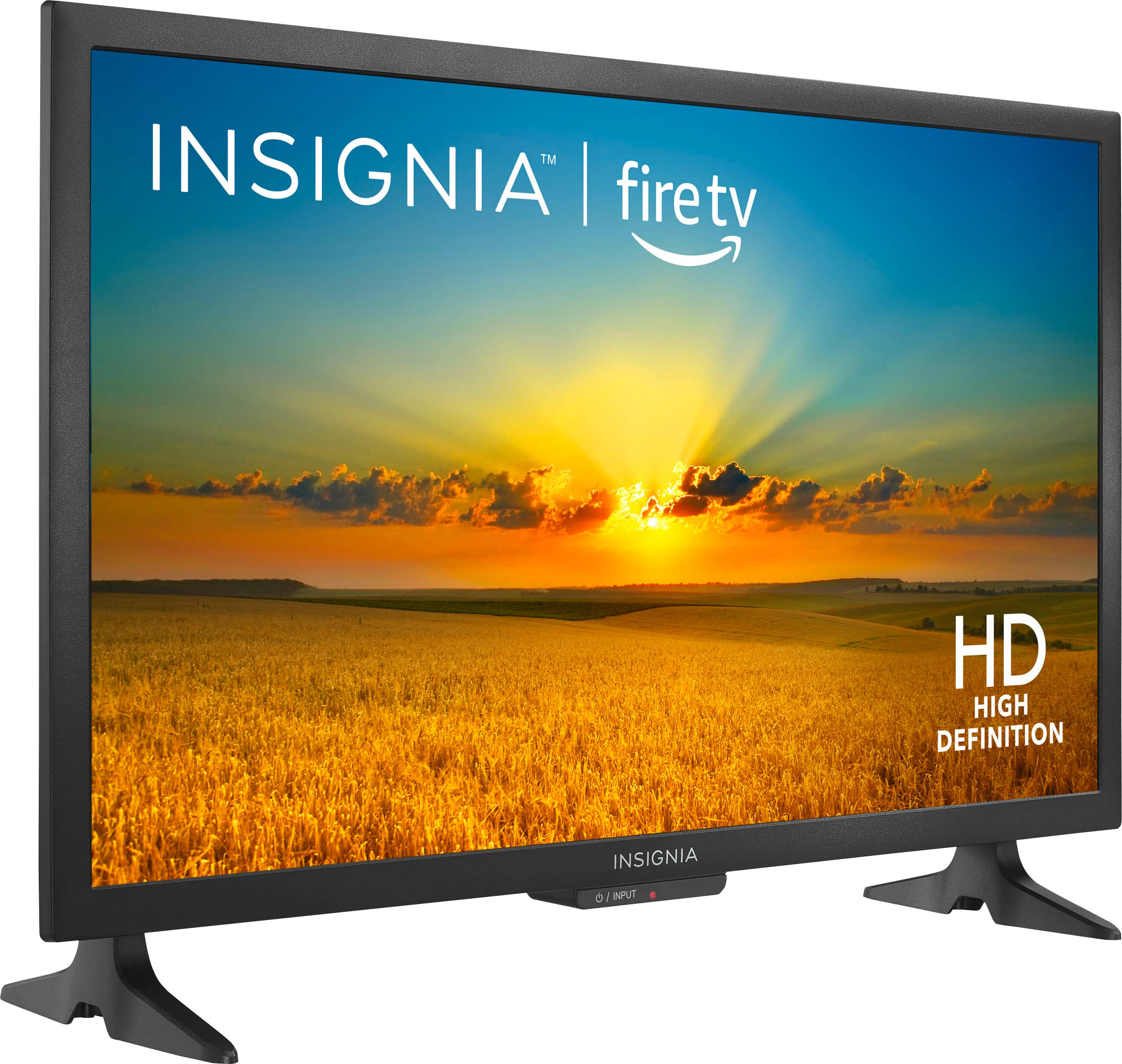
A:AnswerThe Insignia™ 24" Class F20 Series LED HD Smart Fire TV has the following dimensions:
Height: 14.7 inches (with stand)
Width: 21.9 inches
If you have any questions or need further assistance, please don't hesitate to reach out. Thank you for choosing Insignia! - Emman | Insignia Support | https://www.bestbuy.com/site/brands/best-buy-brands/pcmcat1596746025285.c?id=pcmcat1596746025285
A:AnswerIt can be frustrating when your TV doesn’t detect any channels. Here are some troubleshooting steps you can try to resolve this issue:
1. Check the Antenna Connection:
Ensure that the antenna or cable is securely connected to the TV’s coaxial input.
2. Select the Correct Input Source:
Make sure your TV is set to the correct input source for the antenna or cable. You can do this by pressing the “Input” or “Source” button on your remote and selecting “TV” or “Antenna.”
3. Perform a Channel Scan:
Go to Settings > Live TV > Channel Scan and start a new channel scan. This will search for available channels in your area1.
4. Check Signal Strength:
If you’re using an antenna, ensure it’s positioned correctly and that there are no obstructions. Sometimes, moving the antenna to a higher location or near a window can improve signal strength.
5. Update TV Firmware:
Ensure your TV’s firmware is up to date. You can check for updates in the settings menu under Settings > Device & Software > Check for System Update.
6. Reset TV to Factory Settings:
If all else fails, you can try resetting your TV to factory settings. This can be done through Settings > Device & Software > Reset to Factory Defaults. Note that this will erase all your settings and preferences.
If you have any questions or need further assistance, please don't hesitate to reach out. Thank you for choosing Insignia! - Emman | Insignia Support | https://www.bestbuy.com/site/brands/best-buy-brands/pcmcat1596746025285.c?id=pcmcat1596746025285
A:AnswerNo, the Insignia™ 24" Class F20 Series LED HD Smart Fire TV is not compatible with AirPlay. This TV is primarily built on the Fire TV platform, which supports apps and services from Amazon's ecosystem. For AirPlay functionality, you'd typically need a device that supports Apple's ecosystem, like certain smart TVs from brands like LG, Samsung, or Sony, or you could use an Apple TV device to enable AirPlay on non-Apple TVs. Keith | Insignia Support
A:AnswerYes, the Insignia™ 24" Class F20 Series LED HD Smart Fire TV does have an on/off timer feature. You can set a sleep timer to turn off the TV after a specified period, and you can also schedule the TV to turn on at a specific time.
To set these timers, follow these steps:
1. Sleep Timer:
- Press the “Home” button on your remote.
- Navigate to “Settings” > “Display & Sounds” > “Sleep Timer.”
- Select the desired time interval.
2. On Timer:
- Press the “Home” button on your remote.
- Navigate to “Settings” > “Timers” > “On Timer.”
- Set the time you want the TV to turn on and select the input source.
These features can help you manage your viewing schedule more conveniently.
If you have any questions or need further assistance, please don't hesitate to reach out. Thank you for choosing Insignia! - Emman | Insignia Support | https://www.bestbuy.com/site/brands/best-buy-brands/pcmcat1596746025285.c?id=pcmcat1596746025285
A:AnswerTo use your Insignia™ 24" Class F20 Series LED HD Smart Fire TV as a monitor and access the main menu, follow these steps:
1. Turn on the TV: Press the power button on your remote.
2. Access the Home Screen: Press the Home button (house icon) on your remote to go to the main menu.
3. Navigate to Settings: Use the directional pad on your remote to navigate to the Settings menu (gear icon) and press the Select button (middle of the directional pad).
4. Select Inputs: In the Settings menu, scroll down to Inputs and select it.
5. Choose Your Input Source: Select the input source you want to use (e.g., HDMI) to switch the TV to monitor mode.
If the TV keeps defaulting to the Fire TV interface, make sure you have selected the correct input source for your device. You can also disable the automatic launch of the Fire TV interface by adjusting the settings under Preferences > Device & Software > Power On > Last Input.
If you have any questions or need further assistance, please don't hesitate to reach out. Thank you for choosing Insignia! - Emman | Insignia Support |
https://www.bestbuy.com/site/brands/best-buy-brands/pcmcat1596746025285.c?id=pcmcat1596746025285
A:AnswerYes, the Insignia™ 24" Class F20 Series LED HD Smart Fire TV can be mounted using a ceiling mount, as long as the mount is compatible with the TV’s VESA pattern, which is 100 x 100 millimeters. Make sure to use a ceiling mount that supports this VESA pattern and can handle the weight of the TV.
If you have any questions or need further assistance, please don't hesitate to reach out. Thank you for choosing Insignia! - Emman | Insignia Support | https://www.bestbuy.com/site/brands/best-buy-brands/pcmcat1596746025285.c?id=pcmcat1596746025285
A:AnswerHello! Thank you for reaching out. Yes, our TVs are able to connect via WiFi, allowing you to use a variety of apps, including Google. I hope this information is helpful! If you have any further questions, please don't hesitate to ask. - Carl | Insignia Products
A:AnswerYes, the Insignia™ - 24" Class F20 Series LED HD Smart Fire TV does have a sleep timer feature. This can be very convenient for a bedroom setting, allowing you to set the TV to turn off automatically after a certain period of time. Patricia | Insignia Support https://www.bestbuy.com/site/insignia-24-class-f20-series-led-hd-smart-fire-tv/6491295.p?skuId=6491295
A:AnswerHi Manny! The Insignia™ 24" Class F20 Series LED HD Smart Fire TV has a height of 14.7 inches with the stand attached. For more product information, please check the link below. |Angelica| Insignia Products| https://www.bestbuy.com/site/insignia-24-class-f20-series-led-hd-smart-fire-tv/6491295.p?skuId=6491295
A:AnswerYes, an antenna will work with the Insignia™ - 24" Class F20 Series LED HD Smart Fire TV to receive local channels. You can connect a coaxial cable from the antenna to the TV’s antenna/cable jack and then scan for channels through the TV’s settings. Patricia | Insignia Support https://www.bestbuy.com/site/insignia-24-class-f20-series-led-hd-smart-fire-tv/6491295.p?skuId=6491295
A:AnswerYes, you can use the Insignia™ - 24" Class F20 Series LED HD Smart Fire TV as a monitor for your laptop. Simply connect your laptop to the TV using an HDMI cable and select the correct HDMI input on the TV. Patricia | Insignia Support https://www.bestbuy.com/site/insignia-24-class-f20-series-led-hd-smart-fire-tv/6491295.p?skuId=6491295
A:AnswerHi there! Yes, the Insignia™ - 24" Class F20 Series LED HD Smart Fire TV does have the ability to connect to Bluetooth speakers. You can pair a Bluetooth speaker by navigating to Home > Settings > Controllers & Bluetooth Devices > Other Bluetooth Devices. |Angelica| Insignia Products| https://www.bestbuy.com/site/insignia-24-class-f20-series-led-hd-smart-fire-tv/6491295.p?skuId=6491295
A:AnswerThe Insignia™ 24" Class F20 Series LED HD Smart Fire TV only features a physical power button, which allows you to turn the television on and off. However, you can also control the TV using a replacement or universal remote. Additionally, you can use your smartphone as a remote control by downloading the Fire TV app and following the on-screen prompts. Patricia | Insignia Support https://www.bestbuy.com/site/insignia-24-class-f20-series-led-hd-smart-fire-tv/6491295.p?skuId=6491295
A:AnswerThank you for your inquiry! The Insignia™ 24" Class F20 Series LED HD Smart Fire TV is designed to operate on a standard U.S. voltage of 120V. To use this TV in a region with 220V electrical outlets, such as in Asia, you'll need a step-down voltage converter that converts 220V to 120V. Without a converter, plugging the TV directly into a 220V outlet could damage the device. best to keep it in a controlled indoor setting to ensure optimal operation. Keith | Insignia Support https://www.bestbuy.com/site/insignia-24-class-f20-series-led-hd-smart-fire-tv/6491295.p?skuId=6491295
A:AnswerHi there! Yes, our Insignia TVs can be wall mounted, for your reference please check the VESA mount dimensions. I hope this helps, if you have further questions, feel free to reach out. - Carl | Insignia Support