A:AnswerHello there,
To fix the issue, please try to these steps: Unplug the television from the power outlet. Press and hold the "Power" button on your TV for 60 seconds. Plug it back and turn on the TV and test it. If it will not work, please contact our customer service for further assistance at 1 (877) 467-4289 Monday-Saturday 8am - 9pm CT.
Insignia Support
Molina
https://www.bestbuy.com/site/brands/best-buy-brands/pcmcat1596746025285.c?id=pcmcat1596746025285
A:AnswerHi Barrington,
Best Buy is proud to share that starting in January 2022, newly designed models of Best Buy’s Exclusive Brand (ExB) televisions will adhere to the European Union’s eco-friendly display enclosure requirements outlined in Commission Regulation 2019/2021. Our industry leading goal is designed to promote a safer circular economy and will better support the recycling of plastics.
Insignia Products
Marites
www.bestbuy.com/site/brands/best-buy-brands/pcmcat1596746025285.c?id=pcmcat1596746025285
A:AnswerYes, you can link Google to this television this television is everything or I would’ve been took it back lol! You can link Google home also Google play and Alexa, etc.
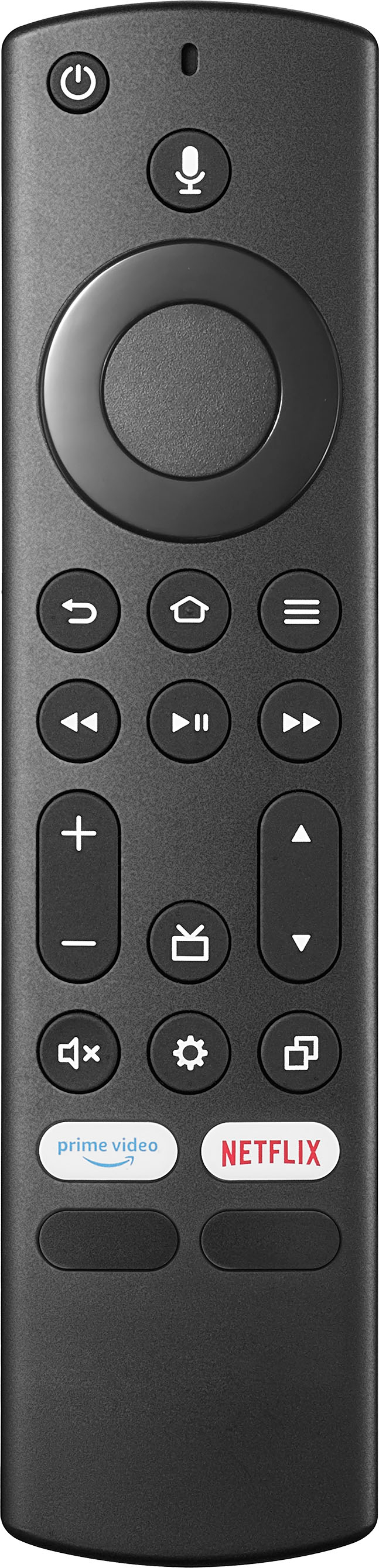
A:AnswerWe recommend you use the included remote to fully control your TV.
While you press and hold the Mic button try to say: "Tune to channel 2.1".
If you need a replacement remote, you can purchase the Insignia - Fire TV Edition Replacement Remote for Insignia Fire TV Edition TVs Model: NS-RCFNA-21 SKU: 6418140
https://www.bestbuy.com/site/insignia-fire-tv-edition-replacement-remote-for-insignia-toshiba-black/6418140.p?skuId=6418140