“I have a Lenovo laptop, I don't see a place for an auxiliary cord to plug in so what is my best option for purchasing a speaker to listen to music?”
Answer This Question
1-10 of 10 Answers
Probably a Bluetooth speaker system would work best
Sorry, there was a problem. Please try again later.Look on the side of your laptop, next to the USB port. There should be a headphone jack up there that your audio wire can plug into.
Sorry, there was a problem. Please try again later.Bluetooth speaker
Sorry, there was a problem. Please try again later.I would go with a Bluetooth speaker option if you have a decent wireless network at home. The sound will transmit remotely and you won't need any cords to trip over.
Sorry, there was a problem. Please try again later.Does your computer have a headphone outlet? If so, plug this cord and any external speaker that takes this plug.
Sorry, there was a problem. Please try again later.Any Bluetooth speaker should work such as the pill by beats by dre. Usually you can use the headphone jack though
Sorry, there was a problem. Please try again later.If it has Bluetooth you could try that. They also sell a usb to 3.5mm jack.
Sorry, there was a problem. Please try again later.I have a Lenovo and it does come with an audio port. However I purchased a Bluetooth speaker to use with it as well. The Bluetooth speaker works great with the Lenovo. The speaker I use is: JBL - Clip+ Portable Bluetooth Speaker - Black Model: JBLCLIPPLUSBLK
Sorry, there was a problem. Please try again later.Use a Bluetooth speaker. They work great and you can use it for a multitude of devices.
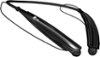
Sorry, there was a problem. Please try again later.Try a Bluetooth wireless speaker or headphone for your laptop assuming it is Bluetooth capable.
I would recommend:
Sorry, there was a problem. Please try again later.