“I have a need to run an HDMI monitor video cable from my computer to a monitor with a display port. I understand from other people that they do not exist. HELP!”
Answer This Question
1-5 of 5 Answers
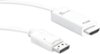
We recommend looking at the JDC158, JDC42 as they are for DisplayPort monitors. The JDC158 is to be connected to the computer via DP and the HDMI male end connect into the external monitor, TV, projector - it is not bi-directional. ** Feel free to contact the Technical Support team mentioned on the packaging for further assistance or if you have any other questions and someone will be glad to assist you.
Sorry, there was a problem. Please try again later.This is an HDMI monitor video cable to display port. It should work.
Sorry, there was a problem. Please try again later.It's possible but you're going to need an active adapter, one powered either by USB or a wall wart. Displayport uses more juice than HDMI, so DP to HDMI can be done easily but you need more power going the other way.
Sorry, there was a problem. Please try again later.They make an DP to HDMI cable , however it's only one way, meaning DP out .
Sorry, there was a problem. Please try again later.Sounds like you could use the j5create - DisplayPort-to-HDMI Cable. I did the reverse and connected my PC Display Port to the HDMI connector on the TV.
I would recommend:
Sorry, there was a problem. Please try again later.