“How do you turn off the jbl link 10 im currently having trouble?”
Answer This Question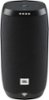
1-7 of 7 Answers
Press the mute mic first then press power button it should then shut down.
Sorry, there was a problem. Please try again later.Muting the mic and then pressing the power button is the only thing that worked for me.
Sorry, there was a problem. Please try again later.You can't! It never turns off unless the battery runs out. Google "whacks" anyone who learns how to turn off their devices, or even complains about it so be careful. Oh, there's someone at my door...
Sorry, there was a problem. Please try again later.Waste my time..no work at all
Sorry, there was a problem. Please try again later.To make it work I had to shut the google mic first....
Sorry, there was a problem. Please try again later.Thanks for reaching out, our apologies for the inconvenience and delay in response. Pressing on the POWER button should turn off the unit. Try pressing and holding it for 2-3 secs. If issue still persist, we would like to work with you directly. Please submit a case request at https://www.jbl.com/support-contact.html and the Customer Service Team will be more than happy to assist you.
Sorry, there was a problem. Please try again later.I just figured it out. You have to unplug it from the usb. Then press the google button and the power button at the same time. That should turn it off. You’re welcome.
Sorry, there was a problem. Please try again later.