“Hello, I just wanted to know that how would i switch off the jbl link 10 speaker because it runs out of the battery once I charge it completely and I am unable to switch it off even though by pressing the power button. So , kindly assist me for that.”
Answer This Question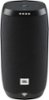
1-2 of 2 Answers
You should be able to turn the speaker off after one press on the power button. While the Link 10 is not plugged in to charge, leave it turned on, and wait until it turns off. After it does, please try powering it on, then off, and see if it would work better that time. But if the speaker would still not power off, please submit a case request at www.jbl.com/support-contact.html and the customer service team will be more than happy to further assist you.
Sorry, there was a problem. Please try again later.Just unplug the speaker from the cable and leave it for sometime, the speaker will be automatically turning off. I haven't noticed how long it takes, but it will turn off automatically for sure. Try that.
Sorry, there was a problem. Please try again later.
