“I just ordered this and i want to play music from my laptop. Will that work like my Bluetooth flip 2 did? I don't have google can i also use Alexa? I really want it to hear music from my Acer laptop . Did i just buy the wrong thing ?”
Answer This Question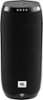
1-1 of 1 Answer
Thanks for reaching out. If you want to use the JBL Link 20 as a Bluetooth speaker, you just need to finish the initial set up and then press the Bluetooth button on the top. This is to enable the "pairing mode", so you can connect your laptop or other devices. If you have other questions or inquiries, please submit a case request at https://www.jbl.com/support-contact.html and the Customer Service Team will be more than happy to assist you.
Sorry, there was a problem. Please try again later.