A:AnswerNo, it comes without S mode.
Even if it did come with it, you can easily switch out of it from the microsoft store [below is a picture from a tutorial]
A:AnswerHey Dave,
The most common Office apps like Word and Excel are preinstalled; however, without purchasing a long-term Office solution, such as Microsoft 365, only a 30-day trial can be activated out of the box.
Here is a link to the Microsoft Office landing page on bestbuy.com to learn more about your Office options: https://www.bestbuy.com/site/microsoft/microsoft-office/pcmcat748300511466.c?id=pcmcat748300511466
Please feel free to reach out to us with any other questions!
A:AnswerYes. Your Lenovo IdeaPad Slim 3 has a powerful AMD Ryzen 7 processor and 16GB of RAM, which is more than enough to run the SuperPlay software and stream high-definition security footage without any lag.
A:AnswerHey,
From the manufacturer, this model should be covered by International Warranty Services. By visiting the webpage tied to the following link: (https://pcsupport.lenovo.com/us/en/iwslookup#/ideapad), users can view local Lenovo support options for the supported countries. You can lookup options by entering the product serial number in the search box at the previously listed link, selecting “International Warranty Services” within “Warranty & Repair”. For disclosure, there can be some limitations with repairs abroad as US components and onsite repair may not be available in another country.
Please feel free to reach out to us with any other questions!
A:AnswerHey,
The most common Office apps like Word and Excel are preinstalled; however, without purchasing a long-term Office solution, such as Microsoft 365, only a 30-day trial can be activated out of the box.
Here is a link to the Microsoft Office landing page on bestbuy.com to learn more about your Office options: https://www.bestbuy.com/site/microsoft/microsoft-office/pcmcat748300511466.c?id=pcmcat748300511466 |
Please feel free to reach out to us with any other questions!
A:AnswerHey Steve,
Since this IdeaPad Slim 3 does not feature a backlit keyboard with the required, built-in technology being integrated with the keyboard itself, you'd need to buy a replacement keyboard with backlighting from the Lenovo Parts site (keyboard deck also can be configured with a fingerprint reader. Lenovo parts webpage for this series IdeaPad: https://pcsupport.lenovo.com/us/en/products/laptops-and-netbooks/ideapad-s-series-netbooks/slim-3-15abr8/82xm/parts/display/buy-now) to determine pricing (along with cost of service to swap these parts).
Please feel free to reach out to us with any other questions!
A:AnswerHey there,
While this system was not designed with gaming in mind, it may run certain games so long as the specifications of this IdeaPad Slim 3 align with the system requirements shared by the game's developer/publisher on their site or the game's store page. From the perspective of a true "gamer" though, a system designed for gaming, like a Lenovo LOQ or Legion laptop would provide a much more elevated gaming experience with better performance.
Please feel free to reach out to us with any other questions!
A:AnswerHey b1172,
So long as the system isn't in an enclosed space with minimal air circulation, charging the device or leaving it running overnight shouldn't lead to overheating. Also, based on user reviews, fan noise is only most apparent when the system is under a heavy workload--i.e., when gaming, local video editing.
Please feel free to reach out to us with any other questions!
A:AnswerHey Sonic,
Depending on the in-game graphics settings (as long as the graphics quality settings aren't set to higher than "minimum" or "low"), you should be able to run these games on this IdeaPad Slim 3.
Please feel free to reach out to us with any other questions!
A:AnswerHey Newuser90,
Given the nature of the Thunderbolt port's unique technological standards and necessary software, it is unlikely that this IdeaPad Slim 3 will work with the display in question.
Please feel free to reach out to us with any other questions!
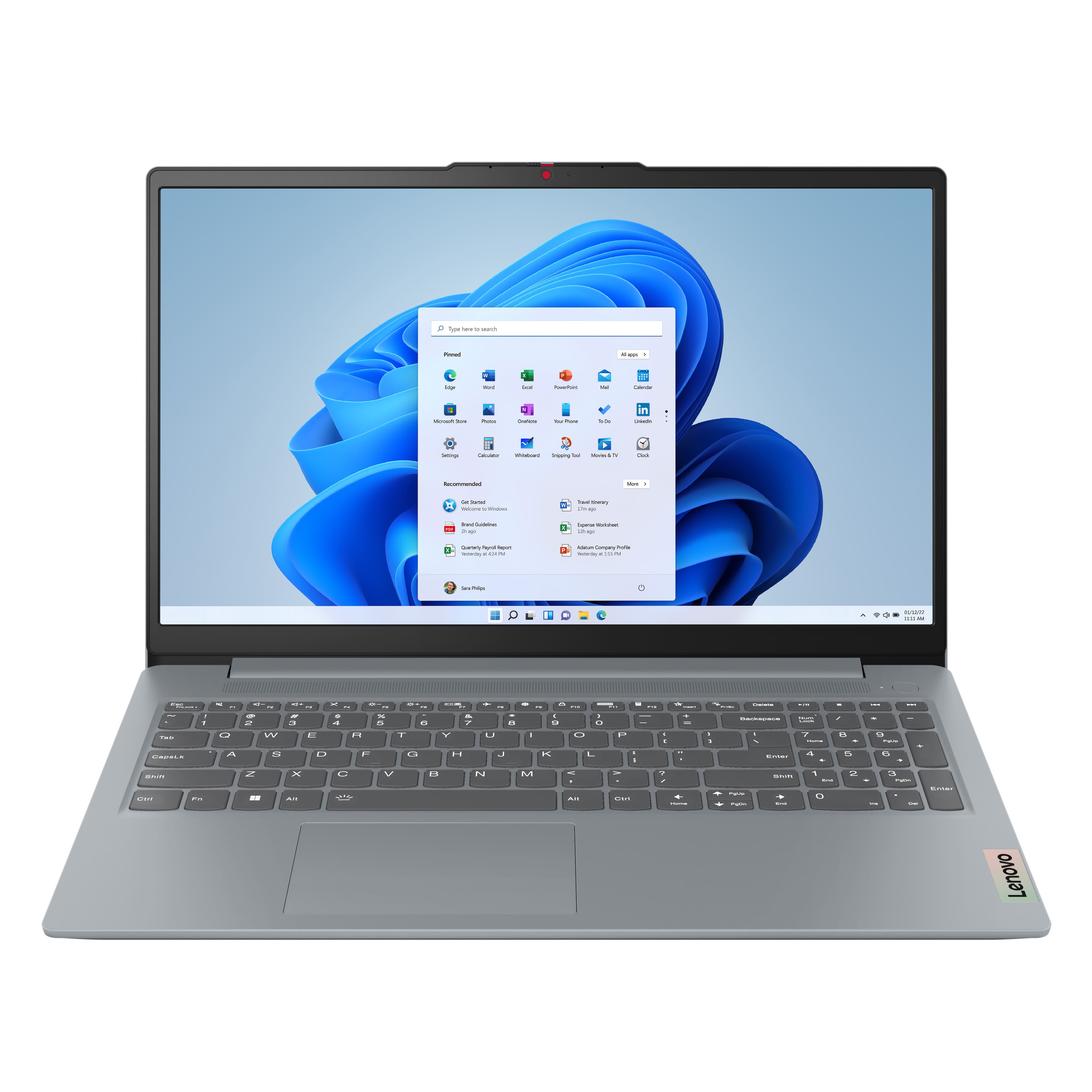


![Sure, here is the corrected and grouped text from the image:
---
**Top Row:**
- Esc
- Fn
- F1
- F2
- F3
- F4
- F5
- F6
- F7
- F8
- F9
- F10
- F11
- F12
**Number Row:**
- 1
- 2
- 3
- 4
- 5
- 6
- 7
- 8
- 9
- 0
- -
- =
- Backspace
**Letter Row:**
- Tab
- Q
- W
- E
- R
- T
- Y
- U
- I
- O
- P
- [
- ]
- \
- Delete
**Letter Row:**
- Caps Lock
- A
- S
- D
- F
- G
- H
- J
- K
- L
- ;
- '
- Enter
**Letter Row:**
- Shift
- Z
- X
- C
- V
- B
- N
- M
- ,
- .
- /
- Shift](https://pisces.bbystatic.com/image2/BestBuy_US/images/products/f79b3ed3-e46f-4e66-923f-76d4538361a2.jpg)