1-1 of 1 Answer
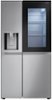
Hi there. Thank you for your question about your LG Refrigerator, model LRSDS2706S. We understand you'd like to connect it to your Wi-Fi. To connect your refrigerator, you will need to use the LG ThinQ application. Here is a simple step to get you started: First, download the LG ThinQ app from the Google Play Store or Apple App Store and create an account. Once you are logged in, tap the "+" or "Add a Product" button on the home screen and follow the on-screen instructions to register your refrigerator. https://www.bestbuy.com/product/lg-27-1-cu-ft-side-by-side-smart-refrigerator-with-craft-ice-stainless-steel/JJ8VPZS938 If you have any further questions about its features, please send us a private message on Social Media @LGUSSupport, and our team will be more than happy to assist you. —Renzo
Sorry, there was a problem. Please try again later.
