1-1 of 1 Answer
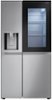
Hi there, Victor. Thank you for sharing your experience with us. We understand your inquiry regarding the LRSOS2706S 27.1 cu ft. Side-by-Side Smart Refrigerator with Craft Ice. The water filter model number for this unit is LT1000P, which fits into the top-right corner of the refrigerator compartment. As a troubleshooting step, if you notice a drop in water flow or a change in taste or odor, please: Remove the old LT1000P filter by gently turning it counterclockwise until it releases. Discard the used filter and insert a new LT1000P filter into the same housing, turning it clockwise until it locks into place. Run 2–3 quarts of water through the dispenser to flush out any air and ensure the fresh filter is fully primed. Finally, reset the filter indicator by pressing and holding the “Water Filter” button (or following the on-screen prompt in SmartThinQ) for three seconds—this will clear the “Replace Filter” alert. https://www.bestbuy.com/site/lg-27-1-cu-ft-side-by-side-smart-refrigerator-with-craft-ice-printproof-stainless-steel/6468484.p?skuId=6468484 If you have any questions about purchasing a genuine LG LT1000P filter, installation guidance, or encounter any issues during replacement, please send us a private message on social media @LGUSSupport. Our team will be happy to help you locate the correct parts and walk you through any additional steps. We appreciate your patience and look forward to ensuring your LRSOS2706S continues to deliver clean, great-tasting water. —Renzo
Sorry, there was a problem. Please try again later.
