A:AnswerHi there, Alex. The maximum brightness (luminance) for the LG 65QNED85TUA is not explicitly listed in the official specifications. However, as a QNED TV with local dimming and HDR support (HDR10 & HLG), it is designed to deliver enhanced brightness levels for vibrant visuals.
https://www.lg.com/us/tvs/lg-65qned85tua-qned-4k-tv#pdp_specs
If you're looking for specific nit values, we recommend checking third-party display tests or reaching out to us directly. Please send us a private message on social media @LGUSSupport, and we'd be happy to assist further. —Renzo
A:AnswerHello there, Noldus. Thank you for reaching out with your inquiry regarding your LG 65QNED85TUA unit. We understand your situation and appreciate your interest in getting the best viewing experience. Generally, for a 65-inch 4K TV like this one, a common guideline is to sit around 1.5 times the screen’s diagonal—in this case, approximately 8 feet away from the screen. This distance is typically recommended to fully appreciate the enhanced details and vibrant colors, while also ensuring comfortable viewing.
https://www.lg.com/us/tvs/lg-65qned85tua-qned-4k-tv#pdp_specs
If you find that the picture doesn't feel quite immersive enough, a good troubleshooting step is to try slightly adjusting your seating distance or angle to see if a small change improves your overall experience. Please send us a private message on Social Media @LGUSSupport, and our team will be more than happy to explore further solutions with you.
—Renzo
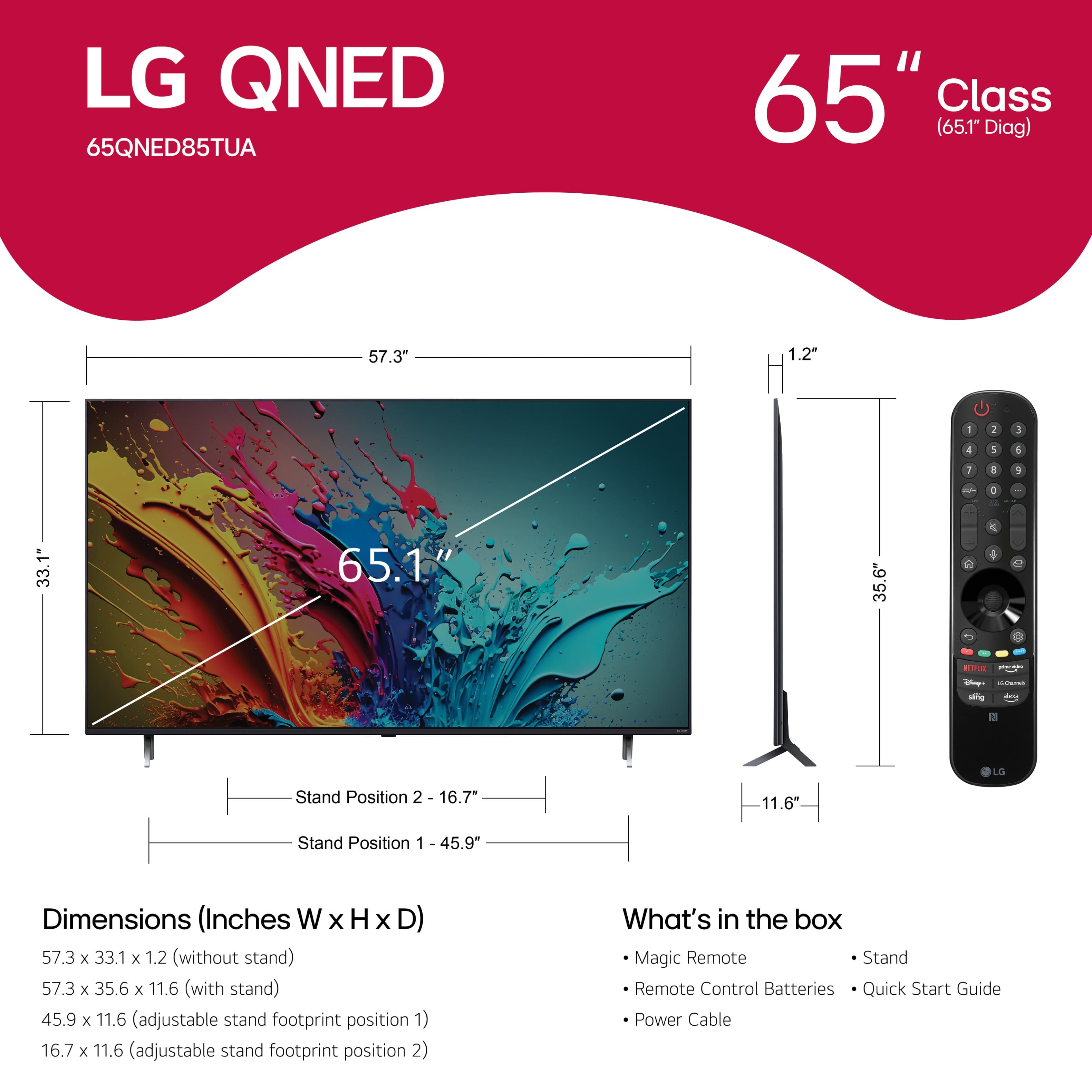
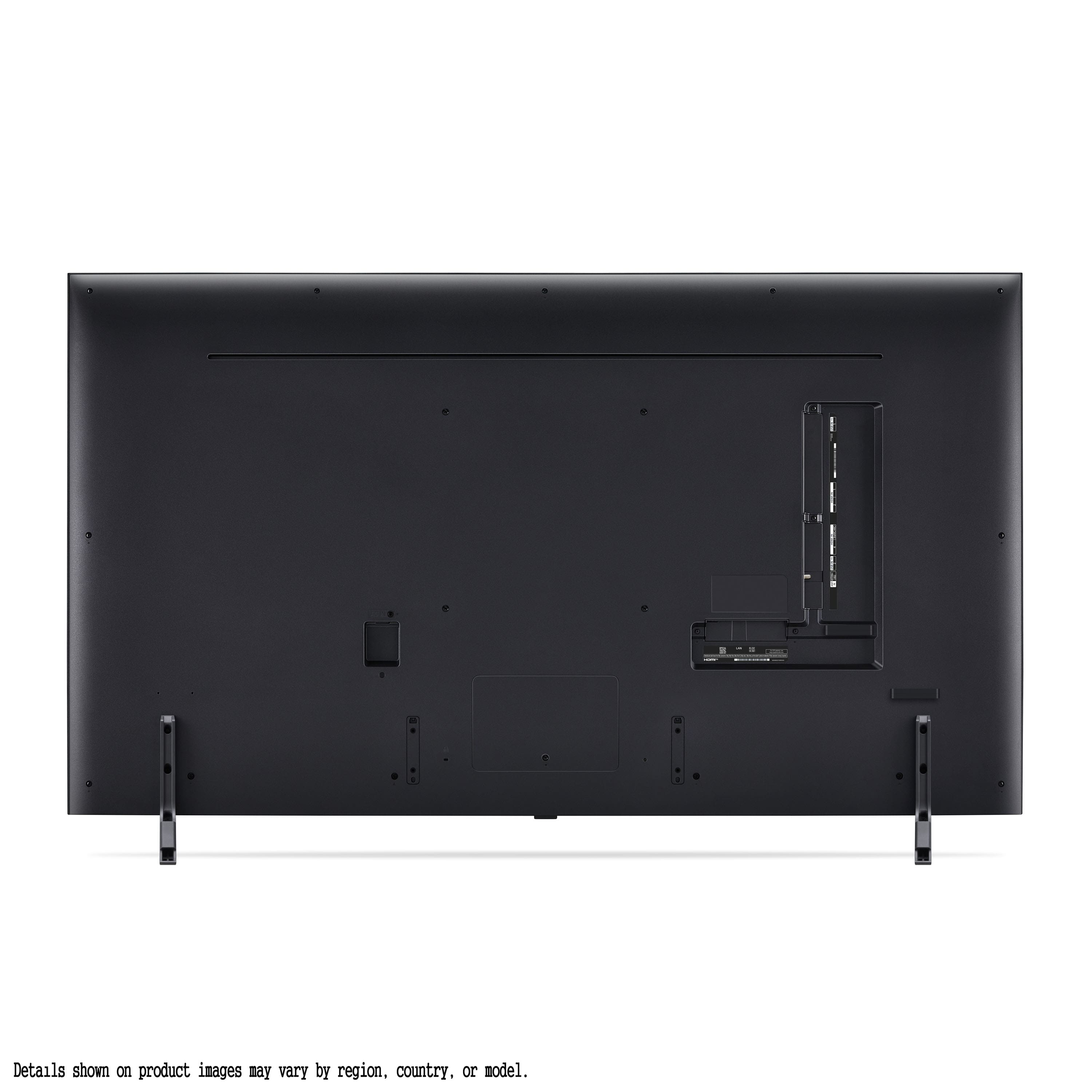
A:AnswerHi there, Ed. The VESA mounting pattern for the LG 65QNED85TUA TV is 300 x 300 mm. The distance from the bottom of the TV to the lower two mounting holes can be calculated using the VESA dimensions, but for your reference:
The VESA mounting holes are spaced 300 mm horizontally and 300 mm vertically.
Given the TV's dimensions, the approximate distance from the bottom of the TV to the lower mounting holes would be around 13 inches. This is based on the 33.1-inch height of the TV and the vertical VESA hole spacing.
https://www.lg.com/us/tvs/lg-65qned85tua-qned-4k-tv#pdp_specs
If you need more specific details or assistance, feel free to reach out to us via @LGUSSupport on social media!
—Renzo
A:AnswerHi there, Ron. Thank you for reaching out! We understand you're inquiring about the warranty and potential price adjustments for the LG 65QNED85TUA TV.
Regarding the warranty, the LG 65QNED85TUA TV comes with the following coverage:
Labor: 1 Year
Parts: 1 Year
For further details, you can refer to the official LG warranty page here: LG WARRANTY INFORMATION - https://www.lg.com/us/support/warranty-information#cusCode=65QNED85TUA.AUS&cat=CT10000018&salCode=CT30017665&sufCode=undefined
As for the price adjustment or reimbursement in case of a price drop, this would be a policy handled directly by Best Buy. We recommend contacting Best Buy Customer Support for more information on how their price match or adjustment policy works. You can reach them through their support page here: Best Buy Support & Customer Service - https://www.bestbuy.com/support
We hope this information helps! If you have any further assistance needed, feel free to send us a private message on social media @LGUSSupport, and we’ll be happy to guide you through the process!
—Renzo
A:AnswerHi, there. Thank you for reaching out about the LG TV (65QNED85TUA) model. Unfortunately, this unit does not feature an ATSC 3.0 (NEXTGEN) broadcast tuner. This tuner was included in all of our flagship OLED and LED TVs for several years, but it is not available in the 2024 LG TV lineup, including this model. For more information regarding this product, you may visit https://www.lg.com/us/tvs/lg-65qned85tua-qned-4k-tv. If you have more questions or need further assistance, feel free to send us a private message on social media @LGUSSupport, and we’ll be happy to assist you. ^Juvy
A:AnswerHi, there. Thank you for sharing your experience with LG TV (65QNED85TUA) model. We understand your concern about noticing light bleeding, especially in dark scenes or black bars on your unit. We strive to provide high-quality products and ensure a smooth viewing experience. Here are a few troubleshooting steps you can try: Sometimes, tweaking the picture settings can reduce the appearance of light bleed. Try lowering the brightness or adjusting the contrast in the picture settings to see if that helps reduce the effect. Light bleed may be more noticeable at certain viewing angles. Make sure you’re viewing the TV straight on, as this can sometimes minimize the issue. Ensure that your TV is running the latest software version. Manufacturers sometimes release firmware updates that can improve picture quality and reduce issues like light bleeding. For guidance, visit https://www.lg.com/us/support/help-library/lg-tv-how-to-update-an-lg-smart-tv--1430510575535. If the light bleed is still very noticeable or affects your viewing experience, we recommend reaching out to us for further assistance. Please send us a private message on social media @LGUSSupport with your details, and we’ll be happy to explore potential solutions or guide you through warranty options if necessary. ^Juvy
A:AnswerHi, there. Thank you for your question about LG TV (65QNED85TUA) model. Yes, you can wall mount the LG 65" Class 85 Series QNED 4K UHD Smart webOS TV (2024). However, please note that wall mounting must be selected at the time of purchase, and it is performed by Handy, an independent company not affiliated with LG Electronics.
Here are the steps to ensure a successful wall mounting: Ensure you have a wall mount that is compatible with the 65QNED85TUA model. The mount should support the weight and size of the TV. Use a stud finder to locate the wall studs where you plan to mount the TV. This is crucial for securing the mount properly. Carefully follow the instructions provided with your wall mount kit. Make sure to use the appropriate tools and hardware. After mounting, perform a load test to ensure the TV is securely attached and stable. For more information, visit https://www.lg.com/us/tvs/lg-65qned85tua-qned-4k-tv. If you need help choosing a wall mount or have any other questions, feel free to send us a private message on social media @LGUSSupport, and we’d be happy to assist you further. ^Juvy
A:AnswerHello, Paul.
The LG 65-inch Class QNED 4K LED QNED85T series TV with webOS 24, Model # 65QNED85TUA, features a Full Web Browser.
It does not have Dolby Atmos®...^Ivan.
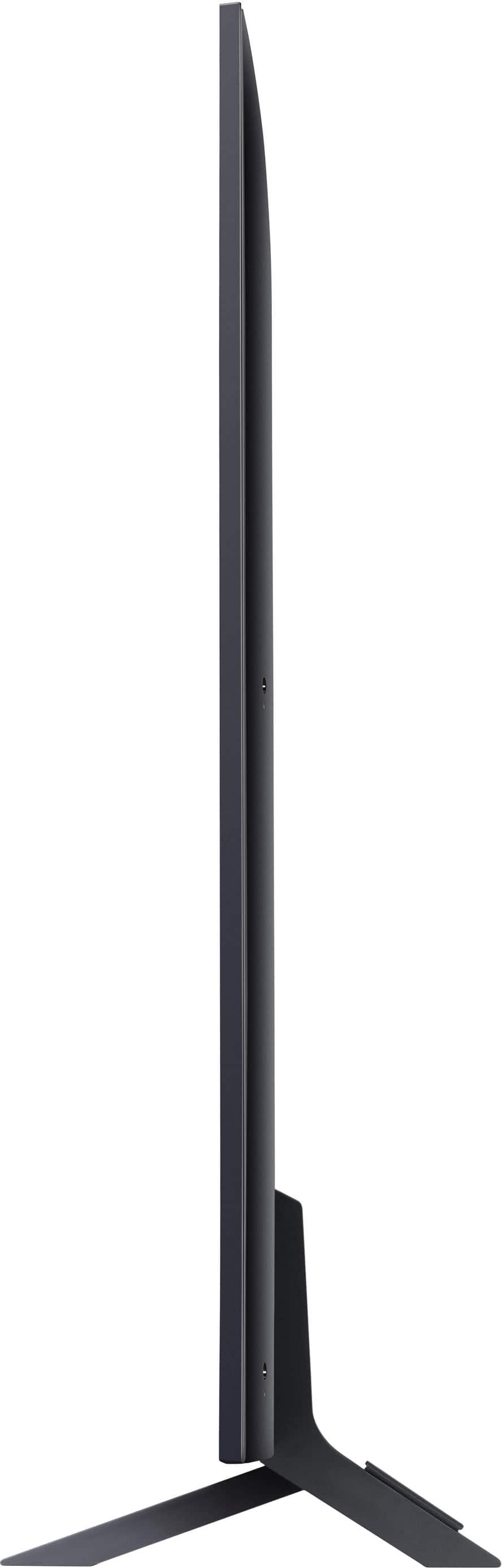
A:AnswerHi there! Thank you for your question about the LG 65QNED85TUA TV. The stand height is approximately 3.2 inches, which should provide just enough clearance for your Bose soundbar, as you require at least 3.25 inches. However, it’s always a good idea to measure your setup to ensure a proper fit. You may refer to the manual of your unit for more information:https://www.lg.com/us/support/product/lg-65QNED85TUA.AUS.
If you have any more questions or need further assistance, please feel free to send us a private message on Social Media @LGUSSupport. We’re here to help!
—Avril
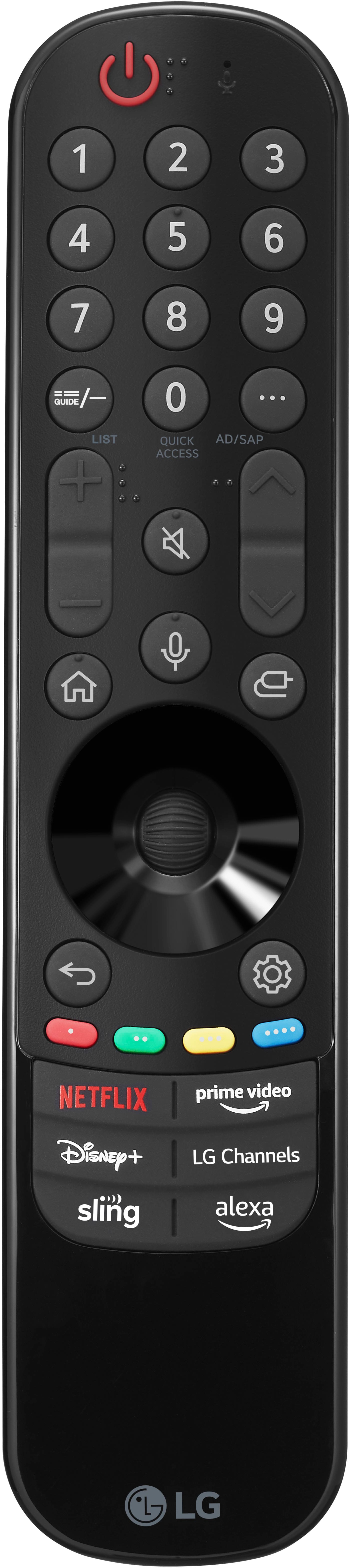
A:AnswerThe LG 65-inch Class QNED 4K LED QNED85T series TV with webOS 24, Model # 65QNED85TUA, supports Intelligent Voice Recognition. You can issue voice commands with the LG Magic Remote supplied with the unit.
The remote has a microphone on it that you can speak into when issuing voice commands...^Ivan.
A:AnswerHi there! When you purchase a new LG TV like the 65QNED85TUA, the delivery service typically does not include removal of your old TV. Delivery services usually focus on getting the new TV into your home and setting it up.
If you need to have your old TV removed, you might want to:
Check with the Retailer: Some retailers offer removal services for an additional fee. It's worth asking them at the time of purchase.
Arrange for Disposal: You can also arrange for the removal of your old TV through local recycling programs or waste disposal services.
Consider Professional Services: There are also professional services that specialize in removing and disposing of old electronics.
If you have any more questions or need assistance with your new TV setup, feel free to send us a private message on Social Media @LGUSSupport. We're here to help!
—Renzo