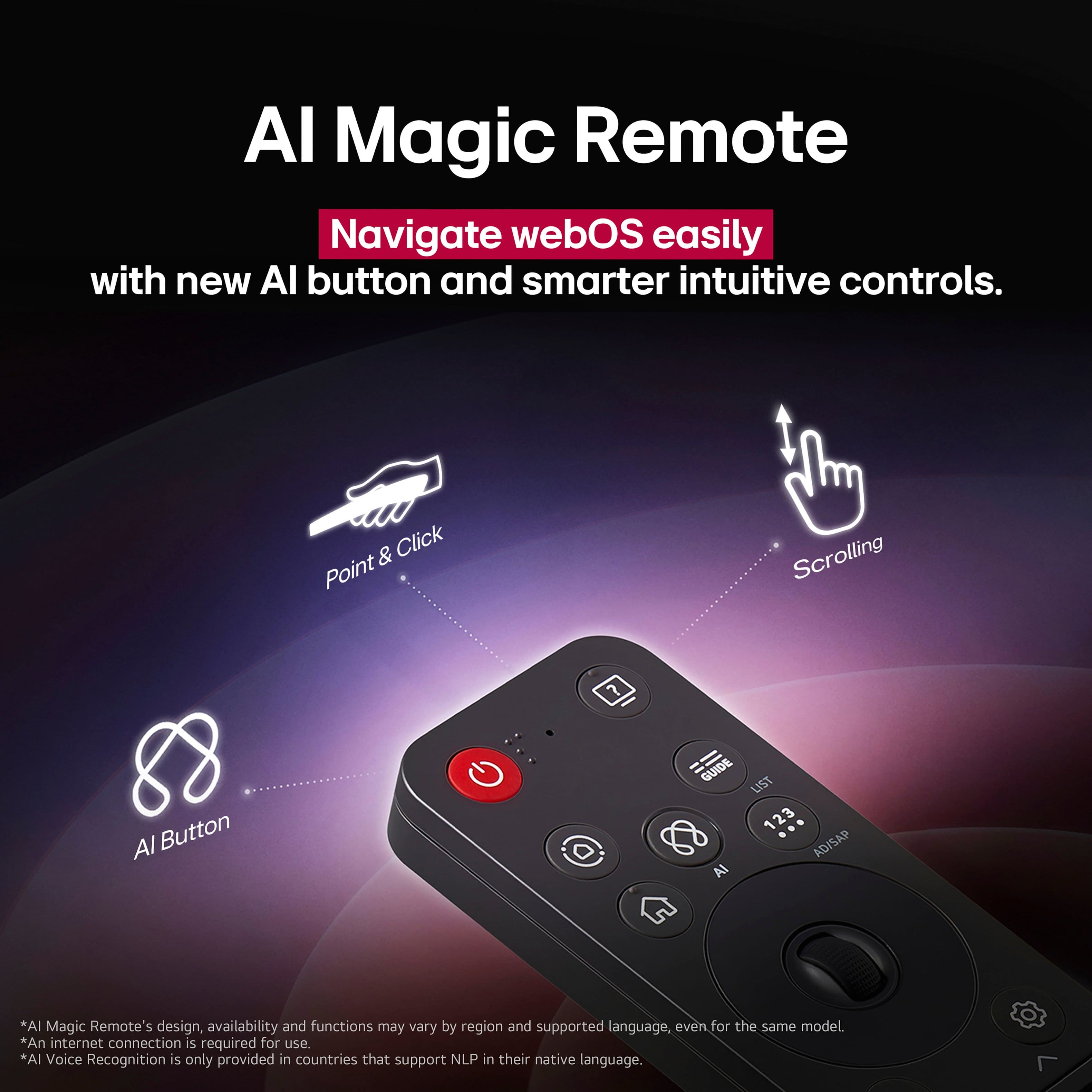
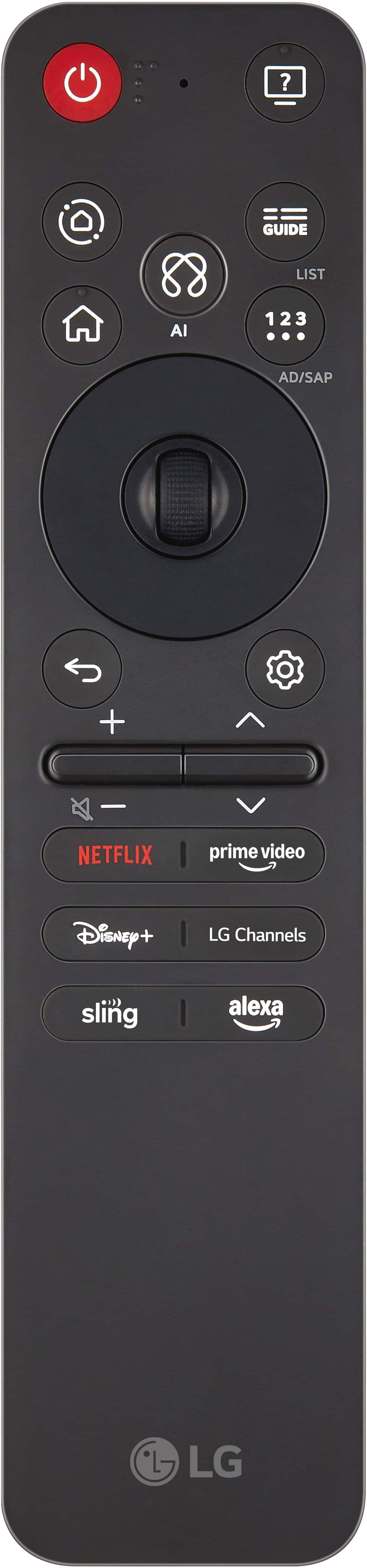
A:AnswerHello there. Thank you for reaching out to us. We understand your inquiry regarding the remote control options for the LG OLED evo C5 4K Smart TV (Model # OLED65C5PUA). The TV comes with the LG Magic Remote (MR25), which is designed for easy navigation using a PC-like mouse cursor and voice commands. To answer your question about alternatives, yes, you can also use your smartphone as a remote control by downloading the LG ThinQ app, which connects directly to your TV.
https://www.lg.com/us/tv-home-theater-accessories/lg-mr25ga-magic-remote
If you have any further questions about its features, please send us a private message on Social Media @LGUSSupport, and our team will be more than happy to assist you. —Renzo
A:AnswerHi there. Thank you for your interest in the LG OLED65C5PUA. We understand your inquiry regarding the longevity and performance of our OLED screens. Please be assured that our latest OLED models are equipped with advanced technologies, such as Pixel Dimming and screen protection features, designed to preserve image quality and minimize risks when used under standard viewing conditions.
https://www.bestbuy.com/product/lg-65-class-c5-series-oled-evo-ai-4k-uhd-smart-webos-tv-2025/JJ8VPZTRG6
If you have any further questions about its features, please send us a private message on Social Media @LGUSSupport, and our team will be more than happy to assist you. —Renzo
A:AnswerIf the 65-inch Class LG OLED evo AI C5 4K Smart TV 2025, Model # OLED65C5PUA, is turning off after a few minutes and emitting a high-pitched sound, then turning back on to the Home Screen, it may be due to overheating, power supply issues, or a software glitch. We highly recommend you contact our Customer Support on social media (Twitter, Facebook, YouTube, Instagram etc.,) using our handle, @LGUSSUPPORT. The TV will need to be inspected by a qualified service technician to diagnose the issue, and our Customer Support can help facilitate arranging a service appointment.
Before calling for service, you may want to ensure that the TV is not overheating. If it is, turn it off immediately and let it cool down.
Inspect the Power Supply and make sure the power cord is securely connected to both the TV and the wall outlet. Avoid using cheap or low-quality extension cords or surge protectors.
You can go to Settings > General > Timers and disable the Auto Power Off feature, or try power cycling the TV by unplugging it from the power source, hold the power button for 30 seconds, then plug it back in.
If these steps do not resolve the issue, it may be necessary to contact LG support or a professional technician for further assistance...^Ivan.
A:AnswerHello there, Deb. Thank you for sharing your experience with us. We understand your inquiry regarding the Bluetooth capabilities of the LG OLED65C5PUA.
Yes, you can connect two wireless headsets at the same time on this TV model. The LG OLED C5 allows for dual Bluetooth audio connection, which can typically be accessed through the Sound settings menu under the Bluetooth device options.
https://www.bestbuy.com/product/lg-65-class-c5-series-oled-evo-ai-4k-uhd-smart-webos-tv-2025/JJ8VPZTRG6
If you have any further questions about its features, please send us a private message on Social Media @LGUSSupport, and our team will be more than happy to assist you.
—Renzo
A:AnswerHi there. Thank you for sharing your experience with us. We understand your inquiry regarding the features of your LG 65" Class C5 Series OLED evo TV. This model does include the Art Gallery feature, which allows you to display beautiful artwork and photos when the television is not in active use.
https://www.bestbuy.com/product/lg-65-class-c5-series-oled-evo-ai-4k-uhd-smart-webos-tv-2025/JJ8VPZTRG6
For further assistance and any specific concerns you may have, please contact us on lgdigitalcare@lg.sprinklrsupport.com. —Renzo
A:AnswerThe LG 65" Class C5 Series OLED evo AI 4K UHD Smart webOS TV (2025), Model # OLED65C5PUA, can be connected to a Soundbar, regardless of brand or manufacturer, in one of three ways:
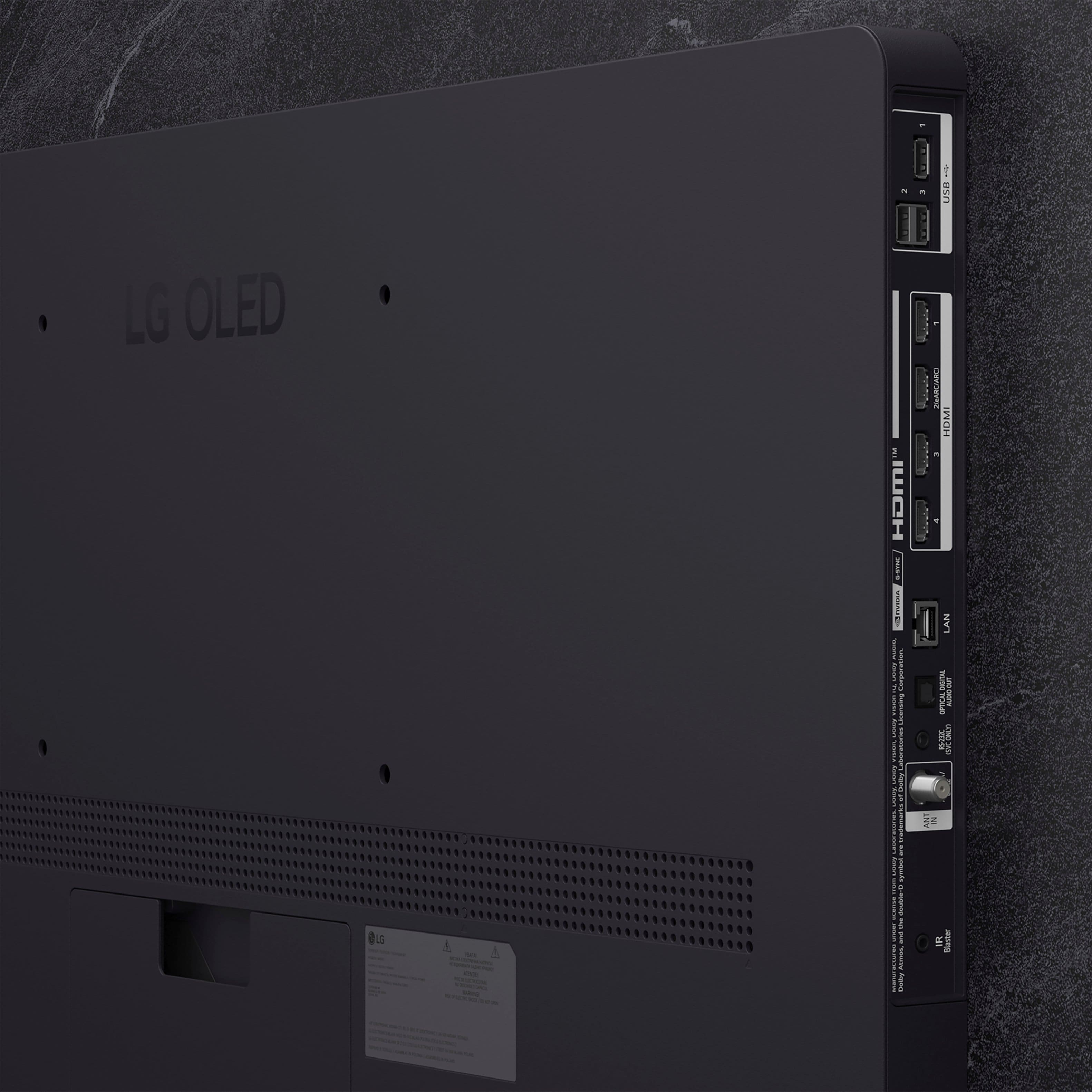
It is a Bluetooth-enabled TV (Bluetooth ver. 5.3) so it can be paired wirelessly via Bluetooth with a Soundbar, it can be connected via its HDMI eARC port(HDMI 2) to an HDMI ARC/eARC port on a Soundbar, or you can connect its Optical Digital Audio Output to an Optical Digital Audio Input on a Soundbar...^Ivan.
A:AnswerWhat connectivity does this specific sound system have? Sound Systems are designed to connect to TVs in various ways, so it's about connectivity.
A Sound System can be connected to the LG 65" Class C5 Series OLED evo AI 4K UHD Smart webOS TV (2025), Model # OLED65C5PUA, in one of three ways.
The TV is a Bluetooth-enabled TV (Bluetooth® ver. 5.1), so if your sound system supports Bluetooth®, you can pair it with the TV for a wireless Bluetooth connection.
If your sound system has an HDMI ARC or HDMI eARC port, preferrable an HDMI eARC port, you can connect that to the TV's HDMI eARC port (HDMI 2).
HDMI eARC supports uncompressed audio formats that HDMI ARC does not. This includes high-quality surround sound technologies such as Dolby Atmos® and DTS:X. These formats allow for a more lifelike and cinematic sound experience, providing a richer and clearer audio output compared to the compressed formats supported by HDMI ARC.
While HDMI ARC can handle compressed audio formats like Dolby Digital or DTS, HDMI eARC can support uncompressed formats that maintain the full sound details without compression. This is particularly beneficial for users with advanced audio systems or for those who enjoy watching movies or playing games with immersive sound.
If the sound system has an Optical Digital Audio Input, you can connect that to the TV's Optical Digital Audio Out.
The Optical Digital Audio port is capable of transmitting surround sound formats like Dolby Digital, which is a popular choice for home theater systems and soundbars. However, it does not support multichannel LPCM, Dolby Digital Plus, Dolby Atmos®, and DTS:X, or high-definition audio such as Dolby TrueHD and DTS-HD Master Audio. Optical connections do not support discrete 7.1 soundtracks, as these are typically found in unsupported higher-resolution audio formats...^Ivan.
A:AnswerHi there. We understand your inquiry about connecting your Definitive Technology soundbar to your OLED65C5PUA television.
We are happy to confirm that your OLED65C5PUA model offers several robust audio connectivity options that are compatible with external sound systems, including those from Definitive Technology. For the best quality connection, we recommend using the HDMI eARC port, which is designated as HDMI 2 on your unit. This will allow you to transmit high-quality audio formats like Dolby Atmos directly from the TV to your soundbar, provided the soundbar also supports eARC. Alternatively, you can use the SPDIF (Optical Digital Audio Out) port.
https://www.bestbuy.com/product/lg-65-class-c5-series-oled-evo-ai-4k-uhd-smart-webos-tv-2025/JJ8VPZTRG6
If you have any further questions about setting up the audio output settings on your TV or need specific guidance on pairing the soundbar, please send us a private message on Social Media @LGUSSupport, and our team will be more than happy to assist you further with the details.
—Renzo
A:AnswerThe 65-inch Class LG OLED evo AI C5 4K Smart TV 2025, Model # OLED65C5PUA, has a built-in Wi-Fi 6e module.
Wi-Fi 6E is the newest Wi-Fi generation that adds the new 6 GHz band. It builds on Wi-Fi 6, also keeping the existing 2.4 GHz and 5 GHz bands...^Ivan.
A:AnswerThe LG 65" Class C5 Series OLED evo AI 4K UHD Smart webOS TV (2025), Model # OLED65C5PUA, is a Bluetooth-enabled TV that can be paired with most, if not all Bluetooth Headphones/earbuds. It does not have the Red/White Analog RCA audio barrel ports for connecting wired headphones. If possible, please stop in at your local Best Buy to see their selection of Bluetooth headsets or earbuds that are suitable for your mother that can be paired with the TV...^Ivan.
A:AnswerThe supported Wi-Fi Standard on the 65-inch Class LG OLED evo AI C5 4K Smart TV 2025, Model # OLED65C5PUA, is Wi-Fi 6E.
The TV was manufactured before the final version of the 802.11be amendment, which defines Wi-Fi 7, that was published later on July 22, 2025...^Ivan.
A:AnswerThe LG 65" Class C5 Series OLED evo AI 4K UHD Smart webOS TV (2025), Model # OLED65C5PUA, has a Limited Manufacturer's Warranty of One (1) year from the date of original retail purchase for Parts and Labor (internal/functional parts only)...^Ivan.
A:AnswerHi there. Thank you for reaching out to us with your inquiry about the OLED65C5PUA model. We understand your inquiry about connecting a VIZIO sound bar to your LG OLED TV.
Yes, your LG OLED65C5PUA TV is compatible with a VIZIO sound bar, as we include universal connectivity options that work with most external audio devices. You have three main connection options available on your TV to connect any brand of sound bar:
HDMI eARC: The best option for high-quality audio. You can connect your VIZIO sound bar to the TV's HDMI 2 port, which supports eARC (Enhanced Audio Return Channel), using an HDMI cable. This connection allows for the best audio formats and lets you use the TV remote to control the sound bar volume.
Optical Digital Audio Out (SPDIF): A very reliable wired connection. You can use an optical cable to connect the sound bar to the TV's SPDIF (Optical Digital Audio Out) port.
Bluetooth: For a wireless connection, you can pair the sound bar using the TV's Bluetooth v5.3 capability.
https://www.bestbuy.com/product/lg-65-class-c5-series-oled-evo-ai-4k-uhd-smart-webos-tv-2025/JJ8VPZTRG6
For assistance with setting up the connection or for any further questions about its features, please send us a private message on Social Media @LGUSSupport, and our team will be more than happy to assist you.
—Renzo
A:AnswerNeither the LG - 65" Class C5 Series OLED evo AI 4K UHD Smart webOS TV (2025), Model # OLED65C5PUA, nor any of our TVs have a DisplayPort.
Most TVs do not include DisplayPort, as the industry has largely standardized on HDMI for connections. While a few manufacturers have released models with DisplayPort to cater to the gaming market, it remains a rare feature in televisions...^Ivan.
A:AnswerApple TV is a preinstalled app on the LG 65" Class C5 Series OLED evo AI 4K UHD Smart webOS TV (2025), Model # OLED65C5PUA, and the Apple TV + app can also be downloaded and installed on the TV through the LG Content Store (App Store).
The TV supports Apple AirPlay 2, with which allows you to display the content (i.e. mirror) from your iPhone, iPad, or Apple computer directly onto your TV screen, whether you're watching videos, playing games, or sharing photos...^Ivan.
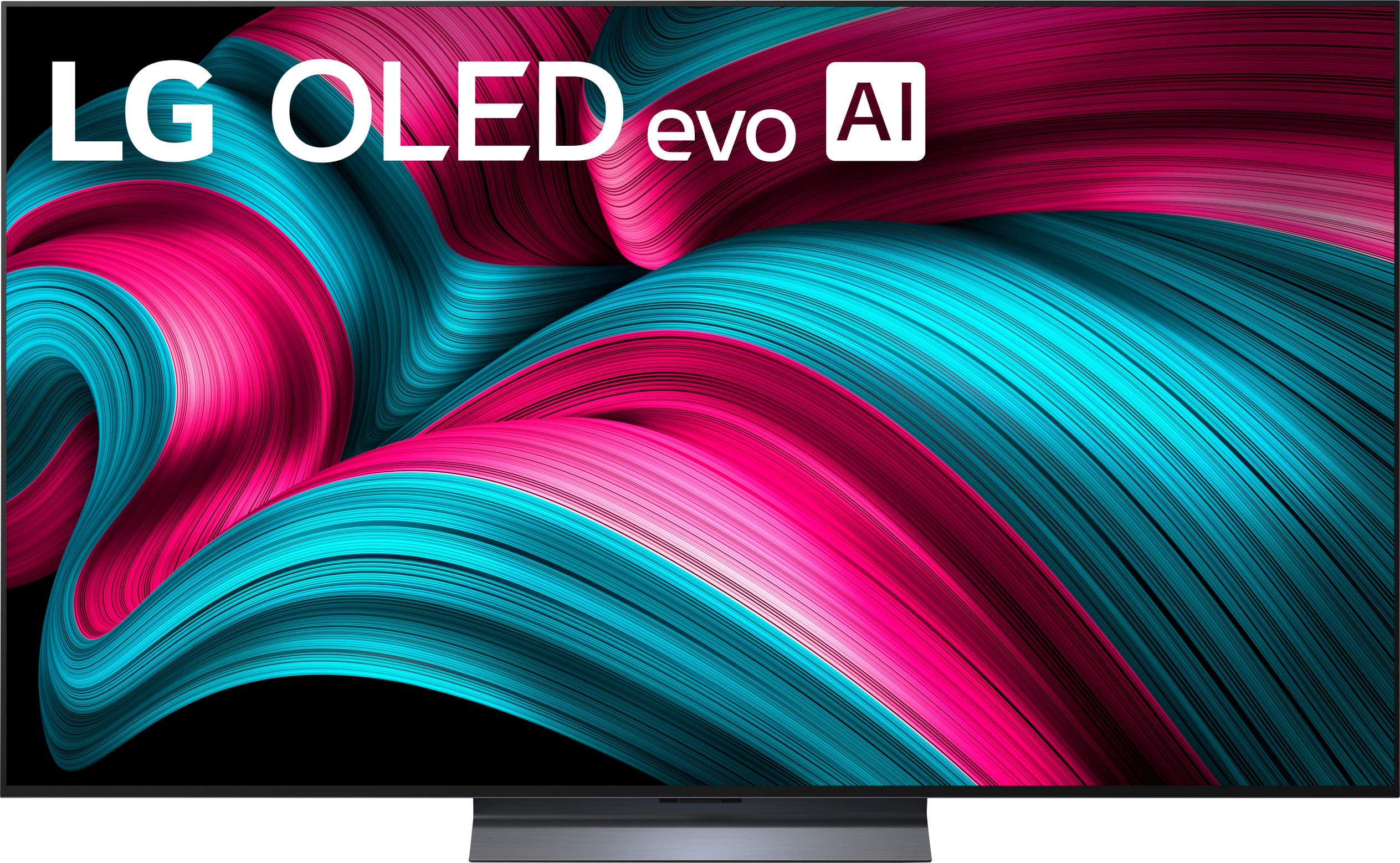



. Independently Tested for Quality and Workmanship CheckPlus: 100 % Color Volume to DCI-P3 oi PSSEANE Intertek [www.IntertekCheck.com](http://www.IntertekCheck.com). 100% Color Fidelity and '100% Color Volume to DCI-P3' applies to 2025 OLED TVs. *LG OLED Display is verified by UL for Perfect Color measured to IDMS 11.5 Ring-light Reflection standards. *100% Color Volume is defined as the performance of display which is equal or greater than the size of DCI-P3 standard color volume as verified independently by Intertek. *The LG OLED Panel is certified by Intertek for 100% Color Fidelity, measured to IDMS 11.5 Ring-light Reflection standards.](https://pisces.bbystatic.com/image2/BestBuy_US/images/products/3661ed5e-8d92-47a9-baef-65aa6eb5dcb9.jpg)