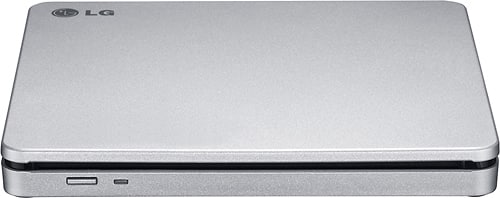
A:AnswerIt can be used with a Chromebook but there are some major limitations to using a Chromebook with an external DVD or CD drive. External DVD drives aren’t officially supported on Chrome OS. Goggle Cloud does not seem to be an operating system. Compatible Operating Systems include Windows 10, Windows 8.1, Windows 8, Windows 7, Windows Vista, Windows XP, and Mac OS X (v.10.7.5 or higher) . ^Daphane
A:AnswerPlease reach out to our support team via private message on Facebook @LGUSSupport and use #VOC in your first message to our social media support team or call at 800-243-0000. Also, be sure to provide your contact information, model/serial numbers and date of purchase. ^Daphane
A:AnswerSystem requirements for CPU Pentium IV 2.4 GHz or Higher(with USB 2.0) for basic performance (Recommended for optimal performance: Pentium IV 3.2 GHz or Higher). Memory 256 MB or larger (Recommended: 512 MB). Hard disk 20 GB or more free space. (The free space needed for writing depends on the quantity of data.) Software Required OS Windows 8/Windows 7/Windows Vista (32 bit, 64 bit)/ Windows XP SP3, Mac OS X v.10.5.4 or Higher, Direct X 9.0 or Higher. ^Daphane
A:AnswerIt can be used with a Chromebook but there are some major limitations to using a Chromebook with an external DVD or CD drive. External DVD drives aren’t officially supported on Chrome OS. Compatible Operating Systems include Windows 10, Windows 8.1, Windows 8, Windows 7, Windows Vista, Windows XP, and Mac OS X (v.10.7.5 or higher) . ^Daphane
A:AnswerNo, there is not an HDMI input. This drive does support TV Connectivity. TV Connectivity is a function that allows you to enjoy videos, pictures and music by connecting this product to a compatible A/V device (e.g. DIGITAL TV, DIGITAL PHOTO FRAME, PC) that supports USB connectivity. ^Daphane
A:AnswerIt will write to CD-R, CD-RW discs and read CD-R/RW/ROM and CD-DA discs as well. You will need to install the appropriate CD Recording Authoring Software before using this unit. To achieve maximum Record & Write speed, your system may require data to be copied first to the computer’s hard drive rather than directly from another source disc or drive. For further assistance, please reach out to our support team on Twitter via @LGUSSupport or on Facebook at https://www.facebook.com/LGUSA or call at 800-243-0000. ^Daphane
A:AnswerYes you can, as I have recently had a back injury and had both a MRI Image scan and a CT scan, A: you can download the image software if you are a DR. Office, or simply open the directory on the disc and open the reader with the CD itself, and Vola you will be able to see your images, now weather or not you can read them is up to you as for what you are looking for.
A:AnswerRequired operating systems include Windows 8, Windows 7, Windows Vista (32 bit, 64 bit)/, Windows XP SP3, Mac OS X v.10.5.4 or Higher, Direct X 9.0 or Higher. ^Daphane
A:AnswerMy drive is on my IMac and has no trouble running anything from the LG DVD drive. Conversely I have downloaded software and successfully burned it to DVD using this drive as well.
Hope that helps
A:AnswerHello, we cannot give any assurance but you can try. You can also contact our Customer Support via direct message at Facebook and Twitter for further concerns.^Venette