LG - 8x External Double-Layer DVD±RW/CD-RW SuperMulti Blade Drive - Silver
Customers are saying
Customers commend the 8x External Double-Layer DVD±RW/CD-RW SuperMulti Blade Drive for its ease of use, performance, and broad compatibility. Its compact size, speed, design, and lightweight nature are also appreciated, along with its quiet operation. The DVD drive functionality receives positive feedback, while some customers express reservations about the software requirements.
Multiformat support
For DVD+R/R DL/RW, DVD-R/R DL/RW, DVD-RAM and CD-R/RW media (dual-layer/double-layer drive with DVD-RAM). Slot-style loading.
6x maximum DVD+R DL and DVD-R DL write speeds
Plus 8x DVD+R and DVD-R and 4x M-Disc DVD+R write speeds allow you to burn discs quickly.
6x maximum DVD+RW and DVD-RW rewrite speeds
Let you quickly erase discs and write new data to them.
8x maximum DVD-ROM read speed
For speedy operation.
5x maximum DVD-RAM write speed
Allows fast disc burning.
24x maximum CD-R write speed
Enables efficient performance.
24x maximum CD-RW rewrite speed
Allows you to rapidly erase discs and write new data to them.
24x maximum CD-ROM read speed
Offers speedy access to saved data.
High-speed USB 2.0 interface
For fast, reliable operation.
Slim design
Measures just 0.6" thin for easy portability.
- Optical Media SupportedDVD+R, DVD-RAM, DVD-RWDual Layer Media SupportedYesM-Disc ReadyYesMaximum Read Speeds8x DVD-ROM; 24x CD-ROMMaximum Write Speeds6x DVD+R DL; 6x DVD-R DL; 8x DVD+R; 8x DVD-R; 24x CD-RMaximum Rewrite Speeds6x DVD+RW; 6x DVD-RW; 24x CD-RW
Reviews
Rating 4.6 out of 5 stars with 3276 reviews
- Ease of use (1050)
- Performance (363)
- Compatibility (337)
- Size (289)
- Price (247)
- Software (28)
Customer Images
The vast majority of our reviews come from verified purchases. Reviews from customers may include My Best Buy members, employees, and Tech Insider Network members (as tagged). Select reviewers may receive discounted products, promotional considerations or entries into drawings for honest, helpful reviews.
Compare similar products

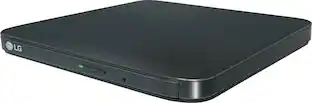
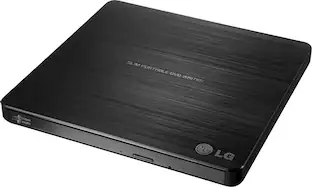
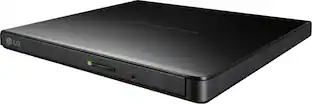
Copy your favorite movies and music to disc with this LG AP70NS50 double-layer DVD±RW/CD-RW drive, which features an overall maximum DVD write speed of 8x for speedy burning. The slim design allows easy portability.

Store and play files on disk with this portable LG external DVD writer. Its 8x DVD and 24x CD write speeds let you produce optical copies efficiently, and its silent play technology optimizes read speed while reducing noise. This slim LG external DVD writer supports M-DISC formats for high-quality data storage.

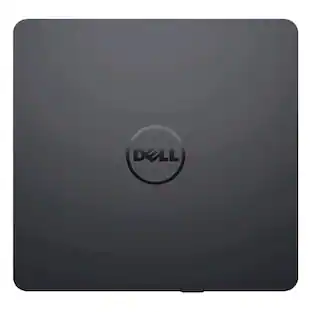
Burn DVDs and CDs with this Dell USB DVD/RW drive. Plug it into your computer's USB port to play and burn discs or to load new software onto the hard drive. This slim Dell USB DVD/RW drive fits into a tote bag, and it draws power directly from the computer's USB port for hassle-free operation.
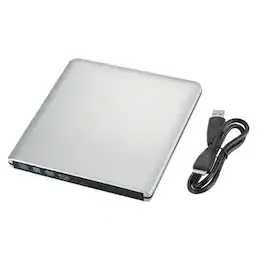
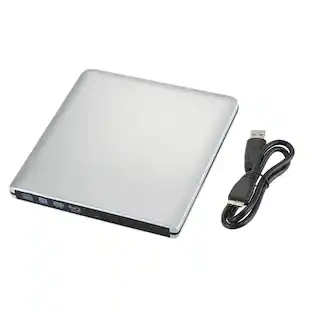
Unlock the full potential of your digital media with this premium 4K UHD external Blu-ray burner. Crafted from sleek aluminum alloy and boasting true BD-R/BD-RE read/write support, this ultra-slim drive lets you burn, play, and archive CDs, DVDs, and Blu-ray discs in crisp high definition. With plug-and-play USB 3.0 connectivity, broad OS compatibility, and a compact, travel-ready design, it’s the perfect all-in-one optical solution for data backup, movie playback, and system installation on modern laptops and desktops.
| Pros for LG - 8x External Double-Layer DVD±RW/CD-RW SuperMulti Blade Drive - Silver | |||
|---|---|---|---|
| Ease of use, Size, Price, Performance, Compatibility | Ease of use, Overall Performance, Price, USB, Size | Ease of use, Overall Performance, USB, Size, Price | There were no pros for this product— |
| Cons for LG - 8x External Double-Layer DVD±RW/CD-RW SuperMulti Blade Drive - Silver | |||
| Software | Software | Software, Noise Level | There were no cons for this product— |
Specs
Other drives I've seen do not say "double-layer". What does this mean and is it important to have?
Answered by LG Digital Customer Care"Double-Layer DVD±RW/CD-RW" is referring to the type of DVDs and CDs. Those are discs that provide twice the storage capacity of a standard DVD or CD recordable disc. The discs employ two recordable dye layers with each being capable of storing nearly the 4.7 GB capacity of a single layer disc, almost doubling the total disc capacity to 8.5 GB. The LG 8x Portable DVD Rewriter with M-DISC™ SuperMulti Blade Drive, Model # AP70NS50 can read such discs and the discs can only be created using DVD+R DL and Super Multi drives...^IFV
Will this read and burn photos?
Answered by LG Digital Customer CareThe LG 8x Portable DVD Rewriter with M-DISC™, Model # AP70NS50 can retrieve and/or store data on optical discs like CDs, or DVDs, any of which hold much more information than previously available portable media options like the floppy disk. There’s no difference between copying files, photos, MP3s or video files from a CD or DVD to your hard drive than from any other kind of storage or burning photos to a CD or DVD disc. If you have those photos saved on your computer, just insert a blank CD or DVD into the drive and click on My Computer and then click on the DVD drive to open a folder, open the folder in which you have saved the photos. Click on the photo files to highlight them and drag them over to the CD folder. Click on the "burn to disc" option and a burn wizard will appear to guide you through the CD burning process. When the wizard finishes, the files will be burned to the disc...^IFV
How thick is this LG drive?
This LG drive is only 0.6 inches thin.
This question and answer was generated by AI based on customer and product data.What kind of interface does this LG drive use for connectivity?
This LG drive uses a high speed USB 2.0 interface for connectivity.
This question and answer was generated by AI based on customer and product data.Does this LG drive support dual layer media?
Yes, this LG drive supports dual layer media.
This question and answer was generated by AI based on customer and product data.

Customers ultimately bought
Explore tech essentials Sponsored

Discover related products
 $155.99The price was $184.99
 $269.99The price was $289.99
 $12.99The price was $13.99