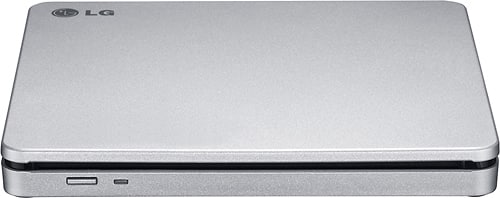
A:AnswerThe LG 8x External Double-Layer DVD±RW/CD-RW SuperMulti Blade Drive, Model # AP70NS50 is compatible with Windows 7, Windows 8, Windows Vista™, Windows XP, and Windows 10 Operating Systems. It connects to PCs via USB and gets its power from the USB port. The System requirements for it is Pentium IV 2.4 GHz or Higher(with USB 2.0) for basic performance (Recommended for optimal performance: Pentium IV 3.2 GHz or Higher) for the CPU and 256 MB or larger (Recommended: 512 MB) for the Memory. The Hard Disk should have 20 GB or more free space. (The free space needed for writing depends on the quantity of data.) and 64 MB (Recommended: 128 MB) Video Memory...^IFV
A:AnswerYOu may want to check with your Chromebook's manufacturer if they have a list of optical DVD drives that will work with it. You can use the LG - 8x External Double-Layer DVD±RW/CD-RW SuperMulti Blade Drive - Silver, Model # AP70NS50 with it, but the device will be limited to storage of readable files, and music files do not have drivers and cannot be installed on a Chromebook. Chrome OS can read files on CD, CD-RW, DVD, DVD-RW, Blu-ray, and Blu-ray RW discs if they are a supported file formats. This means you can easily open image or audio files in ChromeOS from files on a CD or DVD. However, there are some limitations. Chromebooks do not have the necessary codecs to play DVD files. You can connect a CD or DVD player to a Chromebook and use it to read data files if you have a disk written in data format above. You cannot play an audio CD or a movie on a DVD or Blu-ray, and you cannot write anything to a CD, DVD or Blu-ray disk...^IFV
A:AnswerThe disc tray in the LG - 8x External Double-Layer DVD±RW/CD-RW SuperMulti Blade Drive - Silver, Model # AP70NS50 is designed to accommodate DVDs or CDs. You would need to do an online search or inquire about mini DVD adapters from retail stores...^IFV
A:AnswerThis disc drive can read installation discs. If you need assistance with using a disc drive, give our computer specialists a call at 800-243-0000. ^CP
A:Answerhe AP70NS50 offers multiformat support for DVD+R/R DL/RW, DVD-R/R DL/RW, DVD-RAM and CD-R/RW media (dual-layer/double-layer drive with DVD-RAM). Slot-style loading. ^CP
A:AnswerThe LG 8x Portable DVD Rewriter with M-DISC™, Model # AP70NS50 is compatible with the Windows 7, Windows 8, Windows Vista™, Windows XP, Windows 10 and Mac OS® X v.10.5.4 or Higher, and Direct X 9.0 or Higher Operating Systems. ^CP
A:AnswerThe LG 8x Portable DVD Rewriter with M-DISC™, Model # AP70NS50 is compatible with the Windows 7, Windows 8, Windows Vista™, Windows XP, Windows 10 and Mac OS® X v.10.5.4 or Higher, and Direct X 9.0 or Higher Operating Systems. ^CP
A:AnswerThe LG - 8x External Double-Layer DVD±RW/CD-RW SuperMulti Blade Drive, Model # AP70NS50 does not have an HDMI port on it but it does have a TV Connectivity function that allows you toenjoy videos, pictures and music by connectingthis product to a compatible A/V device (e.g. DIGITAL TV, DIGITAL PHOTO FRAME, PC) that supports USB connectivity...^IFV
A:AnswerIF YOU BURN A DVD IN THE DVD-R FORMAT, YOU SHOULD BE ABLE TO PLAY IT ON YOUR REGULAR DVD PLAYER AS LONG AS YOU FINALIZE THE DVD-R. FINALIZING THE DVD-R MEANS YOU CAN'T PUT ANY MORE DATA ON IT. IF YOU BURN USING THE DVD+R OR DVD-RW OR ANY OF THE OTHER DISCS OR FORMATS, IT IS DOUBTFUL THEY WILL PLAY ON YOUR REGULAR DVD PLAYER, ONLY YOUR COMPUTER.