“Can you transfer music from a CD-RW to a USB Drive?”
Answer This Question
1-2 of 2 Answers
- Sorry, there was a problem. Please try again later.
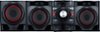
Hi John. CD-RW discs are playable disc type on the LG XBOOM 700W Main Unit and Speaker System Combo Set, Model # CM4590 so you can record directly to a USB Flash Drive connected to either USB 1 or USB 2 while playing the CD-RW disc. The playable file formats are MP3 and WMA. MP3/WMA file compatibility with this unit is limited as follows. • Sampling frequency: within 32 to 48 kHz (MP3), within 32 to 48 kHz (WMA) • Bit rate: within 32 to 320 kbps (MP3), 40 to 192 kbps (WMA) • Maximum files: Data CD: 999 / USB: 2,000 • Maximum folders: Data CD: 99 / USB: 200 • File extensions: “.mp3”/ “.wma” • Certain MP3/WMA files may not be played depending on the type or format of the file. • CD-ROM file format: ISO 9660/ JOLIET • We recommend that you use Easy-CD Creator, which creates an ISO 9660 file system. • A protected file by DRM (Digital rights management) cannot be played on the unit. • The DTS disc is not supported. You have to set the disc format option to [Mastered] in order to make the discs compatible with the LG players when formatting rewritable discs. When setting the option to Live File System, you cannot use it on LG players. (Mastered/Live File System: Disc format system for Windows Vista) Compatible USB Devices • MP3 Player: Flash type MP3 player. • USB Flash Drive: Devices that support USB2.0 or USB1.1. • The USB function of this unit does not support all USB devices. USB device requirement • Devices which require additional program installation when you have connected it to a computer, are not supported. • Do not extract the USB device while in operation. • For a large capacity USB, it may take longer than a few minute to be searched. • To prevent data loss, back up all data. • If you use a USB extension cable or USB hub, the USB device is not recognized. • Using NTFS file system is not supported. (Only FAT(16/ 32) file system is supported.) • This unit recognizes up to 2,000 files. • External HDD, Card readers, Locked devices, or hard type USB devices are not supported. • USB port of the unit cannot be connected to PC. The unit cannot be used as a storage device. • Some USB may not work with this unit...^IFV
Sorry, there was a problem. Please try again later.