1-3 of 3 Answers
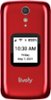
Hello Anonymous, The volume buttons are on the top right side of the phone, the top one raises and the bottom lowers and there is a vibrate option. These buttons can be locked to avoid lowering them and the instructions are on page 117 of the user guide. The user guide can be found on the Lively website under Support.

 Top 10 Contributor
Sorry, there was a problem. Please try again later.Go to settings and click down to Volumes & Sounds. Also, if your phone is ringing you can click a side button while it is closed and it will go silent.
Sorry, there was a problem. Please try again later.Hello, along the right side of the phone you will locate the volume buttons the top arrow is for raising the volume and the bottom arrow is to reduce the volume and silent mode. We hope you find this information helpful.
- Top 10 Contributor
Sorry, there was a problem. Please try again later.