“how do you block someone on the jitterbug flip 2 i really want to block someone but i dont know how please help me”
Answer This Question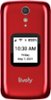
1-2 of 2 Answers
It does not give options to block
Sorry, there was a problem. Please try again later.Great question! To block numbers on the Jitterbug Flip2 phone, press OK on "Phone" from the Main Menu. Maneuver down to "Call History", and select the desired number. Once selected, it will give you the option to Block Number. For further assistance, you can contact our Customer Service.

 Top 10 Contributor
Sorry, there was a problem. Please try again later.