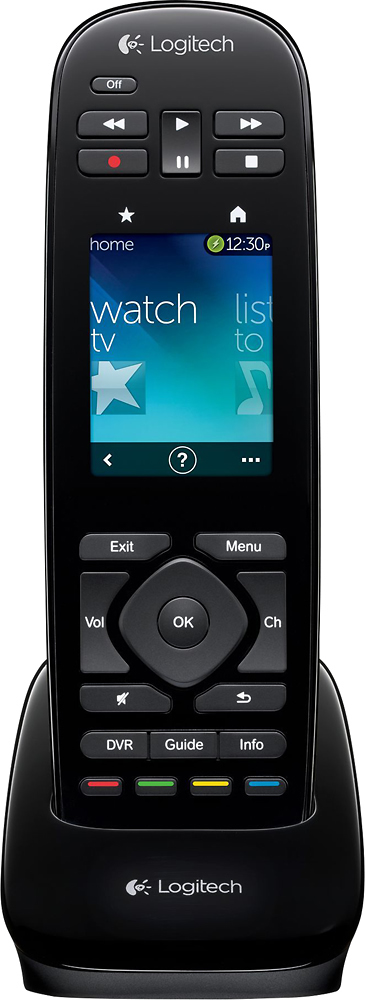
A:AnswerI'm no expert but even without using the remote it is going to use power thus eventually depleting the batteries so I would suggest leaving the remote on the charging station when not in use.
Hope this helps
A:AnswerYes it can replace it. They both work the same. They are set up the same and with the MyHarmony app you can actually just have it copy the programming to your new touch remote.
A:AnswerWe have X1 as well and it works great. The touch screen also says xfinity on it when. You turn the cable box one. We also have a receiver and it works great with that as well.
A:AnswerI have the same tv. There is no pointer on the harmony. May i suggest get the samsung key board pointer remote it is so much nicer than than pointer remote it comes with.
A:AnswerThe Harmony Universal also includes a 1 month trial of TikiLive and has an eyes-free gesture control, so you can swipe to change channels. It has on-remote customization which you can use without connecting to your computer.
A:AnswerNo, because it can only control devices using an IR signal. The fire remotes connect wirelessly (through Bluetooth, I believe), and I do not think that the fire box has an IR receiver.
A:AnswerNo - The PS3 (and by extension PS4) use Bluetooth to communicate to their remotes, not regular IR like most remotes. This device cannot emulate the Bluetooth remotes released for the PS3/PS4.
A:AnswerThis remote has RF and IR. As is, you can only control devices line-of-site with IR, no device can receive the RF signal directly. You can purchase a 3rd party IR repeater to receive the IR signal, run it along wires, and re-transmit it on the other side of an obstacle Alternatively, you can purchase a Logitech hub which will receive the RF signal from the remote through an obstacle, and transmit an IR signal to any other devices behind that obstacle.
A:AnswerYou can configure this feature to your liking. Out of the box though you would need to hold the fast forward button a few seconds and then it will begin the 30 second skip.
I've changed mine to perform this by simply clicking on it, instead of holding down the button. Hope this helps.