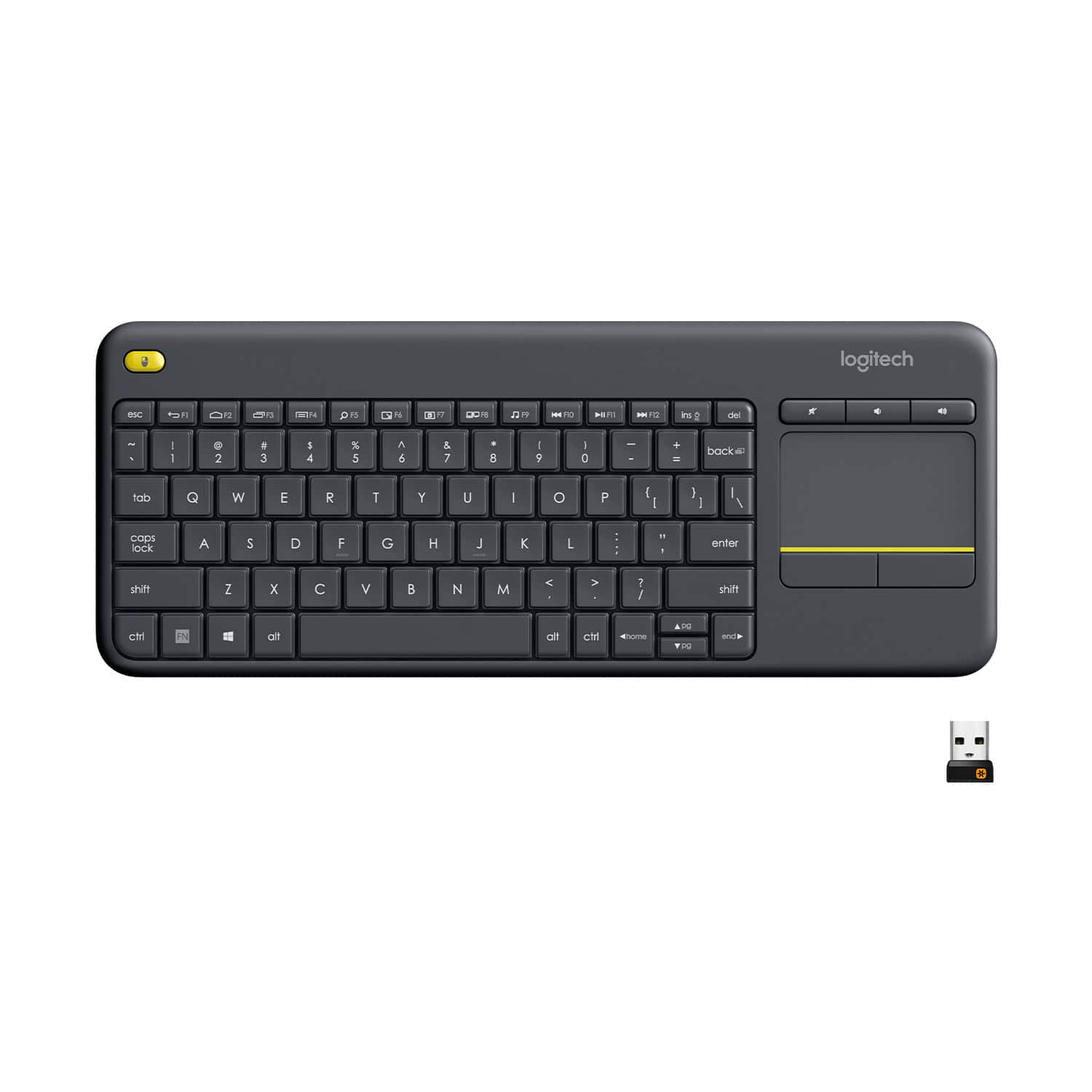
A:AnswerYes, the K400 Plus uses a USB receiver to connect to the laptop. Your Chromebook would need to have a standard USB port on the side for in to connect. If your Chromebook only has USB - C ports then it would not work.
A:AnswerYes. You need a usb adapter. Here is your proof.
https://youtu.be/ydcYF3-U0e4
Personally, i have tested my ipad mini (5th gen) with a k780 keyboard and an m720 mouse via one unifying receiver and that also worked flawlessly. Actually even better than it does over bluetooth. (Less lag)
A:AnswerThe model number of this device is "K400 Plus", sometimes written as "K400+". This device works with anything that accepts connections from a USB HID (Human Interface Device: mouse, keyboad, etc.) In practice, that means anything with USB socket for a Type-A plug.
A:AnswerThe USB receiver should be in the box. It fits in a slot around the rim of the packaging as you open the box. It could also be stored in the battery compartment.
A:AnswerYou’ll need an adapter. And then that’s a questionable maybe. Why not consider a Bluetooth keyboard instead? Fold up Bluetooth keyboards Are super portable.
https://www.amazon.com/Keyboard-Jelly-Comb-Rechargeable-Smartphone/dp/B078K1FFCP/ref=mp_s_a_1_5?dchild=1&keywords=bluetooth+foldable+keyboard&qid=1591605032&sprefix=bluetooth+fold&sr=8-5
A:AnswerYou’ll need an adapter. And then that’s a questionable maybe. Why not consider a Bluetooth keyboard instead? Fold up Bluetooth keyboards Are super portable.
https://www.amazon.com/Keyboard-Jelly-Comb-Rechargeable-Smartphone/dp/B078K1FFCP/ref=mp_s_a_1_5?dchild=1&keywords=bluetooth+foldable+keyboard&qid=1591605032&sprefix=bluetooth+fold&sr=8-5
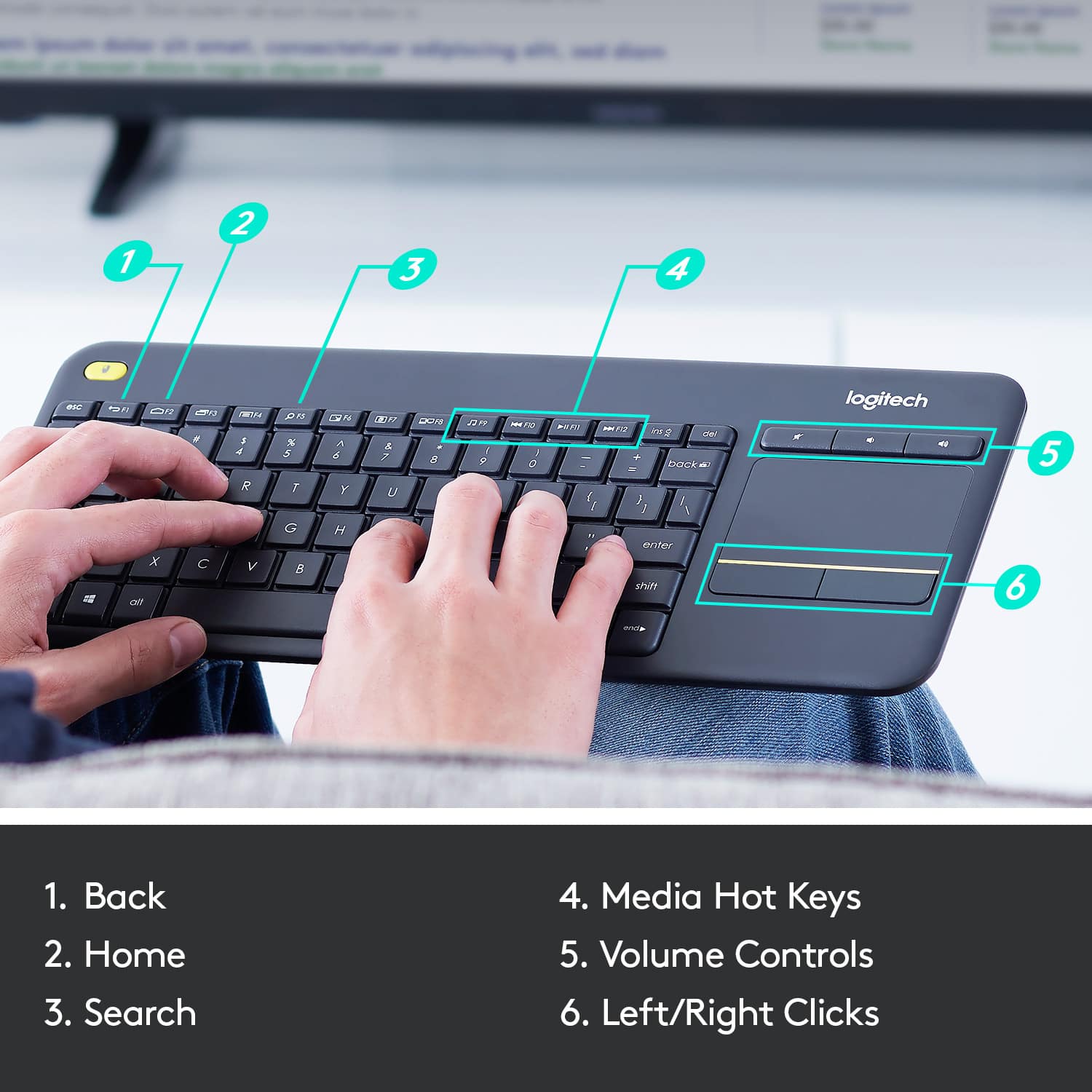
A:AnswerIt does allow for print screen (you press FN + the backspace key). The complete FN key mapping is in the FAQ area on the product website: https://support.logi.com/hc/en-us/articles/360025175794--FAQ-Wireless-Touch-Keyboard-K400-Plus

![Built-in touchpad logitech ins PC del + = back } ] I / POINT SCROLL enter shift](https://pisces.bbystatic.com/image2/BestBuy_US/images/products/9b5a0d6f-631a-4c6c-a7bf-e65b20135ee8.jpg)