Black Friday is hereNew Doorbusters added. Ends 11/29.Shop now

Main Content

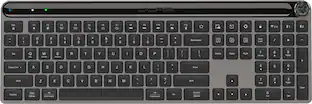
Logitech - K400 Plus TKL Wireless Membrane Keyboard for PC/TV/Laptop/Tablet with Built-in Touchpad - Black

Model: 920-007119
SKU: 7575039
Black Friday Deal
Black Friday Deal
$24.99
Save $10
Comp. Value: $34.99
Get it for lessWays to save on this item
Accidental Geek Squad Protection
Availability
Fulfillment Options
Pickup at
Act fast - Only 2 left at your store!
Sold by Best Buy

More Buying Options

Specifications
  • Lighting Type
    None
    Form Factor
    Tenkeyless (TKL)
    Keyboard Technology
    Membrane
    Connection Type
    Wireless
  • Key Specs
    • Lighting Type: None
    • Form Factor: Tenkeyless (TKL) (The size, arrangement, and physical configuration of the product.)
    • Keyboard Technology: Membrane (Type of technology that detects a key press.)
    • Connection Type: Wireless
  • General
    • Product Name: K400 Plus TKL Wireless Membrane Keyboard for PC/TV/Laptop/Tablet with Built-in Touchpad
    • Brand: Logitech
    • Model Number: 920-007119
    • Color: Black
  • Features
    • Lighting Type: None
    • Numeric Keypad: false
    • Touchpad: true
    • Keyboard Type: Keypad, Programmable
    • Palm Rest: false
    • Spill Resistant: true (Designed to resist some degree of accidental liquid spill. The level of spill-resistance is indicated by the product manufacturer, but the degree of protection may not be guaranteed after normal wear of the product.)
    • Keyboard Features: Compatible with TV-connected PCs, Built-in touchpad
    • Foldable: false
    • Keycap Material: ABS
    • Maximum Number of Memory Profiles: 0
  • Functions
    • Form Factor: Tenkeyless (TKL) (The size, arrangement, and physical configuration of the product.)
    • Number Of Keys: 80
    • Keyboard Technology: Membrane (Type of technology that detects a key press.)
    • Dedicated Macro Keys: false (Perform shortcuts of key sequences to carry out commands with a single key. Key sequences may include key strokes, mouse actions, and/or menu actions.)
    • Adjustable Tilt Function: false
    • Multimedia Keys: true
    • Number Of Programmable Keys: 0
  • Connectivity
    • Connection Type: Wireless
    • Wireless Connectivity: Bluetooth (The manner in which a device sends data to another device over a short distance without the use of wires or cables.)
    • Maximum Wireless Range: 32.8 feet
    • Number Of USB Port(s): 1 (The total number of USB ports including all generations and versions.)
    • Number of Devices Connectable Simultaneously: 1
  • Compatibility
    • Operating System Compatibility: Windows, Android, Chrome
    • Plug and Play Operation: true
    • System Requirements: Windows 10, 11 or later, Chrome OS, Android 7 or later (The software that a product must have for it to be able to integrate with another product.)
  • Power
    • Rechargeable Battery: false
    • Battery Size: AA (The battery size required for operation.)
    • Number of Batteries Required: 2
    • Battery Chemistry: Alkaline
    • Batteries Included: true (Indicates whether the product comes with the required batteries for its operation.)
    • On/Off Switch: true
  • Dimensions
    • Product Height: 0.93 inches (The out of box height of the item. Height is measured as the vertical distance from the bottom of the item to the top as it would be primarily used or placed.)
    • Product Width: 13.95 inches (The out of box width of the item. Width is measured as the horizontal distance from one side of the item to the other as it would be primarily used or placed.)
    • Product Depth: 5.51 inches (The out of box depth of the item. Depth is measured as the distance from the front of the item to the back as it would be primarily used or placed.)
    • Product Weight: 13.76 ounces (The out of box weight of the item.)
  • Mouse
    • Mouse Included: false
  • Warranty
    • Warranty - Parts: 1 Year
    • Warranty - Labor: None
  • Other
    • UPC: 097855115300

The Logitech Wireless Touch Keyboard K400 Plus lets you experience PC-to-TV entertainment the way you Watch video, browse the web, chat with friends and much more. The all-in-one keyboard with touchpad ends the hassle—and clutter—of multiple devices. And a 32.8-foot wireless range ensures your fun won’t be interrupted. Comfortable, quiet keys and a large (3.5-inch) touchpad make navigating entertainment effortless. Even setup is a snap thanks to the tiny, plug-and-play Unifying receiver.

  • Media-friendly: The K400 Plus wireless touch TV keyboard gives you integrated, comfortable control of your PC-to-TV entertainment, eliminating the clutter of a separate keyboard and mouse.
  • Plug-and-play: Simply plug the Unifying receiver into a USB port and the wireless touchpad keyboard is ready to go; adjust controls using the Logitech Options Software to save preferred settings.
  • Power-packed: Built with laid-back control in mind, this wireless TV keyboard has a reliable and long battery life of up to 18 months, including an on/off button to help it go even longer.¹
  • Wireless freedom: Designed for seamless comfort and control, this HTPC keyboard boasts a range of up to 32.8 ft wireless connectivity, with quiet keys and a large touchpad for easy navigation.²
  • Broad compatibility: Designed for use with Windows 7, Windows 8, Windows 10 and later, Android 7 or later, and Chrome OS.
  • Durable and reliable: The spill-resistant design and long-lasting keys keep you on-track despite any mishaps.³
  • Sustainability: Plastic parts in K400 Plus Black include 60% certified post consumer recycled plastic (Excludes plastic in printed wiring assembly (PWA), Touch pad, FFC cable and packaging.). Certified carbon neutral: the carbon impact of the product and packaging has been reduced to zero.
  • Media-friendly: The K400 Plus wireless touch TV keyboard gives you integrated, comfortable control of your PC-to-TV entertainment, eliminating the clutter of a separate keyboard and mouse.
  • Plug-and-play: Simply plug the Unifying receiver into a USB port and the wireless touchpad keyboard is ready to go; adjust controls using the Logitech Options Software to save preferred settings.
  • Power-packed: Built with laid-back control in mind, this wireless TV keyboard has a reliable and long battery life of up to 18 months, including an on/off button to help it go even longer.¹
  • Wireless freedom: Designed for seamless comfort and control, this HTPC keyboard boasts a range of up to 32.8 ft wireless connectivity, with quiet keys and a large touchpad for easy navigation.²
  • Broad compatibility: Designed for use with Windows 7, Windows 8, Windows 10 and later, Android 7 or later, and Chrome OS.
  • Durable and reliable: The spill-resistant design and long-lasting keys keep you on-track despite any mishaps.³
  • Sustainability: Plastic parts in K400 Plus Black include 60% certified post consumer recycled plastic (Excludes plastic in printed wiring assembly (PWA), Touch pad, FFC cable and packaging.). Certified carbon neutral: the carbon impact of the product and packaging has been reduced to zero.
Whats Included
  • K400 Plus Wireless Keyboard
  • Unifying receiver
  • 2 AA batteries (pre-installed)
  • User documentation
  • K400 Plus Wireless Keyboard
  • Unifying receiver
  • 2 AA batteries (pre-installed)
  • User documentation

Q: What is the battery life of this keyboard?

A: This keyboard has a battery life of up to 18 months.

Q: Is this keyboard compatible with Chrome OS?

A: Yes, this keyboard is compatible with Chrome OS, as well as Windows 7, 8, and 10 and later, and Android 7 or later.

Q: Does this keyboard have a touchpad?

A: Yes, the Logitech Wireless Touch Keyboard K400 Plus has an integrated touchpad.

Q: What is the keyboard's form factor?

A: The keyboard has a tenkeyless (TKL) form factor.

Q: What is the wireless range of this keyboard?

A: The wireless range of this keyboard is up to 32.8 feet.

Q: How do I connect this keyboard to my computer?

A: This keyboard connects wirelessly using a Unifying receiver that plugs into a USB port.

Q: is it compatible with my samsung tv?

A: Yes. I bought this keyboard for my samsung smart tv

Q: Does it work well with a Mac, what about volume buttons?

A: Yes it workrs on a Mac, I try it on a Macbook Pro

Sponsored

Compare similar products

Logitech - K400 Plus TKL Wireless Membrane Keyboard for PC/TV/Laptop/Tablet with Built-in Touchpad - Black

The Logitech Wireless Touch Keyboard K400 Plus lets you experience PC-to-TV entertainment the way you Watch video, browse the web, chat with friends and much more. The all-in-one keyboard with touchpad ends the hassle—and clutter—of multiple devices. And a 32.8-foot wireless range ensures your fun won’t be interrupted. Comfortable, quiet keys and a large (3.5-inch) touchpad make navigating entertainment effortless. Even setup is a snap thanks to the tiny, plug-and-play Unifying receiver.

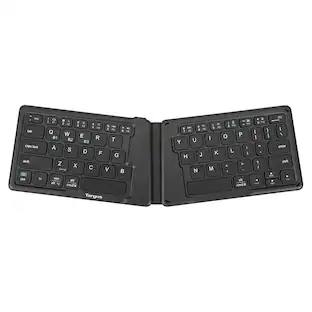
Targus - Ergonomic Foldable Bluetooth Antimicrobial Keyboard - Black

Unfold the power of this lightweight, pocket-sized keyboard with its unique, split, ergonomic design, reliable Bluetooth 5.1 wireless technology, and multi-device connectivity. Powered by a rechargeable 100 mAh battery, you can type for hours at a time. Compatible with most platforms, you’ll be able to write code, send emails, or work on your book from anywhere you want.

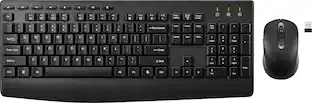
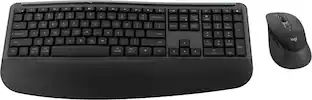
Logitech - MK250 Full-size Bluetooth Wireless Keyboard and Mouse Combo for Windows/MacOS with Fast & Easy Connectivity - Graphite
4.2(18)

Connect easy and breeze through daily tasks using the Logitech MK250 Bluetooth wireless combo. Connect in seconds without the need for a dongle. The space-saving keyboard design includes a numpad, providing full functionality in a compact form. Enjoy a smooth ambidextrous mouse shape and deep-profile, comfortable keyboard keys in a spill-resistant design. Made to last, MK250 is made by Logitech, a brand known for quality since 1981, and made to last with recycled plastic. MK250 combines practicality and durability in one compact, full-featured solution.

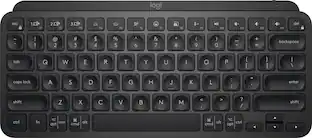
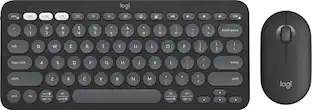
Logitech - Pebble Keys 2 Slim TKL Wireless Scissor Keyboard for Windows, macOS, iPadOS, Chrome - Graphite

Defy Boring with Pebble Keys 2 K380s minimalist keyboard made with recycled plastic. Its minimalist, streamlined shape and sleek curves make it as iconic as you and super portable. Hop across 3 devices with the Easy-Switch buttons on the Bluetooth keyboard and work faster with the Fn shortcut keys like screen capture, search, and more. Customize the 10 keyboard Fn shortcut keys to work how you want and save time with shortcuts in Logi Options+ App.

Pros for Logitech - K400 Plus TKL Wireless Membrane Keyboard for PC/TV/Laptop/Tablet with Built-in Touchpad - Black
Ease of use, Size, Touchpad, Wireless, RangeEase of use, Size, Battery Life, Connectivity, ErgonomicsOverall PerformanceSize, Battery Life, Connectivity, Portability, Keyboard Quality
Cons for Logitech - K400 Plus TKL Wireless Membrane Keyboard for PC/TV/Laptop/Tablet with Built-in Touchpad - Black
LagThere were no cons for this productThere were no cons for this productNumber Pad

Specs

Reviews

Customers are saying

Customers commend the K400 Plus keyboard for its ease of use, convenient touchpad, and compact size, making it suitable for various devices. The wireless functionality and reliable range are also appreciated, along with the good battery life and affordable price. However, some users have reported experiencing lag.

This summary was generated by AI based on customer reviews.

Customer Images

The vast majority of our reviews come from verified purchases. Reviews from customers may include My Best Buy members, employees, and Tech Insider Network members (as tagged). Select reviewers may receive discounted products, promotional considerations or entries into drawings for honest, helpful reviews.

  • Rated 5 out of 5 stars

    Works great

    Works great. Keys have decent feel, includes both the keyboard and a track pad, and is wireless via USB. The USB receiver tucks in the battery compartment when not in use. It is small, as seen in the photo next to my full-size Logitech MX Keys keyboard. Fits in my backpack when I need a better keyboard than the ones in my office. Also, it works great with my Raspberry Pi.

    Posted by scrappydog

  • Rated 4 out of 5 stars

    No Bluetooth - Good Keyboard But No Bluetooth

    My rating is strictly for the product. However I did buy this because I needed a bluetooth keyboard and this was listed a bluetooth keyboard. The keyboard serves its purpose. Its a general use keyboard for designed to give you mobility. Its practical, no bells and whistles. Im giving it 4 stars because: 1 - doesnt come with a manual (which you dont need if you are just connecting to computer), however its a bit complicated if you want to connect to a TV. 2 - As far as connecting to TV, The only piece of paper I got was ikea style instructions on connecting to a TV. Which doesnt appear to be a true connection.. its seems like you are just connecting your laptop to the tv.. and the keyboard connects to the laptop.. From this point of view, it does not seem like you can connect to your smart TV and type into whatever app you are using. The setup is basically connecting your laptop to a TV. 3 - Price point: at this price, in 2024, I think is adequate considering brand name, and practicality. There are probably other brands at same price point, maybe lower, that probably have bluetooth but Im a consumer that likes to use brands im familiar with. I do try other brands but this was an immediate need purchase, theres nothing wrong with the product, it just did not provide the features the website said it did. Im not returning it because im sure i can find use for it, in the immediate future. But I just feel the waste of my time and missed opportunity of making money ( I had bought it for an $800 gig job - which required a bluetooth keyboard as part of the equipment) is more painful than the price. I trust bestbuy and I trust logitech so it was one of those situations where i didnt really read specs and do price comparison.

    Posted by SoccerDad

  • Rated 4 out of 5 stars

    Comfortable, stylish, well-priced keyboard

    So I've had this keyboard for a couple weeks now and I really like it. I’m using it to type this right now. I never heard of a membrane keyboard until seeing this one, and I like it because it doesn’t make a lot of noise when typing and the keys feel kinda… soft? Very smooth and feels good on my fingers, I don’t know how else to describe it lol. The mouse movement is smooth. I had no issues with connecting this to my computer. I thought it was a bluetooth keyboard but turns out it actually comes with a little usb dongle called the Unifying Receiver? Looks like a usb bluetooth adapter, so you need to have an open usb slot to use with your device. The price was reasonable. The "instructions" included in the box were laughable, idk what they were trying to say, but it's easy enough to figure out on your own if you've been using a computer for years. The only problem with it would be with the software, which is why I gave it 4 stars. When I first got the keyboard and began using it I felt the mouse was too slow and the speed didn’t seem to be affected by changing the setting for mouse speed within Windows settings, and also the scroll was inverted, so the only way to fix that was to download Logitech’s companion software that lets you customize some things on the keyboard, which it advertises inside and outside the box. So I downloaded the software and I fixed the inverted scroll issue, but even after raising the mouse speed to maximum it still wasn’t as fast as I wanted so I downloaded the, apparently newer, version of the keyboard software Logitech Options+, and was able to increase the mouse speed. However the most egregious issue was that the scroll was too sensitive, when you scrolled down or up, it would go flying. Changing the mouse scroll setting in Windows or the Logitech+ software to "only scroll 1 line" at a time had no effect. It forced me to have to use the arrow keys to navigate up and down webpages. This has been a known problem for years but Logitech has not made any attempts to fix it. Thanks to Reddit I found a third party app that fixed the problem (X Mouse Button Controls), so if you run into the same problem you can try that. Overall I love the keyboard and its design and would recommend it. The one downside is that I wish it had gestures on the touchpad so that I could swipe left and right to move webpages forward and back. I’m sure there’s probably another third party app that does that out there somewhere though lol.

    Posted by Jonet

No content
Sponsored

Similar products from outside of Best Buy

sponsored

Get it for less

Save $1 with Plus or Total