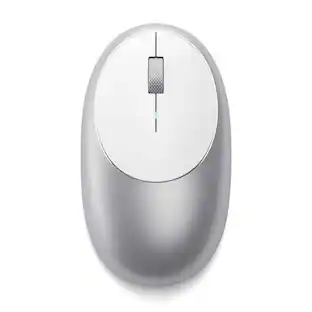
Best Buy essentials™ - Wireless Optical Standard Ambidextrous Mouse with USB Receiver - Wireless - Black
Customers are saying
Customers praise the Wireless Optical Standard Ambidextrous Mouse with USB Receiver for its ease of use, overall performance, and affordable price. Many appreciate its compact size, wireless functionality, good battery life, and lightweight design. However, some customers have noted that the click sounds are a bit louder than expected, and a few find the grip to be less comfortable.
Windows And Mac Compatibility
Works with Windows 10, Mac OS or Chrome OS.
2.4 ghz wireless connection
Plug the included nano receiver into your computer’s USB port for an effortless wireless connection.
Optical Technology
Detects movement on most opaque surfaces for a faster and more accurate response.
3-Button Design
Gives access to fundamental functions and simple use.
Vertical Wheel Scroll
For fast, smooth movement while browsing.
1600 DPI
A sensitive, yet easy-to-control speed while navigating your computer.
Ambidextrous
Suitable for left- or right-hand use.
9-Month Battery Life
An indicator light shows when the battery needs to be replaced (AA battery included).
Backed By Best Buy
For quality and reliability that you can trust.
- Connection TypeWireless
Reviews
Rating 4.6 out of 5 stars with 1276 reviews
- Ease of use (284)
- Overall Performance (256)
- Price (166)
- Size (68)
- Wireless (67)
- Click Sound (12)
- Grip (6)
Customer Images
The vast majority of our reviews come from verified purchases. Reviews from customers may include My Best Buy members, employees, and Tech Insider Network members (as tagged). Select reviewers may receive discounted products, promotional considerations or entries into drawings for honest, helpful reviews.





Compare similar products

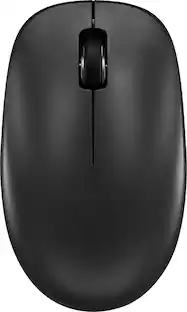
Eliminate the most common computer mouse issue—the cord. With the Best Buy Essentials Wireless Mouse with USB Receiver, you can navigate the web with speed and accuracy. Compatible with both Windows and Mac computers, simply insert the included nano receiver into one of your computer’s USB ports to wirelessly connect the mouse. It has just 3 buttons and an ambidextrous design for simple control. Optical technology detects when the mouse moves to deliver an accurate 1600 DPI response. We also included a AA battery, so you won’t have to worry about keeping the mouse powered until the LED indicator starts to blink. Let us improve your computer navigation by going wireless with this Best Buy-backed mouse.

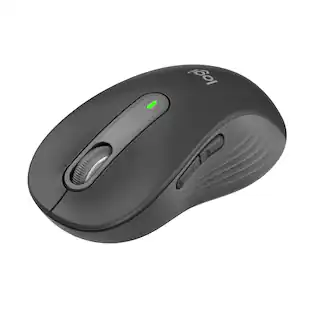
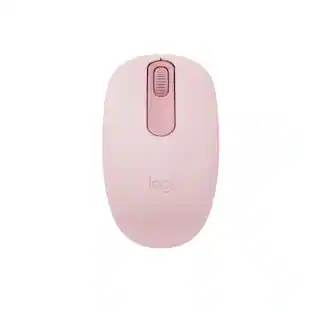
The Design Collection Limited Edition mice mood-boosting designs bring a vibrant new look to your desk setup. Choose between different fun styles. It’s small, comfortable, super responsive, and completely wireless. Get total freedom with 10 m of wireless range, and work worry-free for 12 months on a single pre-installed battery. With smooth, line by line scrolling and precise cursor control for easier navigation at home or at work. The compact design perfectly fit users with smaller hands and kids—making it a great option for homeschooling.

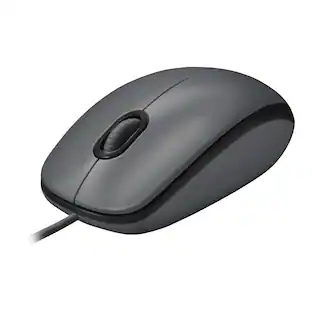
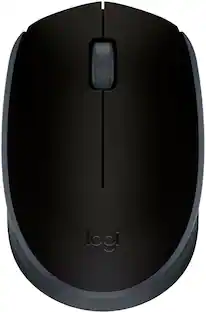
Logitech Mouse M100 gives you just the basics for comfortable, reliable control of your computer. It’s built by Logitech—the mouse experts—and comes with the quality we’ve built into more than a billion mice. There’s no software to install. And since it’s corded, you can just plug the cable into a USB port and use it right away. The full-size, ambidextrous shape means your hand will rest comfortably, while high-definition optical tracking (1000 dpi) means you’ll get responsive, smooth cursor control for precise tracking and easy text selection.

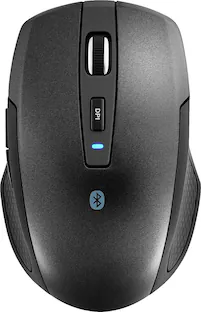
Eliminate the most common computer mouse issue—the cord. With the Best Buy Essentials Bluetooth Optical 6-Button Mouse, you can navigate the web without the limitations of a cable. Compatible with both Windows and Mac computers, simply pair the mouse using wireless Bluetooth 5.1 connection. It has 6 buttons that grant you total control, including left, right, scroll, DPI adjustment, forward and back. An ambidextrous design allows you to use your left or right hand. Optical technology detects when the mouse moves to deliver an accurate 1600 DPI response. We also included two (2) AAA batteries, so you’re ready to go right out of the box. Let us improve your computer navigation by going wireless with this Best Buy-backed mouse.
| Pros for Best Buy essentials™ - Wireless Optical Standard Ambidextrous Mouse with USB Receiver - Wireless - Black | |||
|---|---|---|---|
| Ease of use, Overall Performance, Price, Size, Wireless | Ease of use, Size, Overall Performance, Price, Design | Overall Performance, Ease of use, Price, Size, Wired | Overall Performance, Ease of use, Price, Bluetooth, Battery Life |
| Cons for Best Buy essentials™ - Wireless Optical Standard Ambidextrous Mouse with USB Receiver - Wireless - Black | |||
| Click Sound, Grip | Noise, Buttons | Scroll Wheel, Battery Life, Lag, Mouse Quality | Scroll Wheel |
Specs
Customers often buy these together
Computer Keyboards

![Esc F1 F2 F3 F4 F5 F6 F7 F8 F9 F10 F11 F12 Print Screen Scroll Lock Pause Break 1 2 3 4 5 6 7 8 9 0 - + = Backspace Insert Home H Page Up A Num Look 1 I Tab Q W E R T Y U I o P { [ } ] I I Delete End IN Page Down 7 Home 8 9 Pg Up Caps A Lock A S D F G H J K L ; : DE g Enter 4 5 6 Shift Z X C V N M < > ? I Shift 1 End 2 3 Pp Dn Enter Ctrl Alt Alt Ctrl 0 Ins Del](https://pisces.bbystatic.com/image2/BestBuy_US/images/products/a588d446-5678-40ae-86b8-1f15e0026e66.jpg;maxHeight=232;maxWidth=233?format=webp)

![logi esc 1 F1 2 F2 3 F3 F4 F5 F6 F7 F8 x F9 NI F10 x F11 F12 ins del ~ ! 1 2 # 3 $ 4 % 5 ^ 6 & 7 8 ( 9 ) 0 e - + = backspace tab Q W E R T Y U I O P { [ } ] I / caps lock A S D F G H J - K L : ; " enter shift Z X C V B N M < > ? / shift ctrl fn L start opt H alt cmd alt cmd ctrl opt](https://pisces.bbystatic.com/image2/BestBuy_US/images/products/6478/6478163_sd.jpg;maxHeight=232;maxWidth=233?format=webp)



More to consider



Explore tech essentials Sponsored
 $59.99The price was $99.99
 $119.99The price was $159.99
 $129.99The price was $159.99
 $126.99The price was $149.99
 $118.99The price was $159.99
 Top Deal$49.99The price was $59.99
Discover related products
 $12.99The price was $13.99
 $24.99The price was $27.99








Keep exploring
 $119.95The price was $199.95