JLab - Epic Mechanical Advanced Multi-device Wireless Keyboard - Black
About this product
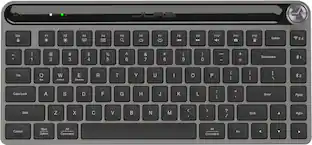
The Epic Mechanical Keyboard is your go-to productivity tool for a seamless workday. The quiet mechanical switches provide a satisfying tactile typing experience, keeping you focused and engaged, while the illuminated backlight guides your way. Seamlessly switch between your laptop, phone, and tablet, maintaining your flow and productivity. With a long-lasting rechargeable battery and customizable features through the desktop app, the Epic Mechanical Keyboard is your ultimate productivity companion, empowering you to conquer any task with confidence and finesse, no matter which operating system you use.
Flexible ConnectionS
The Epic Mechanical Keyboard is compatible with three—count ‘em, three!—device connection options. You can pair with nearly any type of device using Bluetooth 5.2, or USB. We hate pairing confusion too, so we made it super easy for you to switch between saved devices.
Mechanical Keys & Backlight
Enjoy the satisfying feel of quiet mechanical switches that deliver a tactile typing experience while minimizing noise, allowing you to focus on your work without distractions. The illuminated backlight makes it easy to type in low-light conditions, and the full-sized layout includes a convenient number pad for enhanced productivity.
Smart Media Knob
Streamline your workflow with the Epic Wireless Keyboard's versatile media knob. Quickly control your audio without the need for a mouse, boosting your productivity and saving valuable time.
Streamline Your Workflow With The Epic Wireless Keyboard's Versatile Media Knob. Quickly Control Your Audio Without The Need For A Mouse, Boosting Your Productivity And Saving Valuable Time.
Say goodbye to the hassle of replacing batteries. The Epic Wireless Keyboard features a long-lasting rechargeable battery that provides over a year of use on a single charge, ensuring uninterrupted typing sessions and reducing waste.
Desktop App & Programmable Shortcut Keys
Personalize your typing experience with the Epic Mechanical Keyboard desktop app. Save up to three unique profiles and program hotkeys for shortcuts to your favorite functions within any application, tailoring the keyboard to your specific needs and preferences.
Switch Between Operating Systems
The Epic Wireless Keyboard is compatible with a wide range of operating systems, including Windows, ios/Mac, Android, and Chrome OS. Effortlessly switch between different devices and platforms, making it the perfect companion for all your computing needs.
- Lighting TypeSingle colorForm FactorFull-sizeKeyboard TechnologyMechanicalConnection TypeWireless
Reviews
Rating 4.2 out of 5 stars with 158 reviews
Top Mentions
- Build Quality (50)
- Connectivity (36)
- Key Feel (32)
- Battery Life (26)
- Typing Experience (15)
- Button Layout (4)
Customer Images
The vast majority of our reviews come from verified purchases. Reviews from customers may include My Best Buy members, employees, and Tech Insider Network members (as tagged). Select reviewers may receive discounted products, promotional considerations or entries into drawings for honest, helpful reviews.
Compare similar products

The Epic Mechanical Keyboard is your go-to productivity tool for a seamless workday. The quiet mechanical switches provide a satisfying tactile typing experience, keeping you focused and engaged, while the illuminated backlight guides your way. Seamlessly switch between your laptop, phone, and tablet, maintaining your flow and productivity. With a long-lasting rechargeable battery and customizable features through the desktop app, the Epic Mechanical Keyboard is your ultimate productivity companion, empowering you to conquer any task with confidence and finesse, no matter which operating system you use.

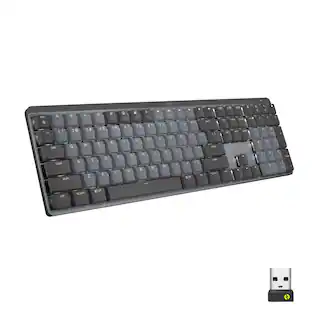
Introducing the JLab Epic Wireless Keyboard with Multi-device compatability and illuminated full-depth keys with number pad. Connect via Bluetooth or USB wireless dongle. Easily switch between three saved devices and enjoy the accessible shortcut keys and media knob to improve productivity for the ultimate home or work set up.

The JBuds Wireless Bluetooth Keyboard gives you pro-level performance in a stylish package. In addition to standard hotkeys and a numerical pad, use our JLab Work App to program your own shortcuts and save up to three unique user profiles. Whether you’re in the work zone or in game mode, connect to whichever device you prefer and have easy access to the functions you use most.
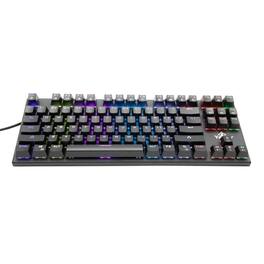
Experience the exceptional performance of the Spark Series 2000 Swtich Blue mechanical keyboard. Designed with Anti-Ghosting technology and N-Key Rollover, this 87-key keyboard gives you total control in your battles and maximum comfort during extended gaming sessions.
| Pros for JLab - Epic Mechanical Advanced Multi-device Wireless Keyboard - Black | |||
|---|---|---|---|
| Connectivity, Key Feel, Battery Life, Build Quality, Typing Experience | Keyboard Quality, Battery Life, Connectivity, Key Feel, Volume Control | Connectivity, Keyboard Quality, Battery Life, Key Feel, Ease of use | There were no pros for this product— |
| Cons for JLab - Epic Mechanical Advanced Multi-device Wireless Keyboard - Black | |||
| Button Layout | There were no cons for this product— | There were no cons for this product— | There were no cons for this product— |
Specs
Customers often buy these together
Mice
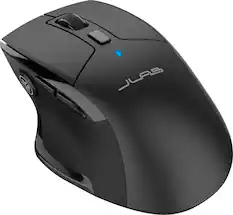
JLab - JBuds Wireless Mouse - Wireless - Black
$25.49The price was $29.99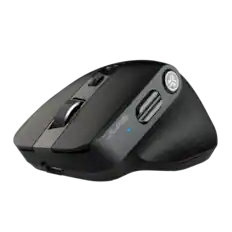
JLab - EPIC Wireless Bluetooth Mouse 2 - Wireless - Black
Labor Day Deal$49.99The price was $59.99
Mouse Pads







Laptop Docking Stations
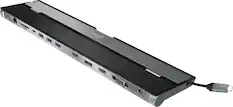
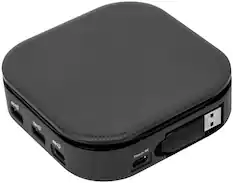
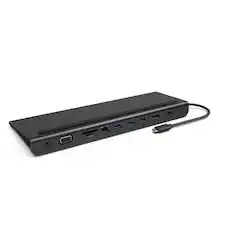
j5create - USB-C Triple Display Docking Station - Black
Labor Day Deal$89.99The price was $99.99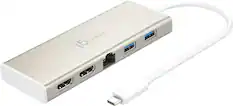
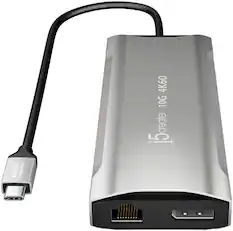
j5create - USB-C Dual HDMI Mini Dock - Gold
Labor Day Deal$74.99The price was $79.99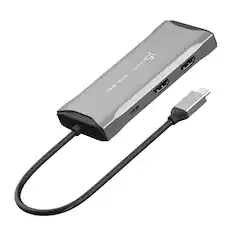
j5create - USB-C® Dual HDMI™ 4K60 Mini Dock for Windows, macOS, Chrome OS - Space Gray
$79.99The price was $89.99
More to consider
 Labor Day Deal$139.99The price was $179.99
 Labor Day Deal$119.99The price was $179.99
 $109.99The price was $119.99
 Labor Day Deal$124.99The price was $139.99


Explore tech essentials Sponsored
 $129.99The price was $149.99
 $228.99The price was $283.49

Discover related products
 $149.99The price was $169.99
 $13.99The price was $19.99











Keep exploring
 $143.99The price was $144.99
- $228.99The price was $283.49
 $37.99The price was $58.99
 $69.99The price was $99.99