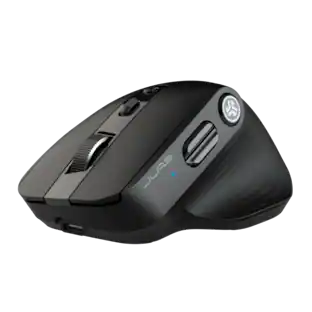
JLab - JBuds Wireless Mouse - Wireless - Black
Customers are saying
Customers commend the JBuds Wireless Mouse for its exceptional battery life, overall performance, and ergonomic design. Users appreciate its ease of use, seamless connectivity, and comfortable size and weight. However, some customers have noted concerns regarding the click noise and scroll wheel functionality, while a few have experienced lag or charging issues.
Connect Via Bluetooth Or USB
The jbuds Wireless Mouse is compatible with three device connection options. You can pair with nearly any type of device using Bluetooth 5.2, or USB. We made it super easy for you to switch between saved devices
Ergonomic Full-Size Mouse
Through our jlab Desktop App, you can program specific buttons to fit how you like to use your favorite applications. And why choose? Paste your most used Excel formulas or paste the same text with a simple click of a button
4+ Months Battery Life
Who wants to go digging around looking for AAA batteries? We sure don’t. The jbuds Wireless Mouse has a convenient rechargeable battery so you don’t ever have to skip a beat. And it’s better for the environment.
Silent Clicks With 7 Buttons (RH Compatible)
We’re all too familiar with the looks you get from your WFH colleagues when clicking and typing noises gets out of hand, so we've designed our mice with silent buttons so you can click in peace. We've included 7 customizable buttons for pro-level performance.
Compatible With Windows, MacOS and Chrome OS
Recommended operating systems: Windows 10 or later, macos 10.15 or later , Chrome OS , Works With Surface
JLab Work App
Quick, real time access to battery life, DPI settings and device connection options. Ability to access hardware custom controls with no app required. You’re a wizard of efficiency and you’ve got the mouse to prove it.
100% Recyclable Packaging
JLab was the first major audio brand to have fully recyclable packages when we announced it in 2019. And fully recyclable is a big deal: This means after you open your product, you can put the box directly into the recycling bin and every component of it is recyclable. We looked at every detail to make it 100% recyclable.
- Maximum Sensitivity2400 dots per inchConnection TypeWireless
Reviews
Rating 4.6 out of 5 stars with 455 reviews
- Battery Life (70)
- Overall Performance (66)
- Ergonomics (55)
- Ease of use (45)
- Connectivity (30)
- Click Noise (11)
- Scroll Wheel (7)
- Lag (5)
- Charging (3)
Customer Images
The vast majority of our reviews come from verified purchases. Reviews from customers may include My Best Buy members, employees, and Tech Insider Network members (as tagged). Select reviewers may receive discounted products, promotional considerations or entries into drawings for honest, helpful reviews.





Compare similar products

The JBuds Wireless Bluetooth Mouse offers full-sized functionality with a personalized approach. With seven buttons and a comfortable feel, you have everything you need to reach WFH greatness and you can save up to three user profiles. Switching between your favorite functions.

Eliminate the most common computer mouse issue—the cord. With the Best Buy Essentials Wireless Mouse with USB Receiver, you can navigate the web with speed and accuracy. Compatible with both Windows and Mac computers, simply insert the included nano receiver into one of your computer’s USB ports to wirelessly connect the mouse. It has just 3 buttons and an ambidextrous design for simple control. Optical technology detects when the mouse moves to deliver an accurate 1600 DPI response. We also included a AA battery, so you won’t have to worry about keeping the mouse powered until the LED indicator starts to blink. Let us improve your computer navigation by going wireless with this Best Buy-backed mouse.

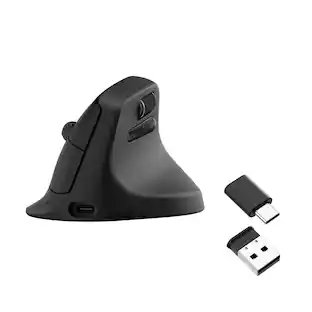
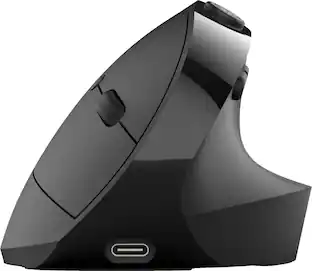
The JBuds Ergonomic Mouse offers blissful comfort with a personalized set-up for your favorite functions and tasks. With seven buttons, you have everything you need to reach working-from-home greatness, and everything you want to play your game, your way. The vertical design provides a natural angle for your wrist and hand, so switching between your favorite functions and your top devices is effortless.
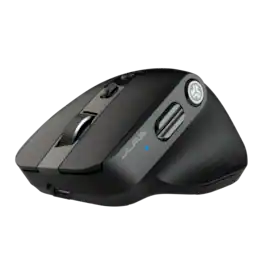
The Epic Mouse 2 delivers pro-level performance, increasing productivity with serious functionality. With its Infinity + Tilt scroll spreadsheets will beg for mercy, creative software will bend to your will, and lengthy websites will be a breeze. Brilliantly engineered with an ergonomic and silent click eight-button design, it’s an epic addition to any work setup. Leverage JLab Work app to customize button function and save up to three user profiles so switching is as easy as clicking send.
| Pros for JLab - JBuds Wireless Mouse - Wireless - Black | |||
|---|---|---|---|
| Battery Life, Overall Performance, Ergonomics, Ease of use, Connectivity | Ease of use, Overall Performance, Price, Size, Wireless | Ergonomics, Battery Life, Ease of use, Overall Performance, Button Functionality | Overall Performance, Ergonomics, Battery Life, Button Functionality, Connectivity |
| Cons for JLab - JBuds Wireless Mouse - Wireless - Black | |||
| Click Noise, Scroll Wheel, Lag, Charging | Click Sound, Grip | Wrist Pain | There were no cons for this product— |
Specs
Customers often buy these together
Computer Keyboards
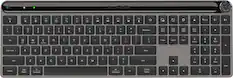
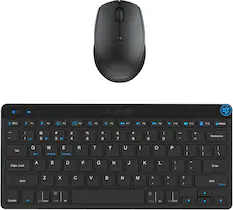
JLab - Epic Wireless Keyboard - Black
Top Deal$59.99The price was $69.99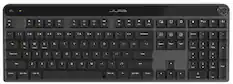
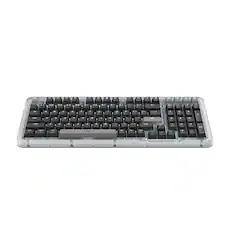
JLab - Epic Mechanical Advanced Multi-device Wireless Keyboard - Black
Top Deal$99.99The price was $129.99


![Esc F1 F2 F3 F4 F5 F6 F7 F8 F9 F10 F11 F12 Print Screen Scroll Lock Pause Break 1 2 3 4 5 6 7 8 9 0 - + = Backspace Insert Home H Page Up A Num Look 1 I Tab Q W E R T Y U I o P { [ } ] I I Delete End IN Page Down 7 Home 8 9 Pg Up Caps A Lock A S D F G H J K L ; : DE g Enter 4 5 6 Shift Z X C V N M < > ? I Shift 1 End 2 3 Pp Dn Enter Ctrl Alt Alt Ctrl 0 Ins Del](https://pisces.bbystatic.com/image2/BestBuy_US/images/products/a588d446-5678-40ae-86b8-1f15e0026e66.jpg;maxHeight=232;maxWidth=233?format=webp)
![ESC F1 F2 F3 F4 F5 F6 F7 FB F9 F10 F11 F12 DEL PRTSC P6 UP PD ON ... 1 A - 1! 2 3# 4$ 5% 6^ 7& 8* 9( 0 ) = + NUM / - TAB Q W E R T Y U I O P [ ] \ | HOME B + 9 PB UP + CAPS A S D F G H J K L : : 1 ENTER 4 5 6 SHIFT Z X C V B N M ? SHIFT 1 END S + 3 PG ON ENT CTRL ALT ALT FN O INS DEL](https://pisces.bbystatic.com/image2/BestBuy_US/images/products/a921344c-ee7b-4281-ba27-e7c65f14d628.jpg;maxHeight=232;maxWidth=233?format=webp)






More to consider
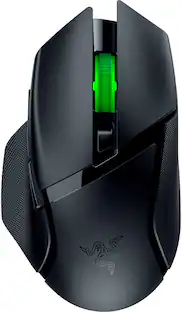 $59.99The price was $69.99
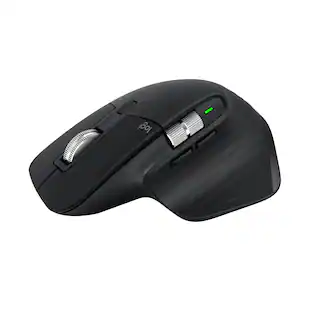 Top Deal$89.99The price was $99.99
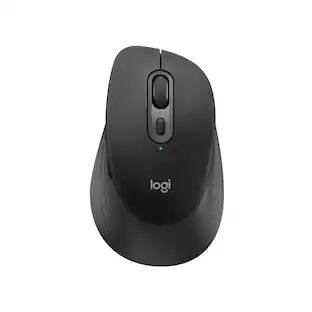
Explore tech essentials Sponsored
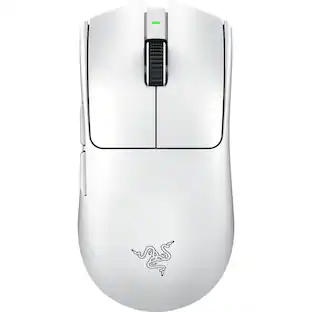 $118.99The price was $159.99
 $129.99The price was $159.99

Discover related products
 $69.99The price was $99.99
 $12.99The price was $13.99










Keep exploring

Logitech - B100 Corded Mouse – Wired USB Mouse for Computers and laptops, for Right or Left Hand Use
$12.03The price was $20.06 $149.95The price was $215.95
 $139.95The price was $187.95
 $79.95The price was $109.95