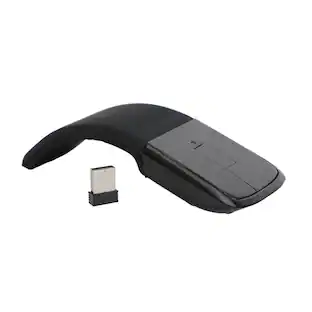
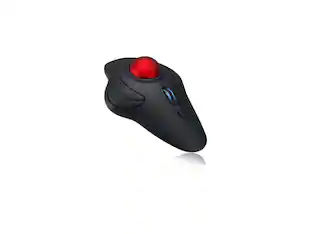
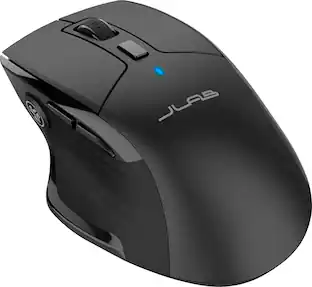
JLab - EPIC Wireless Bluetooth Mouse 2 - Wireless - Black
Customers are saying
Customers are satisfied with the overall performance of this product, noting that it works seamlessly with their computers. Users frequently highlight the ergonomic design, which provides comfort during extended use, as well as the impressive battery life. Additionally, the reliable Bluetooth connectivity and the convenience of customizable buttons are highly valued features.
Flexible Connections
The Epic Wireless Mouse 2 is compatible with three—count ‘em, three!—device connection options. You can pair with nearly any type of device using Bluetooth 5.2, or USB. We hate pairing confusion too, so we made it super easy for you to switch between saved devices.
Custom User Profiles
Through our JLab Work App, you can program specific buttons to fit how you like to use your favorite applications. And why choose? Paste your most used Excel formulas or paste the same text with a simple click of a button. With up to three unique profiles, you can easily switch between them depending on what you’re doing. Check out some example set-up.
Scroll Your Way
Infinity scroll keeps your mouse moving up/down. Tilt the scroll wheel to navigate left/right.
Comfort In Hand
When you think about it, a computer mouse is kind of personal. After all, you might be holding it in your hand for almost eight hours a day. We thought about all the ways you need to use it and made sure to design for maximum comfort and functionality. You might say ergonomic, we just call it designed for you.
Quiet Clicks
We’re very familiar with the looks you get from your newly appointed WFH colleagues, fellow café-goers, and napping pets when clicking gets out of hand. That’s why we design all of our mice with silent buttons—so you can click away without raising any eyebrows (or ears). And when we’re talking buttons – we mean nine buttons that you can customize to crop, paste code, crunch formulas – whatever you need to get pro-level performance.
Rechargeable Battery
Who wants to go digging around looking for AAA batteries? We sure don’t. The Epic Wireless Mouse has a convenient rechargeable battery (we’re talkin’ 800 mAh!) so you don’t ever have to skip a beat. And it’s better for the environment. No interruptions, less waste.
OLED Display
Quick, real time access to battery life, DPI settings and device connection options. Ability to access hardware custom controls with no app required. You’re a wizard of efficiency and you’ve got the mouse to prove it.
- Number of Buttons (Total)8Connection TypeWireless
Reviews
Rating 4.5 out of 5 stars with 34 reviews
- Overall Performance (11)
- Ergonomics (9)
- Battery Life (5)
- Button Functionality (3)
- Connectivity (3)
Customer Images
The vast majority of our reviews come from verified purchases. Reviews from customers may include My Best Buy members, employees, and Tech Insider Network members (as tagged). Select reviewers may receive discounted products, promotional considerations or entries into drawings for honest, helpful reviews.

Compare similar products
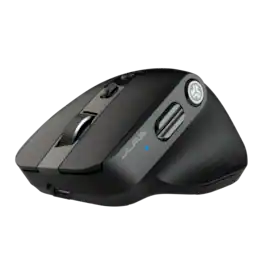
The Epic Mouse 2 delivers pro-level performance, increasing productivity with serious functionality. With its Infinity + Tilt scroll spreadsheets will beg for mercy, creative software will bend to your will, and lengthy websites will be a breeze. Brilliantly engineered with an ergonomic and silent click eight-button design, it’s an epic addition to any work setup. Leverage JLab Work app to customize button function and save up to three user profiles so switching is as easy as clicking send.

The JBuds Wireless Bluetooth Mouse offers full-sized functionality with a personalized approach. With seven buttons and a comfortable feel, you have everything you need to reach WFH greatness and you can save up to three user profiles. Switching between your favorite functions.

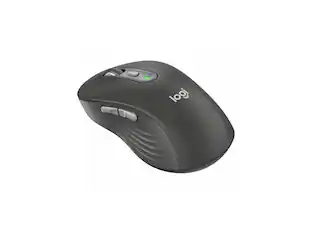
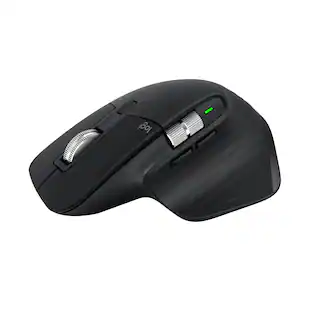
Logitech MX Master 3S Bluetooth Edition – productivity and precision mouse. With Quiet Clicks and 8K DPI any-surface tracking for more feel and performance.

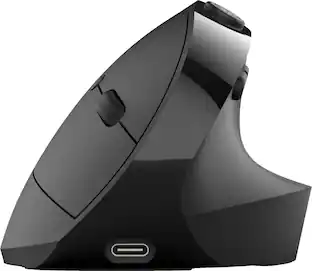
The JBuds Ergonomic Mouse offers blissful comfort with a personalized set-up for your favorite functions and tasks. With seven buttons, you have everything you need to reach working-from-home greatness, and everything you want to play your game, your way. The vertical design provides a natural angle for your wrist and hand, so switching between your favorite functions and your top devices is effortless.
| Pros for JLab - EPIC Wireless Bluetooth Mouse 2 - Wireless - Black | |||
|---|---|---|---|
| Overall Performance, Ergonomics, Battery Life, Button Functionality, Connectivity | Battery Life, Overall Performance, Ergonomics, Ease of use, Connectivity | Ergonomics, Overall Performance, Button Functionality, Connectivity, Battery Life | Ergonomics, Battery Life, Ease of use, Overall Performance, Button Functionality |
| Cons for JLab - EPIC Wireless Bluetooth Mouse 2 - Wireless - Black | |||
| There were no cons for this product— | Click Noise, Scroll Wheel, Lag, Charging | There were no cons for this product— | Wrist Pain |
Specs
Customers often buy these together
Computer Keyboards
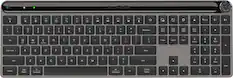
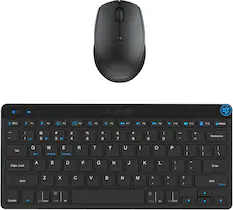
JLab - Epic Wireless Keyboard - Black
Top Deal$59.99The price was $69.99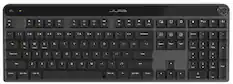
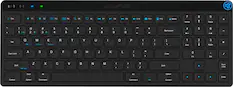
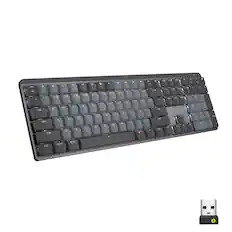
JLab - Epic Mechanical Advanced Multi-device Wireless Keyboard - Black
Top Deal$99.99The price was $129.99


![esc ~ ! 1 tab caps lock shift ctrl F2 Fl # 2 3 Q W A S Z start opt L F3 $ 4 E D X alt cmd3 ) FS F4 A % 5 6 R T F G V C logi 44 HI & F9 FID FB F7 F6 * ) - - & 0 8 9 7 O P U I Y K L H J > < N M 1 B PM + = { [ : I ; ? I alt cmd D 2 4 300 3 1 F12 . * page I insert home up clear backspace 8 9 + 7 page A pg up end down home } I delete ] / 6 4 5 4 enter 2 3 enter 1 dn Pg end shift = 0 del ins etrl fn opt](https://pisces.bbystatic.com/image2/BestBuy_US/images/products/6539/6539505_sd.jpg;maxHeight=232;maxWidth=233?format=webp)





Customers ultimately bought
 Top Deal$18.99The price was $22.99
 Top Deal$89.99The price was $99.99
 $59.99The price was $69.99




Explore tech essentials Sponsored
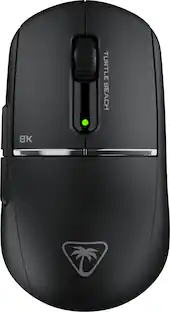
Turtle Beach - Burst II Pro High-Performance Ultra-Lightweight Wireless Optical Esports Gaming Mouse
$99.99The price was $139.99 $75.99The price was $99.99


Discover related products
 $69.99The price was $99.99
 $12.99The price was $13.99







Keep exploring
 $79.95The price was $109.95
 $119.95The price was $199.95