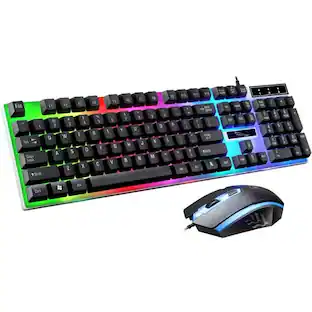
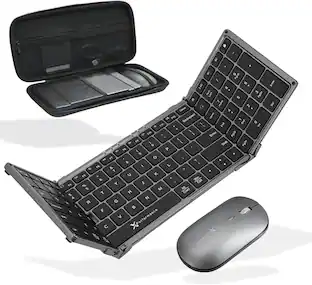
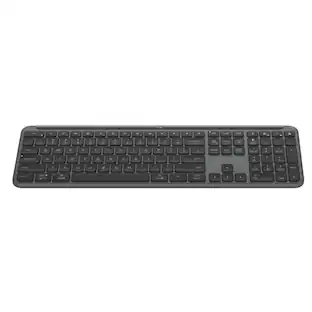
JLab - JBuds Wireless Keyboard - Black
Customers are saying
Customers are positive about the JBuds Wireless Keyboard, highlighting its reliable wireless connectivity and the quality of its scissor-style keys. Many appreciate the impressive battery life and the keyboard's ease of use, with some noting its convenient size. The key feel, sleek design, and lightweight nature are also well-received features, along with the added bonus of a media knob.
Features
Flexible Connections
The jbuds Wireless Keyboard is compatible with three device connection options. You can pair with nearly any type of device using Bluetooth 5.2, Bluetooth 5.2, or USB. We hate pairing confusion too, so we made it super easy for you to switch between saved devices
Custom User Profiles
Use the jlab Work App program for shortcuts to your favorite functions within your application. We know your Excel top five are probably different from your Minecraft top five, you can save up to three unique profiles and easily switch between them depending on what you’re doing.
Compact Design
With 95 keys and an efficient layout, this Bluetooth keyboard has it all. A full numerical pad and set of function keys mean you can easily work hard and play harder. The low profile and smaller desktop footprint makes it look great in your home office and easy to bring on the go.
Soft Touch Keys
Nobody likes a loud typer. That’s why we designed our jbuds Wireless Keyboard with low profile, soft touch keys that feel great to use and will keep your “coworkers” happy
Smart Media Knob
The Media Knob gives you quick control of your audio right from your keyboard. Whether you’re pausing a youtube video or finding the perfect song to get in the zone, it’s only a click away—and your hands never have to leave the keyboard
100% Recyclable Packaging
jlab was the first major audio brand to have fully recyclable packages when we announced it in 2019. And fully recyclable is a big deal: This means after you open your product, you can put the box directly into the recycling bin and every component of it is recyclable. We looked at every detail to make it 100% recyclable
Specifications
- Form FactorErgonomicKeyboard TechnologyMembraneConnection TypeWireless
Reviews
Rating 4.3 out of 5 stars with 154 reviews
- Connectivity (25)
- Keyboard Quality (24)
- Battery Life (18)
- Ease of use (12)
- Key Feel (11)
Customer Images
The vast majority of our reviews come from verified purchases. Reviews from customers may include My Best Buy members, employees, and Tech Insider Network members (as tagged). Select reviewers may receive discounted products, promotional considerations or entries into drawings for honest, helpful reviews.
Compare similar products

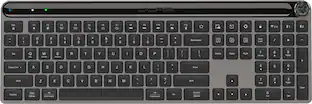
The JBuds Wireless Bluetooth Keyboard gives you pro-level performance in a stylish package. In addition to standard hotkeys and a numerical pad, use our JLab Work App to program your own shortcuts and save up to three unique user profiles. Whether you’re in the work zone or in game mode, connect to whichever device you prefer and have easy access to the functions you use most.

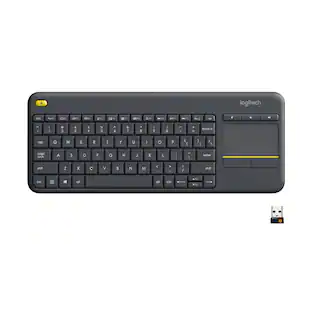
The Logitech Wireless Touch Keyboard K400 Plus lets you experience PC-to-TV entertainment the way you Watch video, browse the web, chat with friends and much more. The all-in-one keyboard with touchpad ends the hassle—and clutter—of multiple devices. And a 32.8-foot wireless range ensures your fun won’t be interrupted. Comfortable, quiet keys and a large (3.5-inch) touchpad make navigating entertainment effortless. Even setup is a snap thanks to the tiny, plug-and-play Unifying receiver.

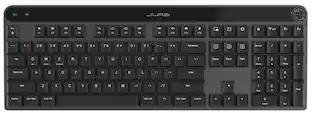
Introducing the JLab Epic Wireless Keyboard with Multi-device compatability and illuminated full-depth keys with number pad. Connect via Bluetooth or USB wireless dongle. Easily switch between three saved devices and enjoy the accessible shortcut keys and media knob to improve productivity for the ultimate home or work set up.

Defy Boring with Pebble Keys 2 K380s minimalist keyboard made with recycled plastic. Its minimalist, streamlined shape and sleek curves make it as iconic as you and super portable. Hop across 3 devices with the Easy-Switch buttons on the Bluetooth keyboard and work faster with the Fn shortcut keys like screen capture, search, and more. Customize the 10 keyboard Fn shortcut keys to work how you want and save time with shortcuts in Logi Options+ App.
| Pros for JLab - JBuds Wireless Keyboard - Black | |||
|---|---|---|---|
| Connectivity, Keyboard Quality, Battery Life, Ease of use, Key Feel | Ease of use, Size, Touchpad, Wireless, Overall Performance | Keyboard Quality, Battery Life, Connectivity, Key Feel, Volume Control | Size, Keyboard Quality, Connectivity, Battery Life, Portability |
| Cons for JLab - JBuds Wireless Keyboard - Black | |||
| There were no cons for this product— | There were no cons for this product— | There were no cons for this product— | Number Pad |
Specs
Customers often buy these together
Mice
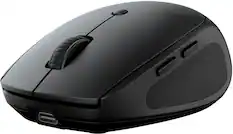
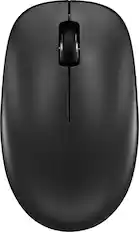
JLab - Go Charge Wireless Scroll Mouse - Wireless - Black
$17.99The price was $20.00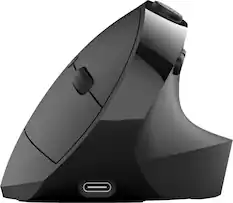
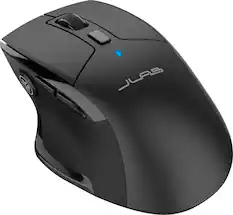
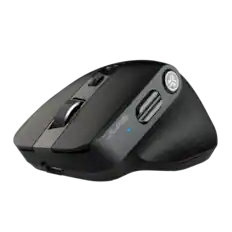
JLab - JBuds Ergonomic Wireless Mouse - Wireless - Black
Techtober Deal$33.99The price was $39.99
Mouse Pads

Insignia™ - Mouse Pad - Black
Techtober Deal$3.99The price was $7.99



More recommended items
 Laptop Docking Stations
 PC Gaming Headsets
 Web Cameras
 Cables and Adapters
More to consider
 $37.99The price was $39.99
 $34.99The price was $49.99
 $38.24The price was $44.99
Explore tech essentials Sponsored
 Techtober Deal$119.99The price was $149.99
 $179.99The price was $249.99

Discover related products
 Techtober Deal$27.99The price was $35.99
 Techtober Deal$10.99The price was $13.99










Keep exploring
 $59.99The price was $69.99