Best Buy essentials™ - Lightweight Bluetooth Optical Standard Ambidextrous Mouse with 6-Button - Wireless - Black
Customers are saying
Customers are satisfied with the Lightweight Bluetooth Optical Standard Ambidextrous Mouse, especially its Bluetooth connectivity, overall performance, and ease of use. Many find the price surprisingly great and appreciate the battery life, weight, and size. The mouse's ergonomics and compatibility also receive positive feedback. However, some customers have expressed concerns about the scroll wheel's functionality.
Bluetooth 5.1 connection
Connect to your computer wirelessly.
Windows, Mac and Chrome compatibility
Works with Windows 10, macOS 10.X and newer, or Chrome OS.
Optical technology
Experience smoother tracking with LED optical sensors.
Ambidextrous
Contoured shape lets you use this mouse with either your left or right hand.
6-button design
Gain ultimate control with 6 buttons, including left, right, scroll, DPI adjustment, forward and back.
Vertical wheel scroll
Browse with fast, smooth movement.
Up to 1600 DPI
Get the precision you need with a sensitive, yet easy-to-control speed (800, 1300 or 1600 DPI options).
9-month battery life
Replace the batteries when the indicator light blinks (2 AAA batteries included).
Backed by Best Buy
For quality and reliability that you can trust.
- Maximum Sensitivity1600 dots per inchNumber of Buttons (Total)6Connection TypeWireless
Reviews
Rating 4.5 out of 5 stars with 1617 reviews
- Overall Performance (247)
- Bluetooth (226)
- Ease of use (209)
- Price (126)
- Battery Life (64)
- Scroll Wheel (17)
Customer Images
The vast majority of our reviews come from verified purchases. Reviews from customers may include My Best Buy members, employees, and Tech Insider Network members (as tagged). Select reviewers may receive discounted products, promotional considerations or entries into drawings for honest, helpful reviews.





Compare similar products

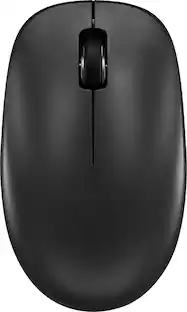
Eliminate the most common computer mouse issue—the cord. With the Best Buy Essentials Bluetooth Optical 6-Button Mouse, you can navigate the web without the limitations of a cable. Compatible with both Windows and Mac computers, simply pair the mouse using wireless Bluetooth 5.1 connection. It has 6 buttons that grant you total control, including left, right, scroll, DPI adjustment, forward and back. An ambidextrous design allows you to use your left or right hand. Optical technology detects when the mouse moves to deliver an accurate 1600 DPI response. We also included two (2) AAA batteries, so you’re ready to go right out of the box. Let us improve your computer navigation by going wireless with this Best Buy-backed mouse.

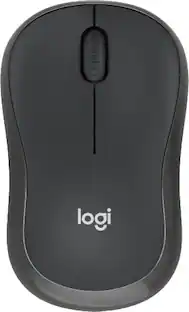
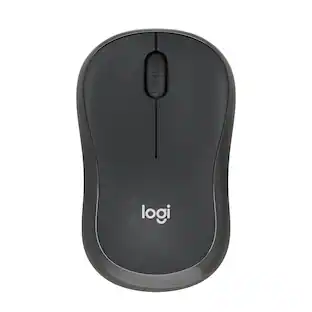
Discover the reliable Logitech M196 Bluetooth Wireless Mouse and declutter your workspace. This convenient portable mouse pairs to your laptop or tablet in seconds via Bluetooth—no dongle or port required. Enjoy up to 12-month battery life and auto sleep feature to help you go longer between AA battery changes. Small enough to toss in a bag, this comfortable Bluetooth travel mouse has an ambidextrous design that guides either your right or left hand into a natural position. The Logitech M196 Wireless Bluetooth Mouse is made to last with recycled plastic.

Eliminate the most common computer mouse issue—the cord. With the Best Buy Essentials Wireless Mouse with USB Receiver, you can navigate the web with speed and accuracy. Compatible with both Windows and Mac computers, simply insert the included nano receiver into one of your computer’s USB ports to wirelessly connect the mouse. It has just 3 buttons and an ambidextrous design for simple control. Optical technology detects when the mouse moves to deliver an accurate 1600 DPI response. We also included a AA battery, so you won’t have to worry about keeping the mouse powered until the LED indicator starts to blink. Let us improve your computer navigation by going wireless with this Best Buy-backed mouse.

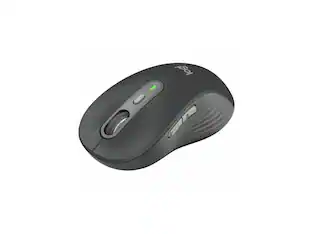
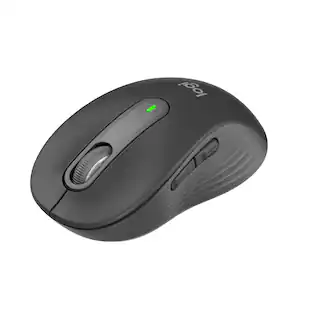
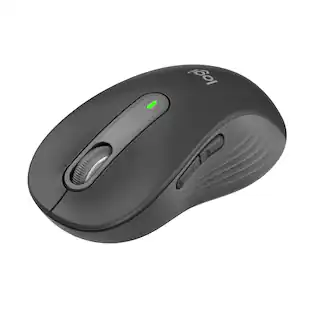
Upgrade to smarter scrolling, better comfort, and more productivity with the Signature M650 L. The versatile mouse features an adaptive scroll SmartWheel that delivers line-by-line precision, and auto-switches to super-fast free spin mode with the flick of a finger. A choice of sizes for smaller, larger and left hands means there's a perfect fit for anyone. Seamless wireless connectivity, customizable side buttons, and a comfort shape keep you comfortably and productive hour after hour. Logitech’s SilentTouch technology delivers silent clicks to keep you focused – while the up to 24-month battery life and universal operating system compatibility ensure hassle-free performance.
| Pros for Best Buy essentials™ - Lightweight Bluetooth Optical Standard Ambidextrous Mouse with 6-Button - Wireless - Black | |||
|---|---|---|---|
| Overall Performance, Ease of use, Price, Bluetooth, Battery Life | Overall Performance, Connectivity, Ergonomics, Ease of Use, Weight | Ease of use, Overall Performance, Price, Size, Wireless | Overall Performance, Ease of use, Size, Ergonomics, Connectivity |
| Cons for Best Buy essentials™ - Lightweight Bluetooth Optical Standard Ambidextrous Mouse with 6-Button - Wireless - Black | |||
| Scroll Wheel | Noise Level | Click Sound, Grip | Scroll Wheel, Side Buttons, Price, Weight |
Specs
Customers often buy these together
Computer Keyboards
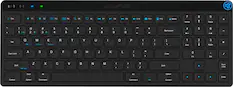
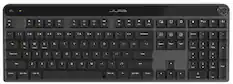
JLab - JBuds Wireless Keyboard - Black
$34.99The price was $39.99


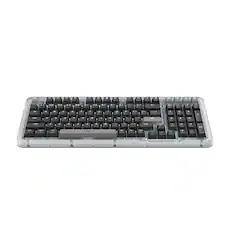
![Esc F1 F2 F3 F4 F5 F6 F7 F8 F9 F10 F11 F12 Print Screen Scroll Lock Pause Break 1 2 3 4 5 6 7 8 9 0 - + = Backspace Insert Home H Page Up A Num Look 1 I Tab Q W E R T Y U I o P { [ } ] I I Delete End IN Page Down 7 Home 8 9 Pg Up Caps A Lock A S D F G H J K L ; : DE g Enter 4 5 6 Shift Z X C V N M < > ? I Shift 1 End 2 3 Pp Dn Enter Ctrl Alt Alt Ctrl 0 Ins Del](https://pisces.bbystatic.com/image2/BestBuy_US/images/products/a588d446-5678-40ae-86b8-1f15e0026e66.jpg;maxHeight=232;maxWidth=233?format=webp)

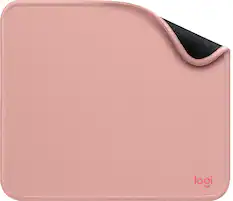
Mouse Pads




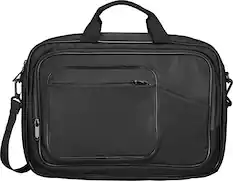
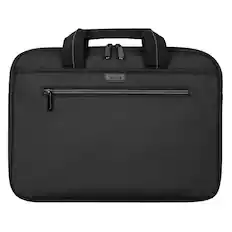
Laptop Bags and Cases

Customers ultimately bought
 Labor Day Deal$29.99The price was $39.99
 Labor Day Deal$29.99The price was $39.99
 $23.99The price was $29.99

Explore tech essentials Sponsored
 $59.99The price was $99.99
 $129.99The price was $159.99


Discover related products
 $13.99The price was $19.99
 $30.99The price was $32.99
 $24.99The price was $27.99
 $59.99The price was $69.99
 $21.99The price was $40.66









Keep exploring
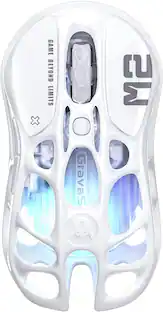 $79.95The price was $109.95
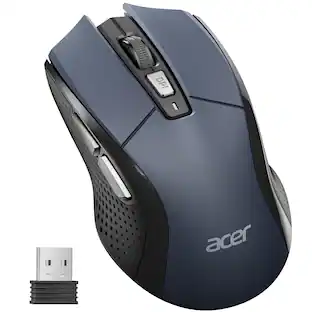 Labor Day Deal$14.99The price was $17.99
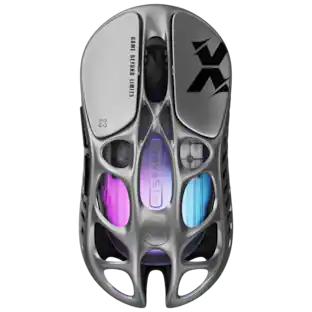 $79.95The price was $109.95