Deals Worth GiftingShop now

Main Content

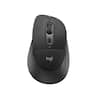
Logitech - MX Master 4 - Adobe Edition - Wireless Laser Ergonomic Mouse with Advanced Performance Haptic Feedback - Wireless - Black

Model: 910-007561
SKU: 6640829
$119.99
or
Finance OptionsView your offers
Get it for lessWays to save on this item
Accidental Geek Squad Protection
Availability
Fulfillment Options
Pickup at
Sold by Best Buy
Specifications
  • Lighting Type
    None
    Maximum Sensitivity
    8000 dots per inch
    Number of Buttons (Total)
    8
    Connection Type
    Wireless
  • Key Specs
    • Lighting Type: None
    • Maximum Sensitivity: 8000 dots per inch (Mouse sensitivity is measured in dots per inch (DPI). The higher the DPI, the more sensitive the mouse is and may be more useful for high-density pixel screens. Lower DPI typically means more precision and accuracy in mouse movement.)
    • Number of Buttons (Total): 8
    • Connection Type: Wireless
  • General
    • Brand: Logitech
    • Model Number: 910-007561
    • Product Name: MX Master 4 - Black Adobe Edition - Wireless Laser Ergonomic Mouse with Advanced Performance Haptic Feedback
    • Color: Black
    • System Requirements: Via Bluetooth® Low Energy (BLE): Windows 11, or later, macOS 13 or later, ChromeOS, Linux, Android 12 or later, iPadOS 15 or later. Via Logi Bolt receiver: available USB port, Windows 11, or later,macOS 13 or later, ChromeOS, Linux (The software that a product must have for it to be able to integrate with another product.)
  • Features
    • Mouse Type: Standard
    • Lighting Type: None
  • Performance
    • Mouse Operation: Button(s), Scroll wheel
    • Mouse Grip Style: Ergonomic, Contoured, Palm grip (In comparison to many palm and claw grips, ergonomic grip mice are designed for a specific handedness and put the hand and wrist in a position to promote comfort. Customizable grips feature buttons/keys that can be configured to perform specific actions and may also have customizable calibration and sensitivity settings.)
    • Handedness: Right-handed
    • Tracking Method: Laser (There are several types of computer mice, optical and laser being among the most common. Optical mice detect less detail and provide more precise and accurate movement. Laser mice detect more detail and can be used on a wider variety of surfaces, but are more sensitive to small movements.)
    • Maximum Sensitivity: 8000 dots per inch (Mouse sensitivity is measured in dots per inch (DPI). The higher the DPI, the more sensitive the mouse is and may be more useful for high-density pixel screens. Lower DPI typically means more precision and accuracy in mouse movement.)
    • Minimum Sensitivity: 200 dots per inch (Mouse sensitivity is measured in dots per inch (DPI). The higher the DPI, the more sensitive the mouse is. Lower DPI typically means more precision and accuracy in mouse movement, but higher DPI may be useful for high-density pixel screens.)
    • Number of Buttons (Total): 8
    • Number of Thumb Buttons: 3
    • Number of Programmable Buttons: 8
    • Adjustable Weight: false
  • Connectivity
    • Connection Type: Wireless
    • Wireless Connectivity: Radio Frequency (RF - 2.4 Ghz/Low Latency), Bluetooth (The manner in which a device sends data to another device over a short distance without the use of wires or cables.)
    • Maximum Wireless Range: 33 feet
    • Operating System Compatibility: Windows, Mac, Apple iPadOS, Chrome, Linux, Android
    • Plug and Play Operation: true
    • Number of Devices Connectable Simultaneously: 3
  • Power
    • Mouse Power Source: Battery-powered
    • On/Off Switch: true
    • Rechargeable Battery (Mouse): true
    • Wireless Charging: false
    • Charging Interface(s): USB-C (The connection for transmitting power to charge the device.)
    • Battery Chemistry: Lithium
  • Dimensions
    • Product Height: 2 inches (The out of box height of the item. Height is measured as the vertical distance from the bottom of the item to the top as it would be primarily used or placed.)
    • Product Length: 5.05 inches (The out of box length of the item. Length is measured as the longest dimension of the item.)
    • Product Width: 3.48 inches (The out of box width of the item. Width is measured as the horizontal distance from one side of the item to the other as it would be primarily used or placed.)
    • Product Weight: 150 grams (The out of box weight of the item.)
  • Warranty
    • Warranty - Parts: 1 year
    • Warranty - Labor: None
  • Other
    • UPC: 097855207609

MX Master 4 Wireless Ergonomic Mouse with Advanced Performance Haptic Feedback

  • Precision you can feel with the Haptic Sense Panel: Customizable haptic feedback on specific actions, shortcuts, notifications enhancing productivity on this wireless Bluetooth mouse.¹
  • Effortlessly access favorite tools with Actions Ring on this MX Series mouse: A dynamic, customizable overlay adapts to each app, placing most used filters, adjustments, and shortcuts at your cursor.
  • Ultra-fast scrolling: Scroll 1,000 lines per second and stop on a pixel with the MagSpeed scroll wheel—Logitech’s fastest, quietest, and most precise scrolling experience.
  • More powerful connectivity: Enjoy 2X more powerful connectivity with a USB-C dongle, advanced radio chip, and optimized antenna for faster, stronger, reliable performance—or use Bluetooth for more versatility.²
  • Ergonomic mouse designed for comfort: MX Master 4 keeps you in flow with a natural tilt, intuitive buttons, and a thumb scroll wheel that reduces hand stress for fluid navigation.
  • Quiet Clicks: Quiet Clicks on MX Master 4 reduce noise and distractions, offering a soft, satisfying feel with 90% less click noise—perfect for focused workflows.³
  • MX + Adobe Creative Cloud: Get a complimentary 2-month Adobe Creative Cloud subscription with your purchase of MX Master 4 - Black, exclusively at Best Buy.
  • Designed for a positive future: Plastic parts include recycled plastic - 54% Black; 48% Pale Grey; 100% recycled cobalt in the battery; built to last with improved stain resistance.⁴
  • 2-months of Adobe Creative Cloud on us: Pair two of the world’s top creative tools. Buy one MX Master 4 Adobe Version and claim your free 2-month Adobe Creative Cloud membership. *Value calculated based on Adobe Creative Cloud All Apps monthly value of $59.99 valid on Adobe.com on Sept 12, 2024. Terms & Conditions apply.¹ ² ³
Whats Included
  • MX Master 4 wireless mouse
  • Logi Bolt USB-C receiver
  • User documentation
Disclaimers
  • ¹ Requires Logi Options+ app, available for Windows and macOS at app.logi.com
  • ² Compared to MX Master 3S
  • ³ Compared to MX Master 3, MX Master 4 has 90% less Sound Power Level left and right click.
  • ⁴ Excludes plastic in printed wiring assembly (PWA), receiver, wire, FFC cable, and packaging.

Q: Why isn’t the charging cable included? What is the difference between MX 4 and Adobe MX 4?

A: A USB cable is included for charging. The difference is the Adobe edition comes with a trial to Adobe software. They are the same other than that.

Q: Does this mouse have "silent" buttons?

A: They are much quieter than the previous generation MX3. Not sure if they are silent, but I don't notice the clicks in regular use.

Q: Can you replace the battery?

A: Technically yes, but it's not easily swappable. It requires dismantling the mouse. With proper and regular charging, the rechargeable battery should last for years.

Q: Is it compatible with the logitech wireless charging mouse pad?

A: Not compatible with Logitech wireless charging mousepad.

Q: Can I pair the MX Master 4 with an existing USB receiver (like from my MX Master 3S)?

A: Hey! Yes, the MX Master 4 can be paired with the existing Logitech Bolt USB receiver from your MX Master 3S.

Sponsored

Compare similar products

Logitech - MX Master 4 - Adobe Edition - Wireless Laser Ergonomic Mouse with Advanced Performance Haptic Feedback - Wireless - Black
4.6(77)

MX Master 4 Wireless Ergonomic Mouse with Advanced Performance Haptic Feedback

Logitech - MX Master 4 Wireless Laser Ergonomic Mouse with Advanced Performance Haptic Feedback - Wireless - Pale Gray
4.6(19)

MX Master 4 Wireless Ergonomic Mouse with Advanced Performance Haptic Feedback

Logitech - MX Master 3S Bluetooth Edition Performance Wireless Optical Mouse with Ultra-fast Scrolling and Quiet Clicks - Wireless - Black

Logitech MX Master 3S Bluetooth Edition – productivity and precision mouse. With Quiet Clicks and 8K DPI any-surface tracking for more feel and performance.

Logitech - MX Master 4 for Mac - Wireless Laser Ergonomic Mouse with Advanced Performance Haptic Feedback - Wireless - Space Black
4.8(48)

MX Master 4 for Mac Wireless Ergonomic Mouse with Advanced Performance Haptic Feedback

Pros for Logitech - MX Master 4 - Adobe Edition - Wireless Laser Ergonomic Mouse with Advanced Performance Haptic Feedback - Wireless - Black
Button Functionality, Ergonomics, Haptic Feedback, Battery Life, Build QualityErgonomics, Button FunctionalityErgonomics, Button Functionality, Connectivity, Battery Life, Overall PerformanceErgonomics, Button Functionality, Haptic Feedback, Build Quality, Connectivity
Cons for Logitech - MX Master 4 - Adobe Edition - Wireless Laser Ergonomic Mouse with Advanced Performance Haptic Feedback - Wireless - Black
Weight, SizeThere were no cons for this productWeightThere were no cons for this product

Specs

Reviews

Customers are saying

Customers have good things to say about the MX Master 4 - Adobe Edition mouse, especially its button functionality, haptic feedback, and ergonomic shape. Users appreciate the excellent battery life, top-notch build quality, and seamless connectivity. The mouse is also noted for its quiet operation, but some find its size makes reaching the buttons difficult.

This summary was generated by AI based on customer reviews.

Customer Images

The vast majority of our reviews come from verified purchases. Reviews from customers may include My Best Buy members, employees, and Tech Insider Network members (as tagged). Select reviewers may receive discounted products, promotional considerations or entries into drawings for honest, helpful reviews.

  • Rated 4 out of 5 stars

    Well rounded successor, slightly flawed

    Considering the price increase from $99, the MX Master 4 mouse had some pretty big shoes to fill coming from the 3s series. As my favorite mouse for many years now, the simplicity, ease of use, and premium materials warranted my purchase, with this mouse being no exception. ***PROS*** + Out of the box, the Master 4 mimics the silhouette of the Master series as a whole, exemplifying the ergonomic- and productivity-focused design seen its predecessors. Making the horizontal scroll wheel larger and moving it up the ridge of the device allows for a >180 degree range of motion, thus allowing the 4 to surpass the 3s and its recessed nature. + The 4 implements an intuitive haptics system* (<-see cons) that connects the user to the interface, buzzing when pairing the device, moving between windows, and using the newly integrated actions ring, allowing the user to access apps and actions with the click of a button. + Fixes issues with clunks, vibrations, and "stickiness" associated with the 3s and its scroll wheel, an issue that drove me crazy. (Specifically when I stopped scrolling and the magnet would click back in, along with a loud clunk.) +Improved click noise, incorporated smoother scrolling, and solidified the metal vertical scroll wheel to mitigate horizontal movement/play. + Switched the main body from (notoriously fragile) soft-touch rubber to a textured high-quality plastic, helping with sweat buildup and the ability to keep the mouse clean. Surprisingly comfortable considering how much I loved the material for the 3s. + Moved the tab-switching button from the thumb joint (sometimes awkward for smaller hands) to the actual thumb, along with an EXTRA programmable button for preferential customization. + USB-C dongle for Logi is always a plus. Going in the right direction with their compatibility. +Screw holes allow serviceability & right to repair ***CONS*** (-1.25⭐) - (*<-From before) Logi Options+ MUST be installed to use the haptics on the mouse in a meaningful way. There is NO on-board memory. Users working in a company that blocks 3rd party software LOOK ELSEWHERE, or, get the 3s. Thank goodness the software is free. (-.5) - Standard 125 Hz polling rate. This is an outdated and honestly confusing omission from this mouse, regardless of its "work and productivity" niche. This makes using the mouse on 120Hz+ monitors a drag, with the mouse "catching up" to the display. Considering you can purchase a productivity-based mouse with a 8000Hz polling rate for $70, this is a terrible look for Logitech. They are lucky the majority of monitors and computers are only 60Hz, including mine. (-.5) - On the 3s, there was a small solid plastic lip that allowed my ring finger to rest but not interfere with the mouse. Due to the refreshed design, I need to rest that finger on the right-click button, alongside my middle finger. This leads to misclicks but will be something to get used to. (-.25) CONCLUSION: Overall, this is a thoughtfully designed, well built, and multifaceted mouse. I will be keeping it, however, my 3s is on standby due to the software limitations of the 4's full functionality. 4 ⭐ because the haptics are cool (+.25), and 3.75 doesn't exist for Best Buy reviews.

    Posted by Beebz

  • Rated 5 out of 5 stars

    Eek! A mouse!

    I'm using this mouse on a MacBook Pro. Im really loving it so far. It solves all the macbook mouse issues i was having, such as not being able to turn off mouse acceleration, not being able to invert the scrollwheel direction without also inverting it on the trackpad, etc.... The only thing I'm a little iffy on is the thumb rest button. I click it by accident a lot,but I'm getting used to it. The ridiculous battery in this mouse makes up for that.

    Posted by TylerM

  • Rated 5 out of 5 stars

    The Most Premium Mouse for Productivity

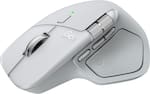
    Plain and simple: if you are looking for a wireless, ergonomic, right-handed mouse with all the productivity shortcuts you could think of, this is what you need. I’ve never used a mouse that feels this premium and worthy of such a adjective. I will preface this review by saying I’ve almost exclusively used Logitech mouse for over a decade. Particularly their mice that are ergonomically shaped and have two side thumb buttons. I’ve been using their Marathon Mouse M705 for years and I’m quite happy with it. When I had the opportunity to check out the MX Master 4, I was super excited because it had some interesting features I wished to check out! There are several features that drew me to the MX Master 4 as someone who works remotely at a desktop every day. Firstly, is the ergonomic shape. If I don’t find the mouse comfortable for my hand to rest on and slide around, no other feature will overcome this. I can say that as a right-handed mouse user, this fits and feels well. I was concerned slightly about the extended thumb area – both with it sticking out farther than I’m used to, the textured area, and that it’s also a clickable button. I can say that none of this bothers me and the placement of the action center button and the three thumb buttons above it are perfectly out of the way. It does seem slightly heavier than my previous mouse, so I adjusted some cursor settings so that I don’t have to physically move the mouse as far as I prefer not to have to lift the mouse. It’s also worth noting that this is a very large mouse – larger than the Marathon Mouse. I’ve included a photograph comparing the two. If you have small hands, I think this may be too much. All of the other features are a plus. It is a rechargeable, something I’ve not had in a mouse before. Logitech claims 1 minute of charge time gets you 3 hours of use and a full charge is about 70 days. This works just fine for me and saves me the hassle of requiring batteries on hand – else you lose all control of your mouse! It charges via USB-C, so at no point will you need this plugged in for hours on end. The horizontal scroll wheel is a treat. As someone who works frequently in spreadsheets, this has already come in handy. The wheel is the perfect amount of slow tension. At no point will this wheel scroll more or less than precisely where you need it to be. This can be customized using the Logitech software to work differently depending on the current application. For example, on web browsers you can set it to scroll your open tabs. The main vertical mouse wheel, located between the left and right click buttons is also an improvement over any other mouse I’ve used. It features two modes: a tactile scroll and a freewheel smooth scroll. I like tactile, but in the past, it has been too noisy for my preferences. This time around, it’s silent and the tactile feel is haptic. There is a small button below the wheel that switches between both modes. Of note is that this time around it’s smart: by default, it’s the tactile scroll until you scroll fast at which point it switches automatically to smooth until you’ve paused. This sounds confusing, but in practice it is completely natural and welcome! Speaking of silent features, something I had overlooked was that the left and right mouse button clicks are completely silent! To be honest, this has thrown me for a loop more than anything else. I did not realize how my brain has come to rely on a mouse click, well, making a click sound. After a few days though, I’m more comfortable with the silence. There are four more buttons yet to be talked about: There are two thumb buttons that by default and by my personal preference are for forward and back. Most of my work is in web browsers and going back and forward is very common and these thumb buttons save time. There is a third thumb button slightly more forward from the proximity of the other two that’s a gesture button. You can program a single click to do, well, whatever you’d like, and you can then hold the button while moving your mouse in an orthogonal direction to act as four different other actions. All three thumb buttons and gestures, with the Logitech software, are customizable. The last button is Logitech’s touted Action Ring button. This is a button that will activate a ring of selections around your cursor on the screen. What these selections are can be customized individually and can also be app dependent. In other words, it can be different options in Microsoft Word as it is in Zoom or Photoshop. This is a whole secondary world of shortcuts, all programable via the Logitech Options + software. You can download app specific options, which include a lot of productivity software, on top of every Windows shortcut you can think of. Or create your own macro. To be honest, while impressive and intuitive, I’m not sure I’ll be taking advantage of this too often. Most of the app defaulted action ring shortcuts are the buttons in an application you’d most often select and therefore are front and center in your application. I’m not sure I’d ever get the muscle memory to click the action ring button and click the action versus just moving my mouse to the appropriate place to click within the app. However, for a button that’s unobtrusive, having the option there is amazing. I can see someone else taking far more advantage of this than me. As for the unboxing and setting up of the MX Master 4, it simply couldn’t be easier. In the box is the mouse, pre-charged just around 55%, the USB-C receiver and some brief documentation. On the underside of the mouse is a large, easily removable sticker, that instructs you on what to do if you’re looking to connect via Bluetooth or via the USB-C receiver. Of note is that the USB-C receiver has no USB-C to A adapters – your computer must have an available USB-C port. My Windows 11 computer immediately recognized the mouse upon plugging in the receiver and turning the mouse on. From there, it was a quick download of the Logitech Options + software. As mentioned, the software can help customize everything this mouse does. No button is off limits from customization, and the software does a good job of introducing you to all the features and how to change them. The software allows a deep level of customization. You can adjust what your mouse buttons do on a per application basis, something I’ve only briefly played with. To be honest, this level of customization at times felt overwhelming. I plan on revisiting the customization options down the road, as it was too much during my initial set up to think about all the potential possibilities this can provide. Bottom line is if you are a remote worker who loves buttons and loves productivity, I can’t see how you’d go wrong with this mouse. I’m not sure if it’s an apt comparison these days, but this is the Cadillac of computer mice. Any mouse will let you move your cursor and click, but this one makes you not only enjoy the experience, but tailor it specifically towards your needs and in the process saves you time.

    Posted by Eric

No content
Sponsored

Similar products from outside of Best Buy

sponsored

Finance Options

My Best Buy® Credit Card
10% back in rewardson your first day of purchases when approved for the My Best Buy® Credit Card.
Buy Now, Pay Later
4 payments starting at $30.00

Get it for less

Save $6 with Plus or Total