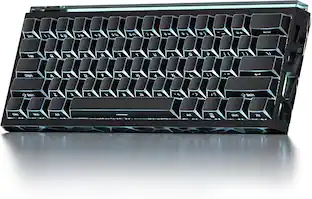
Logitech - MX Keys S Combo Advanced Full-size Wireless Scissor Keyboard and Mouse Bundle with Palm-rest - Black
Customers are saying
Customers recognize the exceptional quality of the keyboard and the impressive battery life as the standout features of this product. Users also frequently praise the seamless device connectivity, intuitive customization options, and the quiet, comfortable design. While the majority of feedback is highly positive, some users have expressed concerns regarding the premium price point and the thin padding on the palm rest.
Keyboard and mouse combo engineered for speed and precision
MX Keys S Wireless Keyboard features fast fluid laptop-like typing combined with the fast, precise scrolling of MX Master 3S Wireless Mouse.
Fluid typing experience
Laptop-like profile with spherically-dished keys shaped for your fingertips delivers a fast, fluid, precise and quieter typing experience.
Scroll 1000 lines per second
With MagSpeed, Logitech’s fastest and most precise scroll wheel, and an 8K DPI sensor, this Logitech Mouse tracks anywhere – even on glass.¹
Automate repetitive tasks
Easily create and share time-saving Smart Actions shortcuts that perform multiple actions with a single keystroke with the Logi Options+ app.²
Advanced wireless keyboard with smarter illumination
Backlit keyboard keys light up as your hands approach and adapt to the environment; now with more lighting customizations on Logi Options+.²
More comfort, deeper focus
Mouse and keyboard engineered for hours of work; stable keyboard with an optimum angle, and mouse sculpted for your hand for better wrist posture.
Multi-device, multi OS combo
Pair with up to 3 devices on nearly any operating system (Windows, macOS, Linux) via Bluetooth Low Energy or included Logi Bolt USB receiver.³
Made with recycled plastic
Both MX Keys S and MX Master 3S include certified post consumer recycled plastic — 27% for MX Master 3S (Black) and 15% for MX Keys S (Black).⁴
¹ 4 mm minimum glass thickness.
² Requires Logi Options+ app, available for Windows and macOS.
³ The combo is not compatible with other Logitech USB receivers.
⁴ Excludes plastic in printed wiring assembly (PWA), receiver, wire, FFC cable, and packaging.
1-month of Adobe Creative Cloud on us (a value of $59.99)*
Pair two of the world’s top creative tools. Buy one MX Keys S and claim your free 1-month Adobe Creative Cloud membership. *Value calculated based on Adobe Creative Cloud All Apps monthly value of $59.99 valid on Adobe.com on Sept 12, 2024. Terms & Conditions apply.¹ ² ³
¹ Terms and Conditions: Offer starts on October 2024, and expires on October 31st, 2026. Offer available worldwide to customers who purchase the Logitech MX Keys S who are new or existing Adobe customers. When you purchase an MX Keys S you receive a complimentary 1-month membership of Adobe Creative Cloud All apps when you go to logi.com/adobe-offer offer page and follow the redemption steps.
² Limit: 1 subscribing customer per product. At the end of the trial period, if you provided a payment method, your subscription would automatically renew, and you will be charged the then-current subscription rate unless you elect to change or cancel your subscription.For Creative Cloud All apps, the current subscription rate is US$89.99/mo or US$659.88/yr (annual, prepaid) (plus applicable taxes/VAT/GST).Cancellations can be made through Customer Support or https://account.adobe.com/plans
³ Valid only for eligible persons who are 18+. Residents or persons in embargoed countries or countries subject to U.S. or local export restrictions are not eligible. Offer and prices are subject to change. Offer may not be assigned, exchanged, sold, transferred, combined, or redeemed for cash or other goods and services not expressly stated here as included. Subject to availability where the recipient resides. Additional terms may apply. VOID WHERE PROHIBITED OR RESTRICTED BY LAW.
⁴ The purchase of an MX Keys S includes 1 month of Adobe Creative Cloud All Apps membership. Terms and conditions apply.
⁵ Requires Logi Options+ app, available for recent versions of Windows and macOS
⁶ Battery life may vary based on user and computing conditions
- Form FactorFull-sizeKeyboard TechnologyScissorConnection TypeWireless
Reviews
Rating 4.8 out of 5 stars with 623 reviews
- Keyboard Quality (245)
- Battery Life (93)
- Connectivity (42)
- Ease of use (32)
- Noise Level (23)
- Palm Rest (4)
- Price (4)
Customer Images
The vast majority of our reviews come from verified purchases. Reviews from customers may include My Best Buy members, employees, and Tech Insider Network members (as tagged). Select reviewers may receive discounted products, promotional considerations or entries into drawings for honest, helpful reviews.

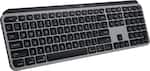
Compare similar products
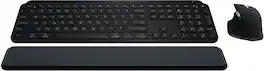
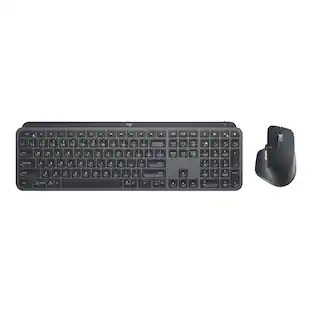
Master your flow with the MX Keys S Combo Wireless Mouse and Keyboard — the ultimate combo that combines the power of the fluid, fast precision typing of MX Keys S Wireless Keyboard with the precise, fast scrolling experience of MX Master 3S Wireless Mouse.

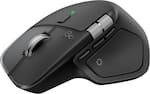
The next generation of Logitech MX Keys Combo for Business delivers a high performance experience with new feature upgrades for more productivity. The MX Master 3S mouse features Quiet Click technology that keeps noise distractions to a minimum and an 8000 DPI optical sensor that tracks virtually anywhere–even on glass. This Logitech wireless keyboard and mouse combo includes a comfort keyboard wrist pad, providing a fluid typing experience with great tactile response. Backlit keys shine bright with smarter power management, automatically adjusting brightness to preserve the wireless backlit keyboard’s battery life. The rechargeable plug-and-play Logitech MX keyboard and mouse are compatible with the Logi Options+ software, for easy product customization and application-based presets to optimize workflow and increase efficiency.

MX Keys S Logitech Wireless Keyboard — a low-profile full-size keyboard that offers a fluid, precise typing experience and customizable, time-saving Smart Actions that automate your most repetitive tasks with a single keystroke. The backlit keyboard features smart backlighting that lights up when your hands approach it and automatically adjusts to suit the time of day.

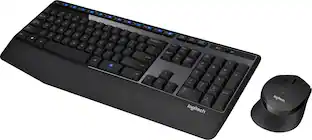
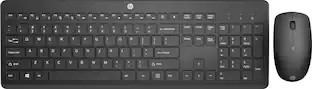
MK540 Advanced is an instantly familiar wireless keyboard and mouse combo built for precision, comfort and reliability. The full-size keyboard features a familiar key shape, size, and feeling – optimized for precision and noise reduction. The palmrest and adjustable tilt legs keep you comfortable for long stretches and the contoured mouse is designed to fit perfectly into either palm. Plug and play your keyboard and mouse with one tiny USB receiver with Logitech Unifying technology. You’ll get a reliable – and encrypted – wireless connection up to 32.8 ft away with virtually no delays or dropouts.
| Pros for Logitech - MX Keys S Combo Advanced Full-size Wireless Scissor Keyboard and Mouse Bundle with Palm-rest - Black | |||
|---|---|---|---|
| Keyboard Quality, Battery Life, Connectivity, Ease of use, Noise Level | Feel, Build Quality | Keyboard Quality, Battery Life, Ease of use, Connectivity, Key Feel | Keyboard Quality, Ease of use, Battery Life, Wireless, Price |
| Cons for Logitech - MX Keys S Combo Advanced Full-size Wireless Scissor Keyboard and Mouse Bundle with Palm-rest - Black | |||
| Price, Palm Rest | There were no cons for this product— | Price, Size, Weight | Size, Lag |
Specs
Customers often buy these together
Mouse Pads








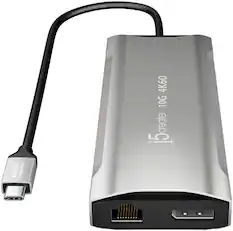
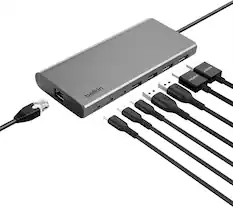
Laptop Docking Stations

More recommended items
 Web Cameras
 Computer Speakers
 Monitor and Video Cables
 Monitor Stands
 Cables and Adapters
More to consider
 Top Deal$119.99The price was $129.99
 Top Deal$119.99The price was $129.99
 $89.99The price was $99.99
 Top Deal$31.99The price was $34.99
 $31.99The price was $49.99
 $26.99The price was $29.99




Explore tech essentials Sponsored


Discover related products








Keep exploring
 $195.99The price was $283.49
 $129.95The price was $159.95