Logitech - MX Keys Combo for Business Full-size Wireless Scissor Keyboard and Mouse Bundle for Windows/Mac/Chrome/Linux - Graphite
Customers are saying
Customers enjoy the MX Keys Combo for Business, highlighting its positive aspects. The touch feel of the keyboard is well-received. Additionally, customers appreciate the great build quality of the product.
Enterprise secure
Logi Bolt is designed to meet enterprise security concerns with fully encrypted, Secured Connections Only mode wireless security.
Easy to deploy and manage
Certified and available in over 100 countries with support for IT pros and business users, both Bluetooth keyboard and mouse are Mac/Windows/ChromeOS/Linux compatible.
Smart backlighting
Cordless keyboard’s keys automatically adjust to the environment and turn off when not needed resulting in optimal battery consumption.
Perfect stroke keys
The full size keyboard’s Perfect Stroke scissor keys are spherically-dished to match fingertip shape for key stability and tactile reference for hand positioning.
Cordless mouse
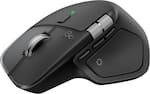
The wireless mouse works on any surface and helps hit the right pixel every time with the Darkfield 8000 DPI laser sensor; track with incredible precision—even on glass.
Precision scrolling
With MagSpeed Scrolling, the MX Master 3S zips down 1000 lines of code or spreadsheet cells in just a second and gets line-by-line pixel-by-pixel precision.
Quiet click technology
Mouse - Quiet Click technology makes open work areas better for everyone, reducing click noise by 90% for less distraction and better focus.
- Lighting TypeSingle colorAdjustable Weight SystemNoForm FactorFull-sizeKeyboard TechnologyScissorConnection TypeWireless
Reviews
Rating 4.4 out of 5 stars with 14 reviews
- Feel (5)
- Build Quality (3)
The vast majority of our reviews come from verified purchases. Reviews from customers may include My Best Buy members, employees, and Tech Insider Network members (as tagged). Select reviewers may receive discounted products, promotional considerations or entries into drawings for honest, helpful reviews.

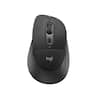
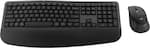
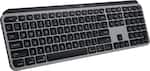
Compare similar products

The next generation of Logitech MX Keys Combo for Business delivers a high performance experience with new feature upgrades for more productivity. The MX Master 3S mouse features Quiet Click technology that keeps noise distractions to a minimum and an 8000 DPI optical sensor that tracks virtually anywhere–even on glass. This Logitech wireless keyboard and mouse combo includes a comfort keyboard wrist pad, providing a fluid typing experience with great tactile response. Backlit keys shine bright with smarter power management, automatically adjusting brightness to preserve the wireless backlit keyboard’s battery life. The rechargeable plug-and-play Logitech MX keyboard and mouse are compatible with the Logi Options+ software, for easy product customization and application-based presets to optimize workflow and increase efficiency.
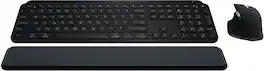
Master your flow with the MX Keys S Combo Wireless Mouse and Keyboard — the ultimate combo that combines the power of the fluid, fast precision typing of MX Keys S Wireless Keyboard with the precise, fast scrolling experience of MX Master 3S Wireless Mouse.

MX Keys S Logitech Wireless Keyboard — a low-profile full-size keyboard that offers a fluid, precise typing experience and customizable, time-saving Smart Actions that automate your most repetitive tasks with a single keystroke. The backlit keyboard features smart backlighting that lights up when your hands approach it and automatically adjusts to suit the time of day.
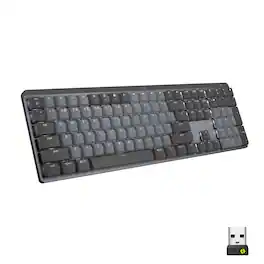
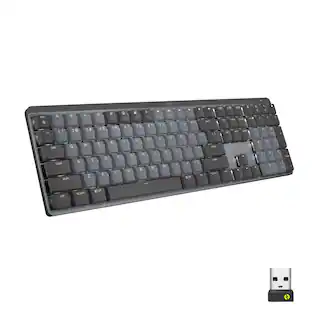
Introducing MX Mechanical - a full-size keyboard with extraordinary feel, precision, and performance. Low-profile mechanical typing delivers satisfying feedback in your choice of key switches – Tactile Quiet, Clicky, or Linear. MX Mechanical is crafted for ergonomic comfort, with smart illumination and easy-switch – allowing you to connect up to 3 devices and stay in your flow for hours.
| Pros for Logitech - MX Keys Combo for Business Full-size Wireless Scissor Keyboard and Mouse Bundle for Windows/Mac/Chrome/Linux - Graphite | |||
|---|---|---|---|
| Feel, Build Quality | Keyboard Quality, Battery Life, Connectivity, Ease of use, Noise Level | Keyboard Quality, Battery Life, Key Feel, Ease of use, Connectivity | Keyboard Quality, Battery Life, Key Feel, Connectivity, Ease of use |
| Cons for Logitech - MX Keys Combo for Business Full-size Wireless Scissor Keyboard and Mouse Bundle for Windows/Mac/Chrome/Linux - Graphite | |||
| There were no cons for this product— | Price, Palm Rest | Price, Size, Weight | Price, Noise Level, Software |
Specs
More to consider
 $119.99The price was $129.99
 Top Deal$159.99The price was $179.99
 Top Deal$109.99The price was $119.99
 Top Deal$109.99The price was $119.99
 $92.40The price was $99.99
 $31.99The price was $34.99



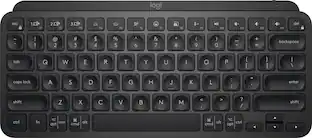


Explore tech essentials Sponsored





Discover related products
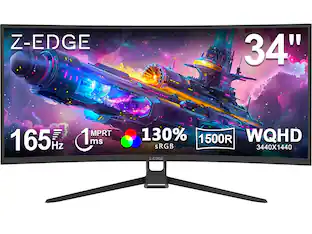 $209.99The price was $239.99
 $24.99The price was $27.99











Keep exploring
 $228.99The price was $283.49
 $199.95The price was $209.95
 $55.99The price was $62.99
 $35.99The price was $36.99