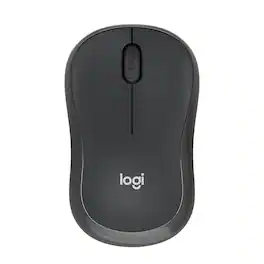
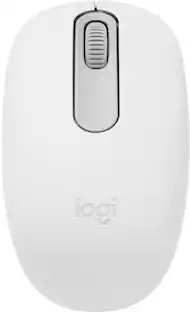
Logitech - M196 Lightweight Bluetooth Wireless Optical Mouse Compact 3-Button Ambidextrous Mouse with Smooth Tracking - Wireless - Graphite
Customers are saying
Customers express satisfaction with the overall performance, reliable Bluetooth connectivity, and the user-friendly, portable design of this mouse. Users also appreciate its lightweight build, comfortable ergonomics, and impressive battery life, which make it well-suited for everyday tasks. While the device is highly regarded for its smooth tracking and ideal size, some users noted that the clicking sound is slightly louder than they expected.
Color
GraphiteFeatures
Convenient Portable Mouse for Laptops and Tablets
The Logitech M196 Bluetooth Wireless Mouse connects in seconds with a reliable pair-and-play Bluetooth connection—no dongle or port required.
Comfortable, Travel-Ready Design
This Bluetooth travel mouse is lightweight and fits in any bag; its contoured, ambidextrous shape is comfortable for both left and right hands.
Works on a Variety of Surfaces
With precise line-by-line scrolling and optical tracking the M196 Wireless Bluetooth Mouse provides smooth and accurate cursor control on nearly any surface.
Made to Last With Recycled Plastic
The plastic parts in the M196 contain certified post-consumer recycled plastic (67% for Graphite and 66% for Off-White and Rose¹).
12-Month Battery Life
Enjoy a reliable 12-month battery life and auto sleep feature for longer use between battery changes; 1 AA battery included.²
A Small Wireless Mouse for Almost Any Device
This versatile and cost-effective Bluetooth mouse is ideal for productivity and learning on the move; works with most operating systems and devices.
Compatible with MacBook Neo laptops
Instant Bluetooth connection, seamless & color-matched
Specifications
- Lighting TypeNoneMaximum Sensitivity1000 dots per inchNumber of Buttons (Total)3Connection TypeWireless
Reviews
Rating 4.6 out of 5 stars with 413 reviews
- Overall Performance (139)
- Connectivity (103)
- Ease of Use (76)
- Ergonomics (35)
- Weight (30)
- Noise Level (4)
Customer Images
The vast majority of our reviews come from verified purchases. Reviews from customers may include My Best Buy members, employees, and Tech Insider Network members (as tagged). Select reviewers may receive discounted products, promotional considerations or entries into drawings for honest, helpful reviews.





Compare similar products

Discover the reliable Logitech M196 Bluetooth Wireless Mouse and declutter your workspace. This convenient portable mouse pairs to your laptop or tablet in seconds via Bluetooth—no dongle or port required. Enjoy up to 12-month battery life and auto sleep feature to help you go longer between AA battery changes. Small enough to toss in a bag, this comfortable Bluetooth travel mouse has an ambidextrous design that guides either your right or left hand into a natural position. The Logitech M196 Wireless Bluetooth Mouse is made to last with recycled plastic.

Eliminate the most common computer mouse issue—the cord. With the Best Buy Essentials Wireless Mouse with USB Receiver, you can navigate the web with speed and accuracy. Compatible with both Windows and Mac computers, simply insert the included nano receiver into one of your computer’s USB ports to wirelessly connect the mouse. It has just 3 buttons and an ambidextrous design for simple control. Optical technology detects when the mouse moves to deliver an accurate 1600 DPI response. We also included a AA battery, so you won’t have to worry about keeping the mouse powered until the LED indicator starts to blink. Let us improve your computer navigation by going wireless with this Best Buy-backed mouse.

Eliminate the most common computer mouse issue—the cord. With the Best Buy Essentials Bluetooth Optical 6-Button Mouse, you can navigate the web without the limitations of a cable. Compatible with both Windows and Mac computers, simply pair the mouse using wireless Bluetooth 5.1 connection. It has 6 buttons that grant you total control, including left, right, scroll, DPI adjustment, forward and back. An ambidextrous design allows you to use your left or right hand. Optical technology detects when the mouse moves to deliver an accurate 1600 DPI response. We also included two (2) AAA batteries, so you’re ready to go right out of the box. Let us improve your computer navigation by going wireless with this Best Buy-backed mouse.
With the same click feel and 90% noise reduction compared to Logitech M170 classic mice, M220 SILENT offers a quiet experience for yourself and those around you. It has a long-lasting up to 18-month battery life with auto-sleep and a powerful 33 ft wireless range with 128-bit encryption between the mouse and the receiver. Plus, its small size is perfect to toss in a bag and go. Just plug the tiny USB receiver and it works with Windows, Mac, Chrome OS or Linux. Finally, the Logitech Advanced Optical Tracking is designed for smooth and precise moves on almost any surface.
| Pros for Logitech - M196 Lightweight Bluetooth Wireless Optical Mouse Compact 3-Button Ambidextrous Mouse with Smooth Tracking - Wireless - Graphite | |||
|---|---|---|---|
| Overall Performance, Connectivity, Ease of Use, Ergonomics, Weight | Ease of use, Overall Performance, Price, Size, Wireless | Overall Performance, Ease of use, Price, Bluetooth, Battery Life | Ease of use, Overall Performance, Size, Noise Level, Color |
| Cons for Logitech - M196 Lightweight Bluetooth Wireless Optical Mouse Compact 3-Button Ambidextrous Mouse with Smooth Tracking - Wireless - Graphite | |||
| Noise Level | Click Sound, Grip | Scroll Wheel | There were no cons for this product— |
Specs
Customers often buy these together
Computer Keyboards
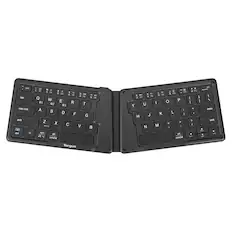
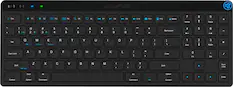
Targus - Ergonomic Foldable Bluetooth Antimicrobial Keyboard - Black
$34.99The price was $54.99


![The text on the image reads:
"esc FI In - ! 1 tab caps lock shift F2 2 Q A F3 # 3 W S Z F4 $ 4 E D X P F5 % 5 R F C F6 A 6 T G V logi ins F12 FM F0 HI F9 FB F7 + ( ) - = * - & 0 8 9 7 { ] P [ ] I O Y U : I K L ; H J ? > < / M 2 B ctrl alt cmd3 opt page page end down home up del 1 * I back clear 8 9 7 I pg up home / + 5 6 4 enter 2 3 1 dn Pg shift end 0 del ins enter ctrl fn start opt alt cmd3t"
The text is a list of keyboard shortcuts for various functions, such as esc, tab, caps lock, shift, and more. The shortcuts are organized in a way that makes it easy for users to remember and use them while typing.](https://pisces.bbystatic.com/image2/BestBuy_US/images/products/01258616-55c7-44c0-8173-e2f6983190ee.jpg;maxHeight=232;maxWidth=233?format=webp)
![Esc F1 F2 F3 F4 F5 F6 F7 F8 F9 F10 F11 F12 Print Screen Scroll Lock Pause Break 1 2 3 4 5 6 7 8 9 0 - + = Backspace Insert Home H Page Up A Num Look 1 I Tab Q W E R T Y U I o P { [ } ] I I Delete End IN Page Down 7 Home 8 9 Pg Up Caps A Lock A S D F G H J K L ; : DE g Enter 4 5 6 Shift Z X C V N M < > ? I Shift 1 End 2 3 Pp Dn Enter Ctrl Alt Alt Ctrl 0 Ins Del](https://pisces.bbystatic.com/image2/BestBuy_US/images/products/a588d446-5678-40ae-86b8-1f15e0026e66.jpg;maxHeight=232;maxWidth=233?format=webp)
![logi esc 1 F1 2 F2 3 F3 F4 F5 F6 F7 F8 x F9 NI F10 x F11 F12 ins del ~ ! 1 2 # 3 $ 4 % 5 ^ 6 & 7 8 ( 9 ) 0 e - + = backspace tab Q W E R T Y U I O P { [ } ] I / caps lock A S D F G H J - K L : ; " enter shift Z X C V B N M < > ? / shift ctrl fn L start opt H alt cmd alt cmd ctrl opt](https://pisces.bbystatic.com/image2/BestBuy_US/images/products/6478/6478163_sd.jpg;maxHeight=232;maxWidth=233?format=webp)






More to consider
 $18.99The price was $22.99





Explore tech essentials Sponsored
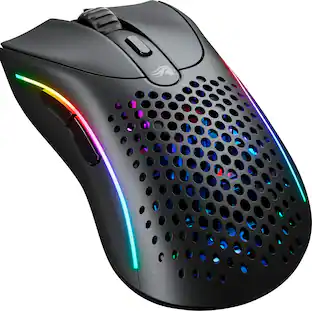 $69.99The price was $99.99
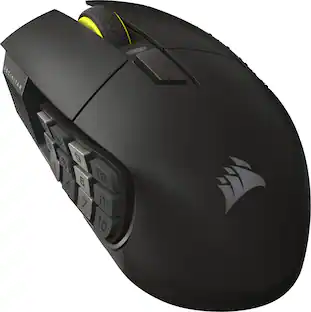 $123.99The price was $139.99




Discover related products
 $49.99The price was $78.42
 Techtober Deal$10.99The price was $13.99










Keep exploring
 $20.99The price was $34.99
 $23.99The price was $24.99
 $32.49The price was $39.94