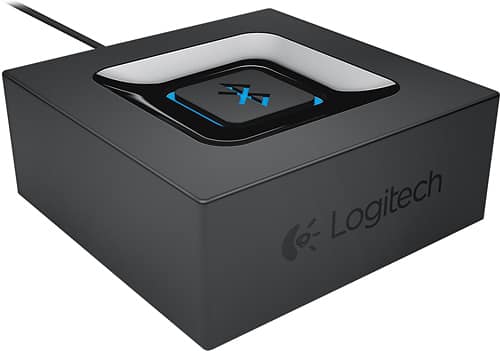
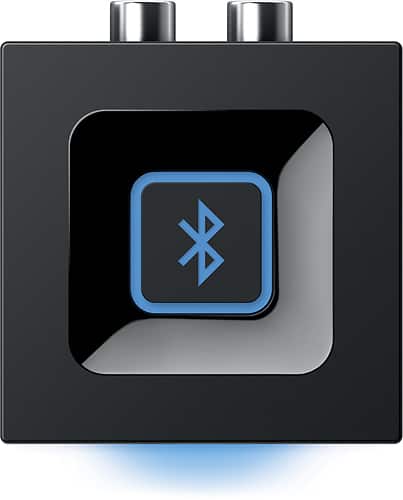
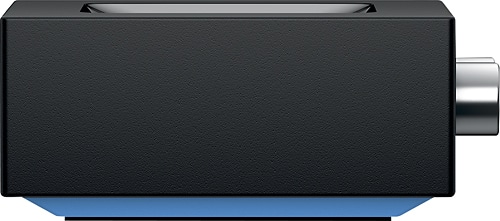
A:AnswerThis device is a Bluetooth receiver. It receives a wireless Bluetooth signal from a Bluetooth transmitter, such as an iPhone or iPad, and outputs a a 2-channel analog audio signal. You can connect the output signal via analog audio cables to another device, such as a stereo receiver, that accepts 2-channel audio input connector cables. This receiver also has a mini headphone female port for headphone jack connection.
A:AnswerSi, es compatible con cualquier sistema de audio que tenga entrada de 3.5mm (de audifonos convencionales) lo puedes conectar en la entrada que trae para ipod, en mi opinion este es uno de los mejores adapatadores bluetooth que puedes encontrar en el mercado, es super sencillo de instalar y de buena calidad
Espero que esto te sirva
Saludos!
A:AnswerIf your speakers are Bluetooth as you say then I don’t see the reason why you would need the Logitech Bluetooth adapter. The purpose of the adapter is to make a NON Bluetooth device into one by attaching it via the AUX cable to a non Bluetooth receiver, which I did to my Pioneer receiver. The cable is in the CDR outlet and when the receiver is set in that mode, it delivers a Bluetooth signal that are wired to several speakers (non Bluetooth speakers). I can control my music from my device while it’s communicating with the Bluetooth adapter. If your equipment is already Bluetooth capable the Logitech adapter is not needed
A:AnswerThe answer appears to be no. I did a little research and I cannot find anywhere that shows on the sound dock series one that it has has an auxiliary input. You would definitely need this in order to use the Bluetooth adapter.
A:AnswerThis device only lets me connect one phone at a time. But it’s a quick click of the Bluetooth from one phone to the next for ease of other connections.
A:AnswerThe Bluetooth device will remain on and ready to pair while plugged in so no, you do not need to unplug it ever. The amount of power consumption on this little thing is minimal so just leave it plugged and it will be ready to go for you. Good luck
A:AnswerIt should plug directly into the headphone jack and work fine. Mine works flawlessly with an iPad as the source driving the AUX jacks on an old stereo receiver. It needs to be plugged in all the time.
A:Answeryes Barbara, with this connected to the wired speakers you will be able to receive wireless bluetooth connections from other devices like your smart phone or tablet. just make sure your speakers have the correct connectors for this product.
A:AnswerIt depends on how many audio inputs your Bose system has. If it has more than one input, specifically an RCA analog input you should be able to use both your TV as an input source and this device to receive Bluetooth signals from any device connected to it. I would try to Google your owners manual if you are unsure as to the number of inputs on your Bose system.
A:Answerhi Bill, no unfortunately the setup you describe would require you to get a bluetooth transmitter instead of this device which is a receiver. you would want to purchase a transmitter, physically connect it to your stereo output then setup the wireless connection between the transmitter device and your wireless speaker. when you play your CD in the stereo you will be able to hear it on the wireless speaker!
A:AnswerI hooked the unit to an outdated Kenwood system with 5 speakers & no issues. Remember..it's connected to the amplifier therefore there should be no issue with speakers used.
A:AnswerIt will not work. The 3.5mm and rca are just two different ways to connect speakers. The RCA is not meant for a subwoofer. The speakers needs to have either end for it to work.
A:AnswerI’m pretty sure this doesn’t go in your car. And no if your playing music on the Logitech speakers and answer a call it goes to the phone. The speakers don’t have a mic.