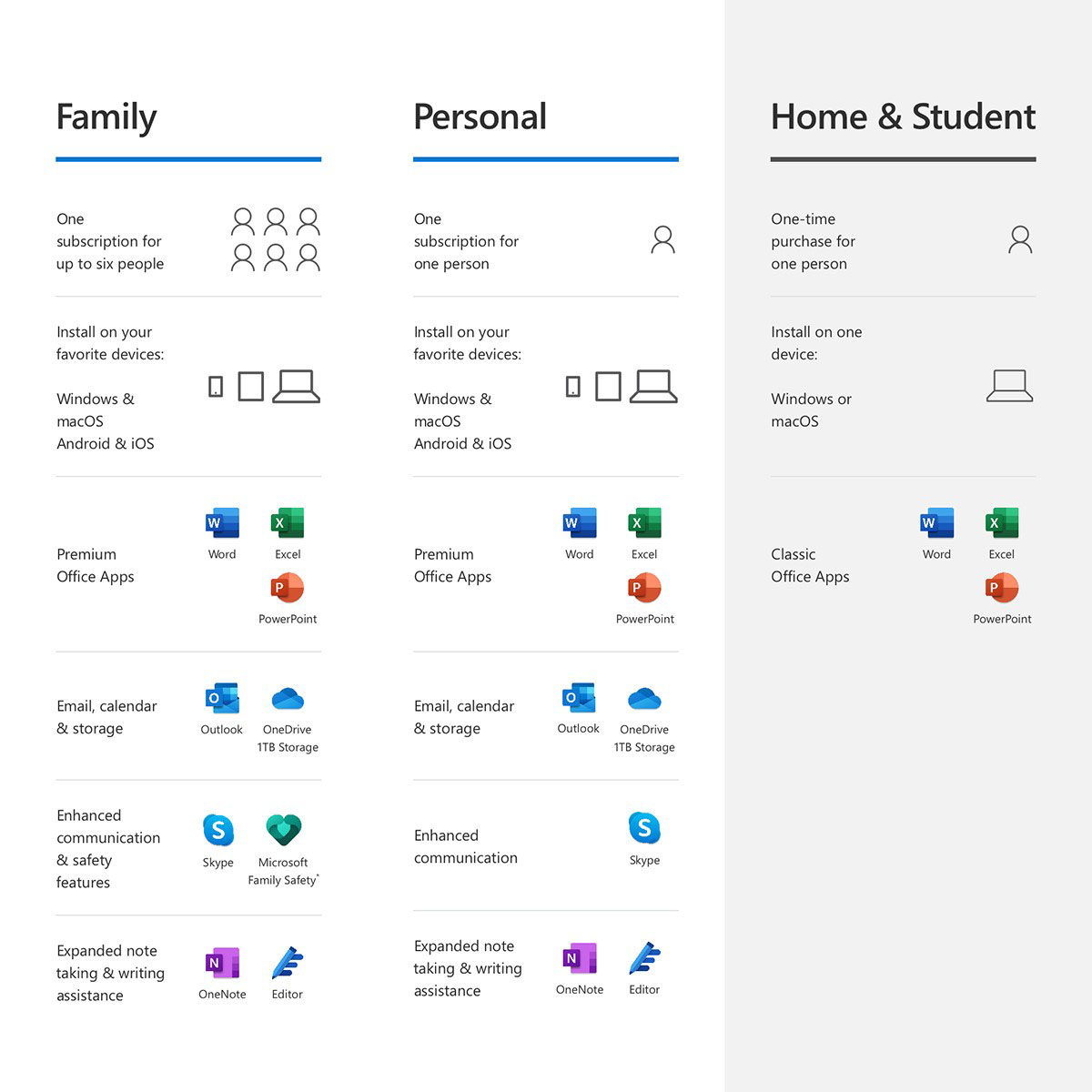
A:AnswerYou can install Microsoft 365 Personal on multiple devices. You will only need Microsoft 365 Family if you want to share your subscription with another person. To install Microsoft 365 Personal on another device you simply log into your Microsoft Account on the new devices and navigate to your subscriptions and Microsoft 365 Personal should have the option to install. Our help page here can walk you through the process: https://aka.ms/AA4rq32.
A:AnswerYes, each users gets their own 1TB of OneDrive Cloud Storage. If you purchase and redeem this it will upgrade your subscription to Microsoft 365 Family for the remainder of your existing subscripition and then add a year to it.
A:AnswerYou can renew your subscription by redeeming a product code. Both Microsoft 365 Personal and Family allow you to install your Office apps across all your devices. Microsoft 365 Family just also allows you to share that benefit and all its benefits with up to 5 other people.
A:AnswerYou can redeem it to your Microsoft account by following the instructions here: https://support.office.com/en-us/article/activate-office-5bd38f38-db92-448b-a982-ad170b1e187e.
A:AnswerYou can create your own personalized email address. You can learn about how to set it up here: https://support.office.com/en-us/article/get-a-personalized-email-address-in-microsoft-365-75416a58-b225-4c02-8c07-8979403b427b?ui=en-US&rs=en-US&ad=US. You will receive the desktop version of the Apps.
A:AnswerYour review is linked to MS Office for some reason, so I cannot see which laptop you are connecting the DVD drive to. The short answer is that external DVD drives should work with any laptop that has a USB port (assuming that is the DVD connection type). Most are plug-n-play, so try that first.
You may need to find and install the driver. If so, start by finding the DVD in your device manager. Hit the Windows key or click the Window in the Task Bar, type "Device", select Device Manager. If you see your DVD drive listed, double-click on its name, then select the Driver tab in the new dialog box. Click the Update Drive button and select "Search Automatically for Updated Driver Software". That should do it, but you may need to restart in order for the drive to work properly.
A:AnswerI AM NOT THAT FAMILIAR WITH BUT I HAVE IT ON 4 COMPUTERS, AND WHEN I OPEN OFFICE I PUT IN MY OFFICE USERNAME AND PASSWORD, AND IT AUTOMATICALLY LOADS THE SOFTWARE AND THE DOCUMENTS I HAVE.