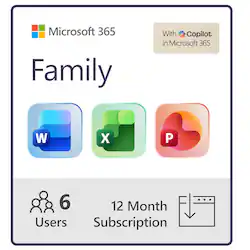
Microsoft - Office 365 Family (Up to 6 People) (12-Month Subscription-Auto Renew) - Windows
- Key Specs
- Number of Users: 6
- Number of Licenses: 1
- Operating System Compatibility: Windows
- Software Format: Physical (Physical software requires a disc, cartridge, etc. be inserted into the gaming console or computer to download and/or operate the software. Digital software allows for downloading and/or playing the software on the gaming console or computer without a physical disc, cartridge, etc. Physical (Download Code Only) software is purchased in physical form with a code that allows for downloading and/or playing the software on the gaming console or computer without a physical disc, cartridge, etc.)
- Subscription Period: 1 Year
- General
- Brand: Microsoft
- Model Number: 6GQ-01029
- Product Name: Office 365 Family (Up to 6 People) (12-Month Subscription-Auto Renew)
- Publisher: Microsoft
- Features
- Included Mobile App(s): true
- Included Application(s): Access, Excel, OneNote, Outlook, PowerPoint, Publisher, Word
- Designated Use: Home
- Cloud Storage Included: 1000 gigabytes
- Services Included: Microsoft Teams
- In-Software Purchases: Subscriptions
- Language(s): English
- Purchase Rights
- Number of Users: 6
- Number of Licenses: 1
- Compatibility
- Operating System Compatibility: Windows
- Software Format: Physical (Physical software requires a disc, cartridge, etc. be inserted into the gaming console or computer to download and/or operate the software. Digital software allows for downloading and/or playing the software on the gaming console or computer without a physical disc, cartridge, etc. Physical (Download Code Only) software is purchased in physical form with a code that allows for downloading and/or playing the software on the gaming console or computer without a physical disc, cartridge, etc.)
- Requirements
- Subscription: true
- Subscription Period: 1 Year
- Other
- UPC: 889842332353
One solution for your family across all your devices. With Office 365 Family, you and your family get Word, Excel, PowerPoint, Outlook, and more. Work anywhere with apps that are always updated with the latest features. 12-month automatically renewing subscription for up to 6 people including 1TB OneDrive cloud storage for each person. 
- Perfect for you and your family: Share with your entire family – for up to 6 people. For use on multiple PCs/Macs, tablets, and phones (including Windows, iOS, and Android)*.
- Office applications included: Get premium versions of your favorite Office apps, including Word, Excel, PowerPoint, OneNote and Outlook to create, collaborate, edit and share your best work with anyone, anywhere in real-time. Also you get Access (Windows only) and Publisher (Windows only).
- 1TB of Cloud storage included: With 1TB of OneDrive cloud storage per person you can securely save, edit, and share your files from all your devices, anywhere.
- Applications are always up-to-date: Automatically receive updates and instant access to exclusive new features throughout your subscription.
- Protect your digital assets: Safeguard your digital assets with OneDrive ransomware detection and file recovery plus Outlook.com advanced virus and phishing protection.
- Microsoft support: Premium support from Microsoft-trained experts via chat or phone at no extra cost throughout your subscription.
Q: Can I use this Microsoft software on a Mac?
A: Yes, you can use this Microsoft software on Macs.
Q: How many users can share this Microsoft subscription?
A: Up to six people can share this Microsoft family subscription.
Q: Does this software include cloud storage?
A: Yes, this software includes 1TB of cloud storage.
Q: What applications are included in this Microsoft subscription?
A: This subscription includes Access, Word, Excel, PowerPoint, Outlook and OneNote.
Q: Is Microsoft support available with this subscription?
A: Yes, Microsoft 365 has readily available technical support.
Q: Does this Microsoft subscription automatically renew?
A: Yes, this Microsoft 365 Family subscription automatically renews each year.
Q: Are the applications always up-to-date with this subscription?
A: Yes, the applications are always up-to-date with this Microsoft 365 subscription.
Q: After the year is up, do I have to renew or will the program continue to work?
A: it will not work after it expires. some people try to back date your computer's date and leaving it unplugged/disconnected from internet to fool the program but program periodically checks for license validation online and will stop working if you are not connected online.
People also viewed
 $184.99The price was $222.13
 $239.99The price was $299.99


Today's top picks
 $479.99The price was $729.99
 $69.99The price was $129.99
 $199.99The price was $249.99
 $49.99The price was $62.99