Questions & Answers
- Model:
- 6GQ-01353
- |
- SKU:
- 6402562
Q: QuestionWhat is the renewal cost each year?
Asked by Smits.
- A:Answer It is the standard price of the software.
Answered by MicrosoftOutreachTeam

Q: QuestionMy subscription for Microsoft Office 365 (for 1 user) is expiring. How can I upgrade to Microsoft 365 Family?
Asked by KK.
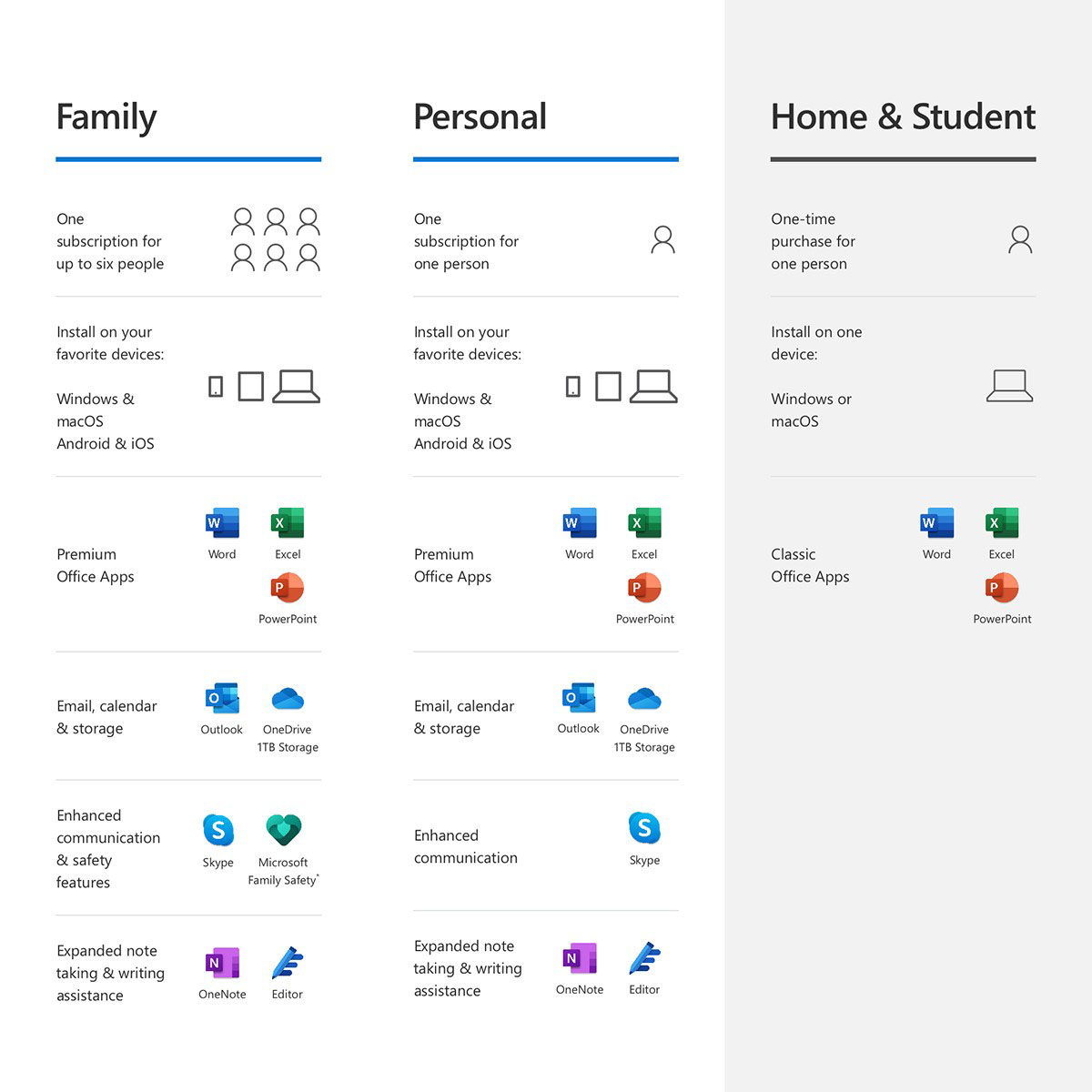
- A:Answer Your Office 365 subscription will automatically be upgraded to Microsoft 365, so the only switch you will need to make is to upgrade to Microsoft 365 Family. You can do that by purchasing a copy of it and redeeming it to your existing account. Here's what it would look like. Current subscription: You have 6 months left on your Microsoft 365 Personal subscription. New subscription: You buy a 12-month subscription to Microsoft 365 Family using the same Microsoft account as your Microsoft 365 Personal subscription. Result: Your subscription is converted to Microsoft 365 Family and will renew in 18 months, not 12.
Answered by MicrosoftOutreachTeam

Q: Questionwhat does renewal mean?
Asked by apple.
This question was asked about the related product: Microsoft - Office 365 Family (Up to 6 People) (12-Month Subscription-Auto Renew) - Windows
- A:Answer Renewal, like in a magazine subscription. Renewal means that this is a one year subscription. Before the year is up you will get a renewal notice via email notifying you that on a specific date there will be a charge for the next year. You will have options such as renew, do not renew, or cancel. If renewed you will be given a one-year access to the newest version of the software and have continued use of existing documents with out any problems. If not renewed your access to the program will end. Your documents will still be available if you use something else or purchase the full software.
Answered by rldkmd
Q: QuestionI bought Office 365 personal from Bset Buy. How do I convert this office 365 personal subscription to a office 365 family subscription. Thanks
Asked by RTS.
- A:Answer To convert your Microsoft 365 Personal into a Microsoft 365 Family account all you do is redeem this product key to your existing account. It will upgrade the remainder of your time to Microsoft 365 Family as well as add 1 year to your subscription time.
Answered by MicrosoftOutreachTeam

Q: QuestionHow much does the renewal cost annually?
Asked by Bentley951.
This question was asked about the related product: Microsoft - Office 365 Family (Up to 6 People) (12-Month Subscription-Auto Renew) - Windows
- A:Answer It is the standard price of Office 365 Home.
Answered by MicrosoftOutreachTeam

Q: QuestionMy Microsoft 365 is on auto-renew. How do I find the original KEY to add another device?
Asked by sandim25.
This question was asked about the related product: Microsoft - 365 Family, 1-year subscription, 5 PCs/Macs (Product Key Card)
- A:Answer You can manage your existing subscriptions at any time by visiting your Microsoft profile page. If looking to install your software on a second device, we recommend visiting the following link, where we host helpful guides and how-to information on the process: https://support.microsoft.com/en-us/office/download-and-install-or-reinstall-microsoft-365-or-office-2021-on-a-pc-or-mac-4414eaaf-0478-48be-9c42-23adc4716658
Answered by MicrosoftCustomerCare
Q: QuestionHow do I cancel the subscription for Office 365?
Asked by Office365.
- A:Answer Managing an account with M/S and Geek Squad is a joke. I have tried unsuccessfully to cancel my M/S 365 office package to no avail. However, Geek Squad and / or MS keep charging my credit card annually. I don't use Office any longer and do not require it on my computer! I would like to resolve this before the next annual re-up is due. I have removed the program from my computer, now I need to keep their hands off my credit cards.
Answered by Krae
Q: QuestionI purchased office 365 personal how do I upgrade to Family
Asked by Shadow.
- A:Answer The current answer doesn't explain what happens to the current subscription - I have 6 months left on my personal subscription, which cost $59.99 so what happens to that if I now purchase a family subscription for $79.99??
Answered by user
Q: QuestionI bought my Microsoft 365 Home Subscription (5 users) at Best Buy which required an account number for auto renew. How do I turn off auto renew on my subscription with Best Buy? I prefer buying my subscription in the store at my convenience.
Asked by Shopper.
This question was asked about the related product: Microsoft - 365 Family (5 Users) (1-Year Subscription-Auto Renew) - Android, Mac OS, Windows, Apple iOS
- A:Answer I have tried to cancel this subscription for months, Microsoft says I have to do it through Best Buy, and they just run me around. About to change my credit card #.
Answered by WornOut