A:AnswerYes, though the installation process is a little different. Open the Google Play Store and search for the Microsoft 365 apps you want to install.
Click Install.
Once your app(s) are installed, launch the app you want to open.
Sign in with your personal Microsoft Account or your account associated with your Office 365 subscription.
A:AnswerYes, you can install it on all your devices.
For PCs follow the instructions here: https://aka.ms/AA4rq32
For Chromebook and Android devices follow the instructions here: https://aka.ms/AA4rinm
For iPad and iPhone follow the instructions here: https://aka.ms/AA4rinc
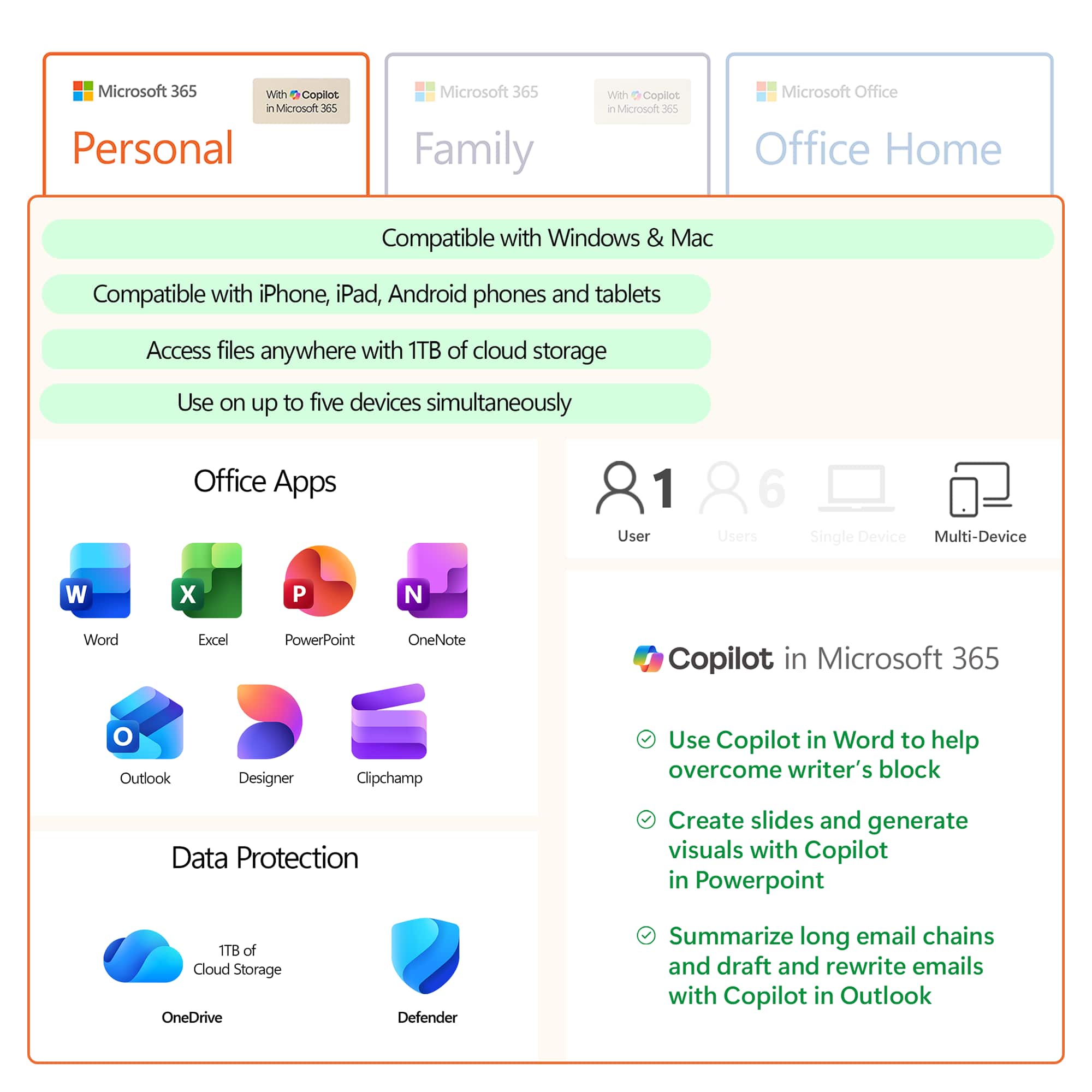
A:AnswerMicrosoft 365 Personal and Family subscriptions have all the productivity benefits of Office 365 but with a host of new experiences and value. The core Office apps people know, and love are included along with new experiences and value like Microsoft Editor, a robust partner benefit program and more. Over time, we will continue to add more productivity and protection benefits from across Microsoft to Microsoft 365 Personal and Family subscriptions.
A:AnswerIf you are looking for the right fit we recommend you check out our comparison page here: https://www.microsoft.com/en-us/microsoft-365/compare-all-microsoft-365-products?activetab=tab%3aprimaryr1.
A:AnswerIf you want Office 365 then you do need to purchase it. Office is a suite of productivity products like Word and Excel and PowerPoint. Office 365 also comes with 1 TB of OneDrive cloud storage and other perks.
A:AnswerYou will need to reach out to Best Buy Support here: https://www.bestbuy.com/site/customer-service/contact/pcmcat1511375025410.c?id=pcmcat1511375025410.
A:AnswerYou choose what Microsoft Account you want to redeem it to during the download and installation process. Just use your Wife's Microsoft account for that and you will be fine.