A:AnswerI also own a Windows 7 Computer and I am writing this review precisely on it. I keep getting messages that it will not be supported early next year and that they suggest buying a new one. Due to the possibility that Windows 7 may not work at all and very soon, I would not invest on a one year license for Office if the computer itself may not work soon.
A:AnswerYou will need to reach out to BestBuy here: https://www.bestbuy.com/site/electronics/customer-service/pcmcat87800050001.c?id=pcmcat87800050001.
A:AnswerBy downloading Office mobile apps, you can use the Office suite apps on your Chromebook. To learn more about using Office mobile on your Chromebook, follow this link: https://support.office.com/en-us/article/how-to-install-and-run-microsoft-office-on-a-chromebook-32f14a23-2c1a-4579-b973-d4b1d78561ad
A:AnswerThere is no payroll program out of the box with Office 365. You may be able to rig Excel to crunch your numbers and Word to cut your checks, but I'm sure you're better off with something like Quicken if that software is designed to do payroll.
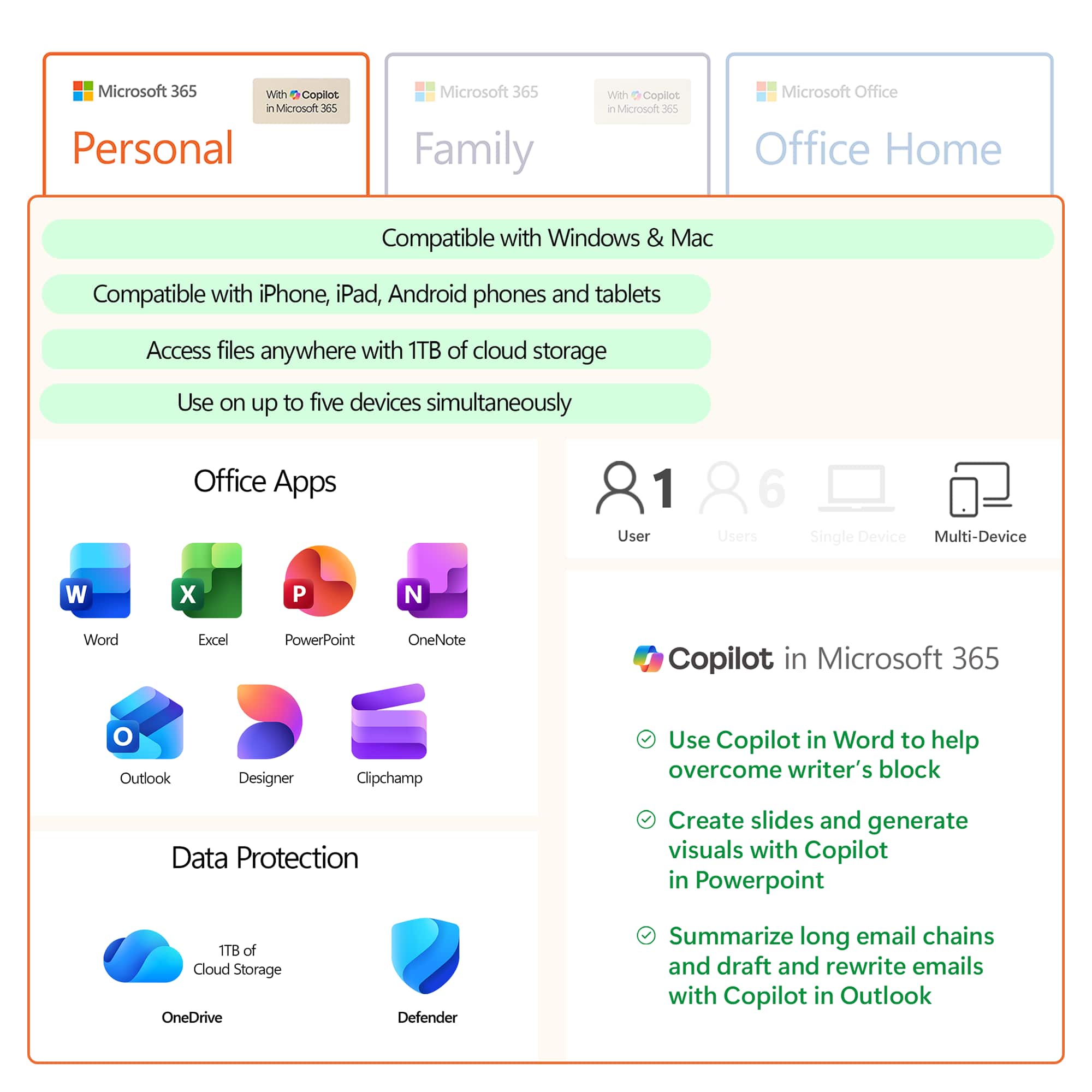
A:AnswerYou cannot upgrade if your subscription is managed by Best Buy. The instructions provided in the other answer simply send you in a circle between your Microsoft account and your Best Buy account
A:AnswerYes, all you need to do is redeem a Microsoft 365 Family subscription to your account and it will add time and upgrade your account to Microsoft 365 Family.